4
GB
You can change the display level at any time, even during pro-
gramming. All program data that has been changed up till now
and confirmed by pressing OK will be saved.
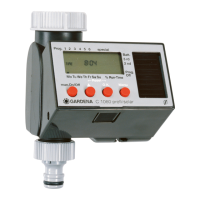
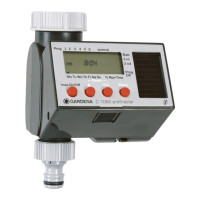
Display Desscription
5
Ticker Explanation of the program step /
Computer status.
6
Weekdays Current weekday or programmed
(Mo), (Tu), ... watering days.
7
Time Flashes when entering the current data
(Time - hours, minutes, day of the week).
8
am / pm Display for 12 hour clock (e. g. in USA,
Canada).
9
Prog Program-controlled watering
(Prog
11
–
66
)/
% (percentage change in run time)
(Prog
11 00
)/
Watering with automatic water distributor
(Prog
11 11
)/
Soil moisture sensor-controlled watering
(Prog
11 22
–
11 44
)/
Watering program
on (
OONN
) / off (
OOFFFF
).
0
Start Watering start time (flashes when in input
mode).
A
Run Time Watering duration (flashes when in input
mode).
B
24h, 2nd, 3rd, Watering cycle (with drop symbol
4th, 5th, 6th, 7th activated). Every 24 hours;
every 2/3/4/5/6/7 days.
C
% (Run Time) Budget function: Watering duration for all
watering programs can be set centrally in
10% steps from 100% down to 10%.
C
Sensor ON / OFF Sensor ON (watering) /
Sensor OFF (watering is not carried out).
D
Battery Indicates 5 battery levels:
3 bars: Battery fully charged
2 bars: Battery half full
1 bar: Battery low
1 bar flashing: Battery almost flat
0 bar: Battery flat
If no bars are displayed, the valve is no longer opened. A valve
opened by the programme will also close again if the battery
is flat.
The battery display is reset when the battery is changed.
E
9
8
6
0
D
A
7
C
5
B
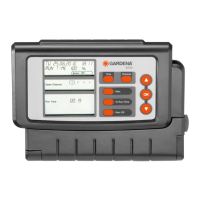
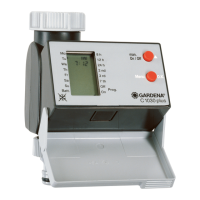
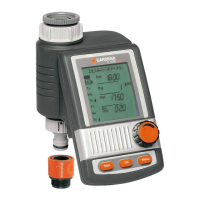
Display panel:


 To Next Page