nüvi 2505 Quick Start Manual 5
Finding a Location Using the Search Bar
You can use the search bar to search for
locations by entering a category, brand name,
address, or city name.
1
Select Where To?.
2
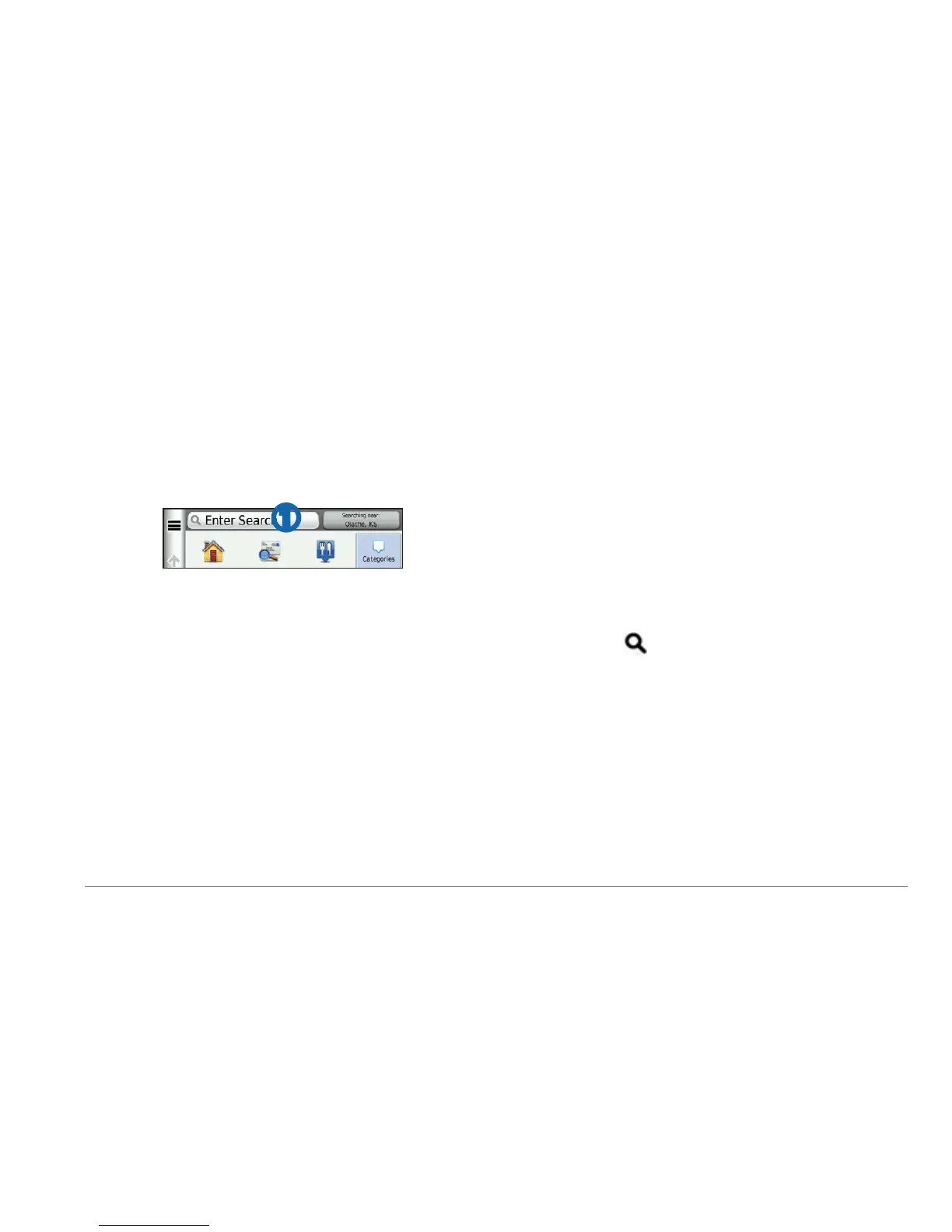
Select the search bar.
➊
3
Enter a search term.
Suggested search terms appear below the
search bar as you type.
• To search for a type of business, enter a
category name, such as “movie theaters”
or “coffee shops.”
• To search for a business by name, enter
all or part of the name.
• To search for an address near you, enter
the street number and street name.
• To search for an address in another city,
enter the street number, street name,
city, and state.
• To search for a city, enter the city and
state.
• To search for coordinates, enter latitude
and longitude coordinates.
4
Select an option:
• To search using a suggested search
term, select the term.
• To search using the text you entered,
select
.
5
If necessary, select a location.
Searching Near Another Location
From the main menu, select Where To? >
Searching Near.



 To Next Page