nüvi 310/360 Owner’s Manual 9
MAIN PAGES
Understanding the Next Turn Page
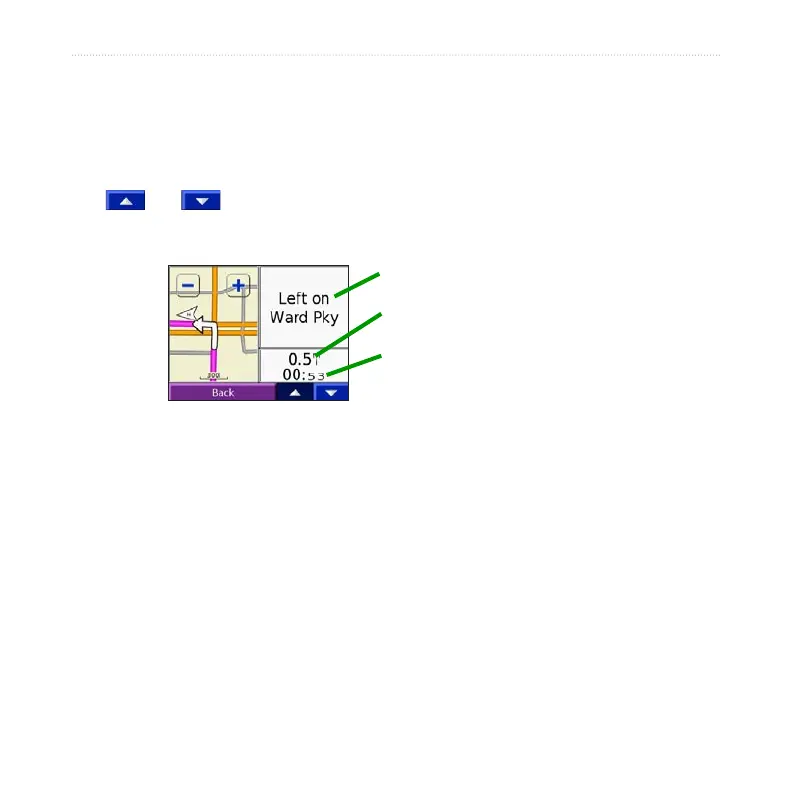
The Next Turn page displays the upcoming turn on the map and the distance and time
remaining before you reach the turn. To view an upcoming turn on the map, select
Turn In on the Map page, or select any turn from the Current Route page.
Use and to view other turns in the route. When you are finished viewing
the Next Turn page, select Back.
Upcoming turn
Distance to the upcoming turn
Approximate time left until this turn
Next Turn Page



 To Next Page