EasyManua.ls Logo

Garmin 62 Series - User Manual

Garmin 62 Series
56 pages
Print Icon
To Next Page IconTo Next Page
Loading...
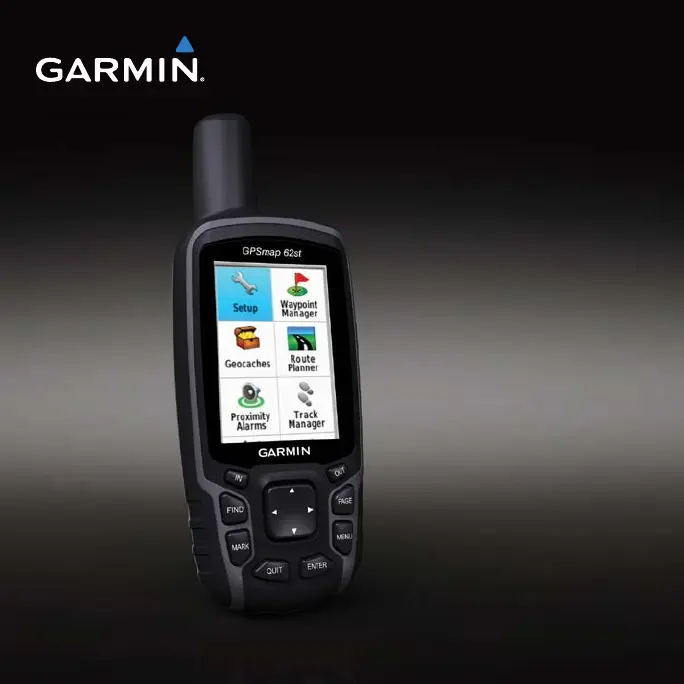
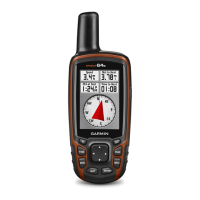
GPSMAP
®
62 series
owners manual
For use with the GPSMAP 62,
62s and, 62st

Table of Contents

Questions and Answers

  • M
    Michelle HaneyAug 2, 2025
    Why is my Garmin 62 Series GPS not acquiring satellite signals?
    • R
      Rebecca CaseAug 2, 2025
      If your Garmin GPS device isn't acquiring satellite signals, try these steps: First, move away from obstructions like parking garages, tall buildings, and trees. Then, power on the device and remain stationary for a few minutes to allow it to establish a connection.
  • H
    Heather BatesAug 8, 2025
    How to reset Garmin 62 Series GPS when screen or buttons are not responding?
    • P
      Paul GutierrezAug 8, 2025
      If the screen or buttons on your Garmin GPS device are unresponsive, try resetting it by removing and reinstalling the batteries. Note that this will not erase any of your data or settings.
  • N
    Nicholas JohnsonAug 13, 2025
    How to reset Garmin 62 Series to factory settings?
    • J
      Joshua ThompsonAug 13, 2025
      To reset all customized settings on your Garmin GPS device to the factory defaults, go to the main menu, select Setup, then Reset, and finally Reset All Settings.
  • R
    Rachael IrwinAug 19, 2025
    Why do Garmin 62 Series GPS batteries not last long?
    • K
      Kenneth WoodAug 19, 2025
      If the batteries in your Garmin GPS device are not lasting as long as expected, try decreasing the backlight settings to conserve power.
  • A
    Allison McphersonAug 26, 2025
    What to do if Garmin GPS won't go into mass storage mode?
    • K
      Kelly LewisAug 26, 2025
      If your Garmin GPS device is connected to the computer but isn't entering mass storage mode, it might be due to a corrupted file. Try these steps: Disconnect the device, turn it off. Then, press and hold the Rocker while reconnecting the device to your computer. Keep pressing the Rocker for 10 seconds, or until the device enters mass storage mode.

Summary

Getting Started

Installing the Batteries

Turning the Device On or Off

Instructions for powering the device on and off.

Navigating with Waypoints and Routes

Waypoints

Defines waypoints and their purpose.

Routes

Creating a Route

Step-by-step guide to creating a route.

Using the Main Pages

Customizing the Data Fields

How to modify displayed data on main pages.

Tracks

Managing Track Log Recording

Steps to configure track log recording settings.

Viewing the Current Track

Navigating a Saved Track

How to follow a previously recorded track.

Map

Compass

Calibrating the Compass

Steps to calibrate the electronic compass.

Using the Compass

Elevation Plot

Calibrating the Barometric Altimeter

How to manually calibrate the barometric altimeter.

Opening the Main Menu

Trip Computer

Main Menu Features and Settings

Geocaches

Information about geocaching and downloading geocaches.

Customizing Your Device

Customizing Data Fields

How to personalize data fields on the device.

Data Field Options

Detailed descriptions of available data fields.

System Settings

Display Settings

Marine Settings

Appendix

Updating the Software

Steps to update device software.

Specifications

Maximizing Battery Life

Connecting the USB Cable

Transferring Files to Your Computer

Caring for the Device

Troubleshooting

Device Unresponsive and Resetting

How to reset the device or restore factory settings.

Connectivity and Signal Issues

Resolving satellite signal and USB connection problems.

Garmin 62 Series Specifications

General IconGeneral
Resolution160 x 240 pixels
Battery Life20 hours
Barometric AltimeterYes
GeocachingYes (paperless)
ReceiverHigh-sensitivity
Display2.6-inch
Display TypeTFT
Battery2 AA batteries
WaterproofIPX7
InterfaceUSB
Memory1.7 GB internal
Waypoints/Routes/Tracks2000 waypoints, 200 routes, 200 tracks
CompassYes (tilt-compensated 3-axis)
Preloaded MapsBasemap
CameraNo
Series62 Series
Wireless ConnectivityNo (only on 62s model)

Related product manuals