Setup IconS
From the Main Menu, touch the Tools >
Setup to access the third-
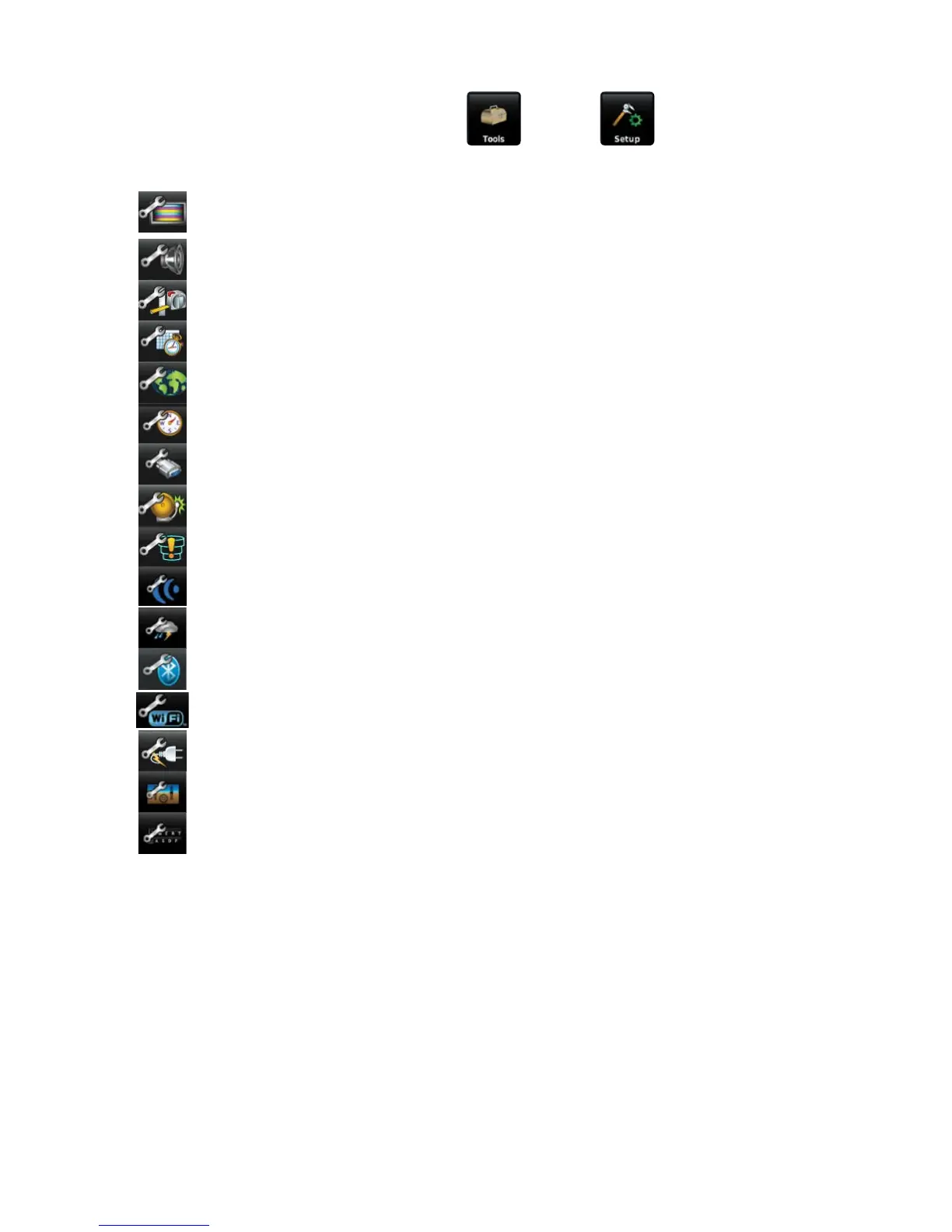
level Setup Icons. Touch these third-level icons to perform the associated function:
Display Displays backlight intensity/timeout, color mode (map/chart),
screenshot (on/off), and aircraft position settings.
Sound Displays sound settings.
Units Displays unit settings.
Time Displays time settings.
Map Displays Navigation Map settings.
Position Displays position settings.
Interface Displays interface settings.
Alarms Displays alarm settings.
Airspace Displays Special Use Airspace alarm settings.
Connext
®
Displays Connext interface settings.
Weather Displays weather data source setting.
Bluetooth
®
Displays Bluetooth connection settings.
Wi-Fi Displays Wi-Fi settings.
Power Displays Power Loss Warning settings.
3D Vision Displays 3D Vision settings.
Keyboard Displays Keyboard settings.









 To Next Page