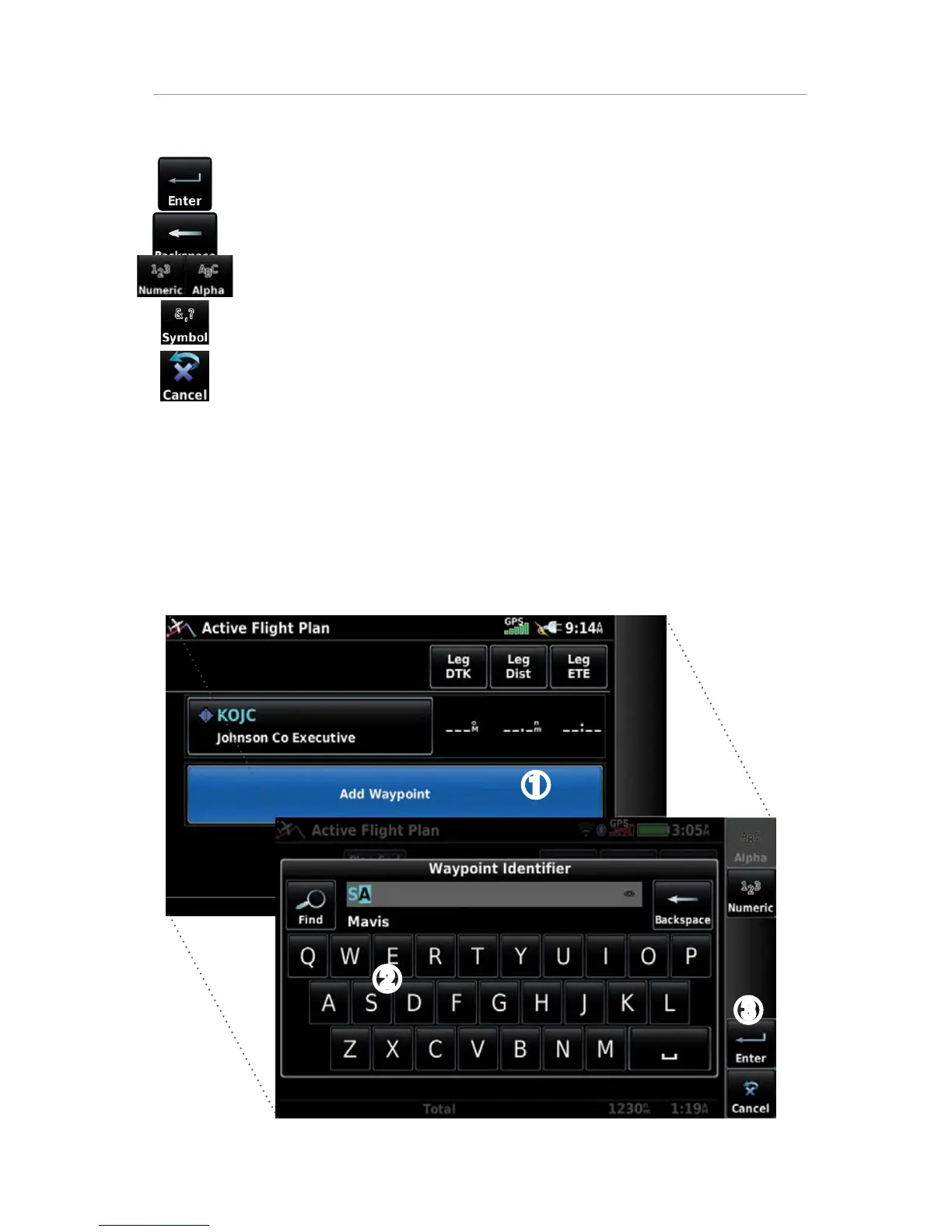
DATA ENTRY
The following icons are displayed in the data entry window.
Enter Exits the keypad function and accepts the changes.
Backspace Erases the current data.
Numeric/Alpha/
Symbol
Displays the numeric, alpha, or symbol keypad.
Cancel Cancels a value that has been edited.
Entering alphanumeric data:
➊
W
hen alphanumeric data can be entered, a keypad will appear after
touching the desired datafield.
➋
T
ouch the keypad letters or numbers to enter the desired data.
➌
T
ouch Enter.
➊
➋
➌









 To Next Page