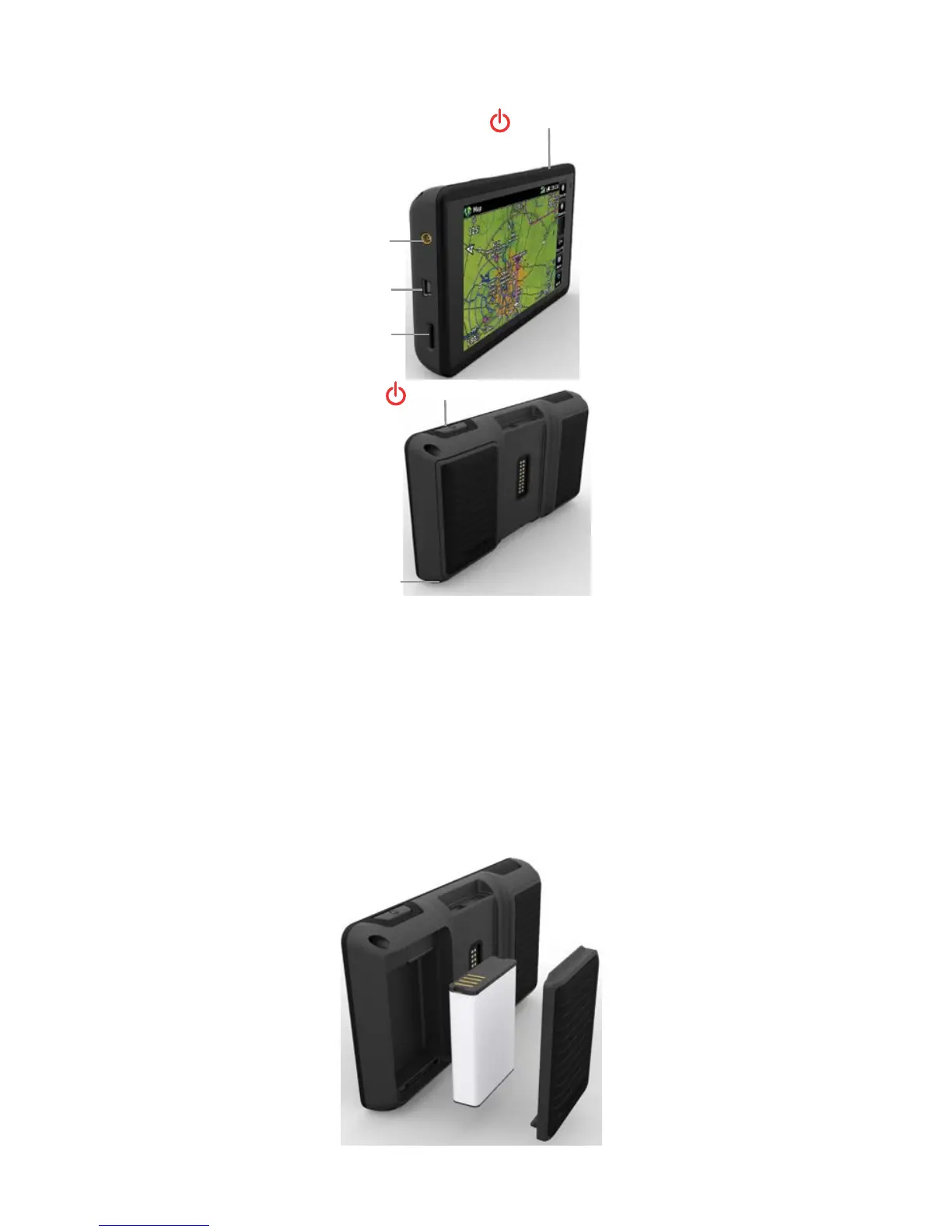
UNIT OVERVIEW
Power Button
Unit Overview
External Antenna Connector
Power Button
USB Connector
Micro SD Card Slot
Battery Latch
Installing the battery:
1)
Locate the lithium-ion battery that came in the product box.
2)
Locate the metal contacts on the end of the lithium-ion battery.
3)
Insert the battery so that the metal contacts on the battery line-up with the
metal contacts inside the battery compartment.
4)
Insert the battery into the battery compartment, and push until it clicks into
place.
Unit Overview - Battery









 To Next Page