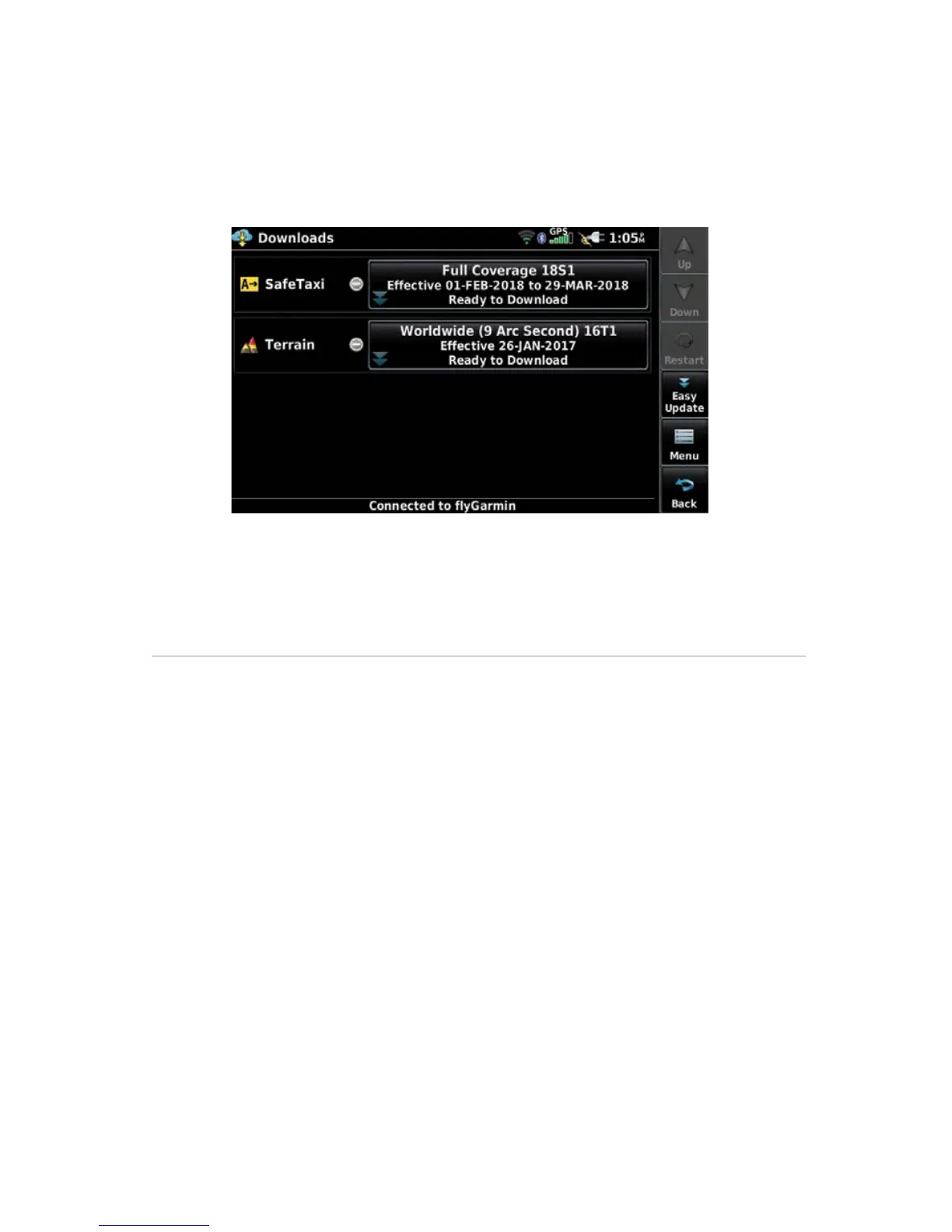
User-Initiated database download/install:
1)
From the Main Menu, touch Tools > Downloads.
2)
Touch Easy Update to begin downloading all updated databases.
Databases will continue to download even if the Downloads page is not
displayed.
Database Downloads Page
3)
Use unit as normal, following prompts as necessary.
SOFTWARE UPDATES
In addition to databases, the aera 660 will check for software updates when
connected to the internet over Wi-Fi. The aera 660 can use Wi-Fi to update its system
software, as well as any other software available from Garmin.
Software downloads can be either user-initiated or configured to automatically
download as updates become available.









 To Next Page