nüvi 800 Series Owner’s Manual 5
Getting Started
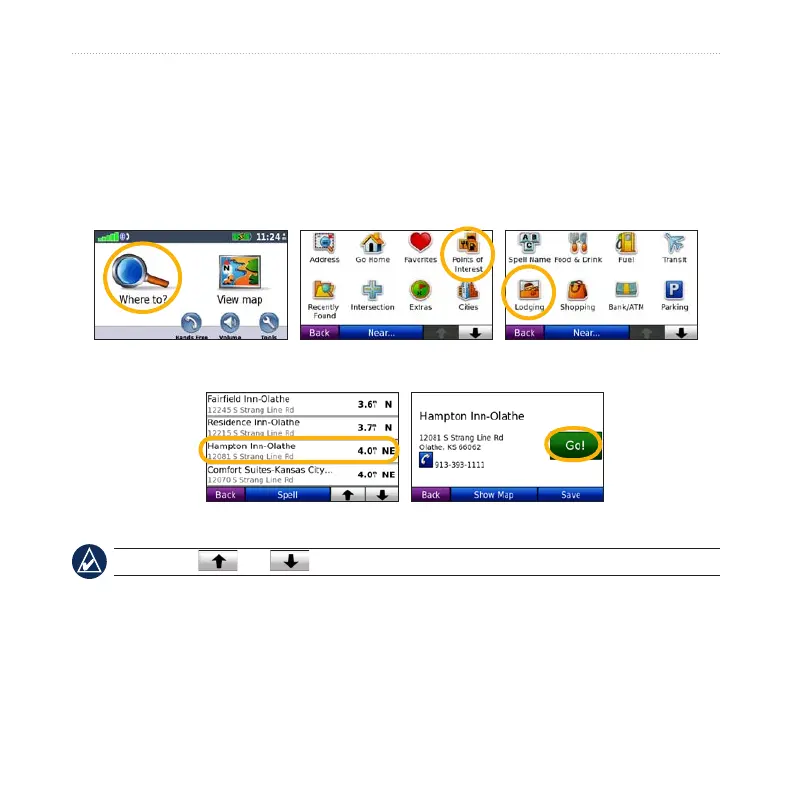
Finding Your Destination
The Where to? menu provides several different categories for you to use when
searching for addresses, cities, and other locations. The detailed maps loaded in
your nüvi contain millions of points of interest, such as restaurants, hotels, and auto
services.
4. Select a destination. 5. Touch Go!.
2. Select a category. 1. Touch Where to?.
3. Select a subcategory.
TIP: Touch and to see more choices.


 To Next Page