nüvi 800 Series Owner’s Manual 29
Using Media Players
To edit a playlist:
1. In the Music Player, touch Browse >
Playlists.
2. Select the playlist you want to edit,
and touch Edit:
Change Name—enter a new
name, and touch Done.
Add Songs—browse the
categories to nd and add songs
to the playlist.
Remove Songs—select the
songs you want to remove from
the playlist, and touch OK.
Delete Playlist—delete this
playlist.
•
•
•
•
Listening to Audible
Books
To purchase books from Audible.com
®
,
go to http://garmin.audible.com.
Listening to a Book
1. Touch Tools > Audible Player >
Browse.
2. Touch a category, and then touch a
book title.
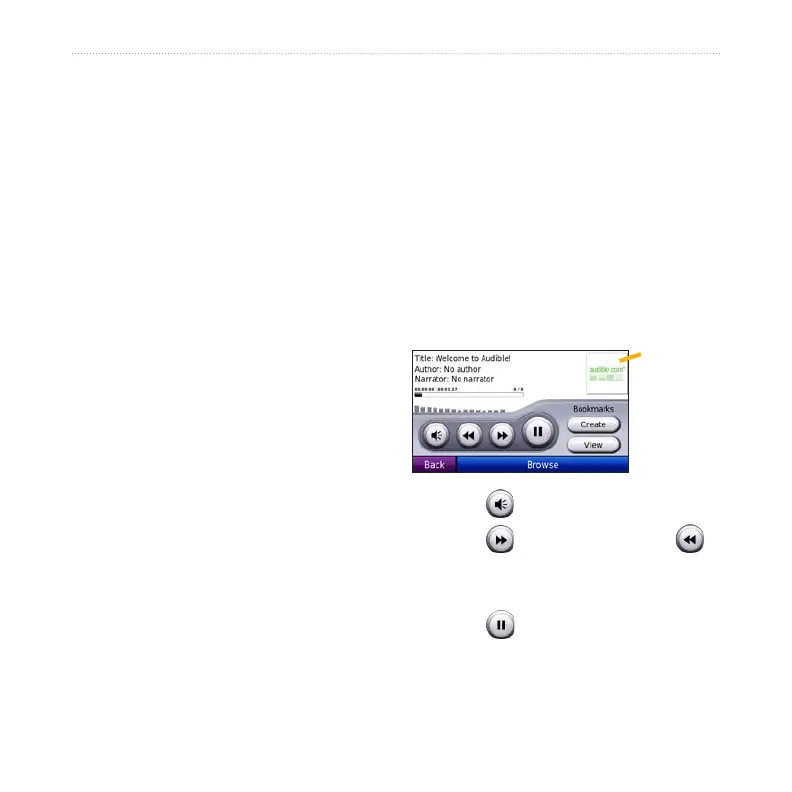
Book cover
art
Touch to adjust the volume.
Touch to skip a section and
to jump back. Press and hold to move
forward or backward.
Touch to pause the book.
Touch the book cover art to view
more detailed information.
•
•
•
•


 To Next Page