nüvi 800 Series Owner’s Manual 59
Appendix
TourGuide
The TourGuide allows your nüvi to play
third-party, GPS-guided audio tours.
These audio tours can take you on a
route while playing interesting facts
about historical sites along the way. For
more information, go to www.garmin
.com/extras, and click POI Loader.
To view your TourGuide les, touch
Where to? > Extras > Custom POIs.
To change the TourGuide settings, touch
Tools > Settings > Proximity Points >
TourGuide.
About GPS Satellite
Signals
Your nüvi must acquire GPS (Global
Positioning System) satellite signals in
order to navigate. If you are indoors,
near tall buildings or trees, or in a
parking garage, your nüvi cannot acquire
satellites. Go outside to an area free from
tall obstructions to use your nüvi.
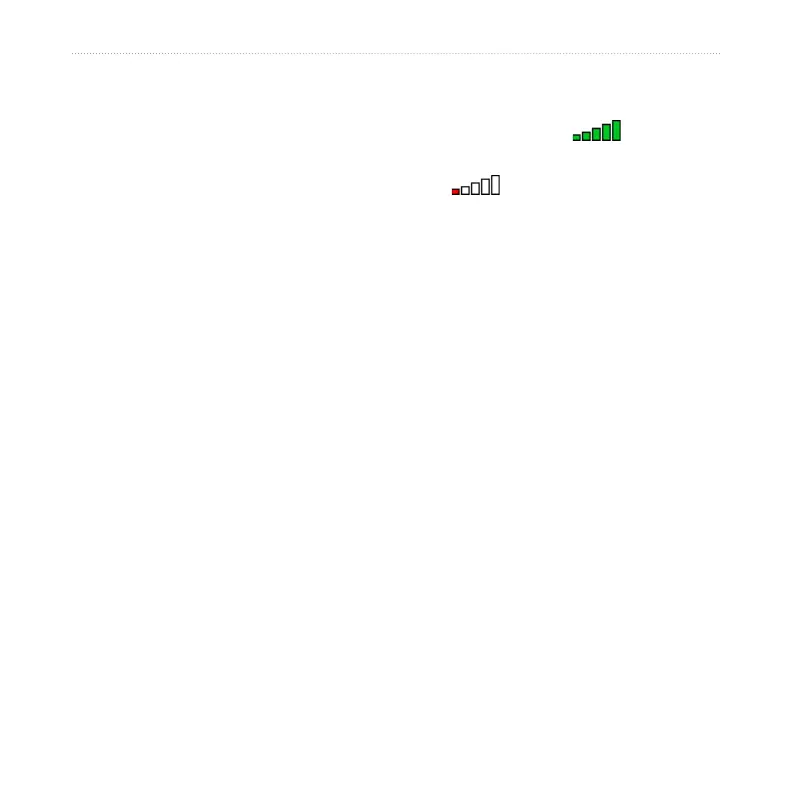
When your nüvi has acquired satellite
signals, the signal strength bars on the
Menu page are green . When it
loses satellite signals, the bars turn red or
clear .
For more information about GPS, go to
www.garmin.com/aboutGPS.
Declaration of Conformity
Hereby, Garmin declares that this
nüvi product is in compliance with the
essential requirements and other relevant
provisions of Directive 1999/5/EC. To
view the full Declaration of Conformity,
visit the Web site for your Garmin
product at www.garmin.com.


 To Next Page