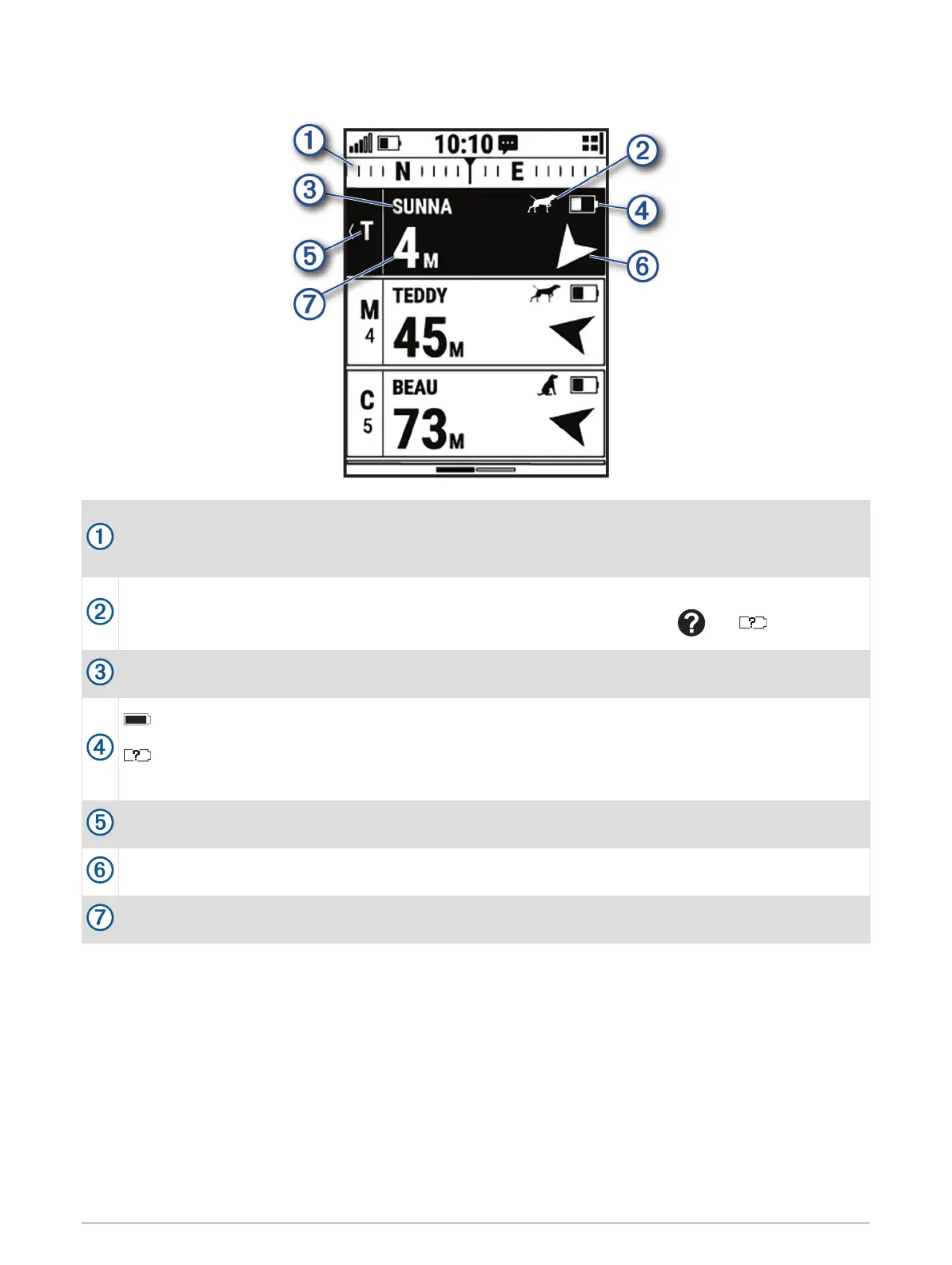
Handheld Device Screen
Shows the direction to which your device is currently pointing.
NOTE: If the compass does not accurately point to the current direction, you may need to calibrate the
handheld device (Calibrating the Compass, page 6).
Shows the current status of the dog (Dog Status Icons, page 12).
NOTE: If the handheld device loses communication with the dog collar device, and appear.
Indicates the dog collar device you have currently selected.
Shows the battery level of the dog collar device.
Unknown battery status. Indicates the handheld device cannot determine the battery status of the
dog collar device.
Shows the current training command for the dog.
Shows the direction to the dog collar device.
Shows the distance to the dog collar device.
Dog Tracking 11













 To Next Page