Manually Syncing Data with Garmin
Connect............................................... 49
Connect IQ Features............................... 50
Downloading Connect IQ Features.... 50
Downloading Connect IQ Features
Using Your Computer......................... 50
Garmin Explore™..................................... 50
Garmin Golf™ App................................... 50
Connecting to the Garmin Pilot App...... 50
Updating the Aviation Database............ 50
Syncing Manually with the Aviation
Database................................................. 50
User Profile........................................ 50
Setting Up Your User Profile...................... 50
Viewing Your Fitness Age.......................... 51
About Heart Rate Zones.............................51
Fitness Goals.......................................... 51
Setting Your Heart Rate Zones.............. 51
Letting the Watch Set Your Heart Rate
Zones....................................................... 51
Heart Rate Zone Calculations................ 52
Setting Your Power Zones......................... 52
Safety and Tracking Features............. 52
Adding Emergency Contacts..................... 52
Adding Contacts......................................... 52
Turning Incident Detection On and Off..... 53
Requesting Assistance.............................. 53
Starting a GroupTrack Session.................. 53
Tips for GroupTrack Sessions............... 53
GroupTrack Settings...............................53
Health and Wellness Settings............. 53
Auto Goal.................................................... 54
Using the Move Alert.................................. 54
Intensity Minutes........................................ 54
Earning Intensity Minutes.......................54
Sleep Tracking............................................ 54
Using Automated Sleep Tracking.......... 54
Navigation.......................................... 54
Viewing and Editing Your Saved
Locations.................................................... 54
Saving a Dual Grid Location................... 54
Navigating to a Destination....................... 54
Navigating to a Point of Interest............ 54
Navigating to the Starting Point of a
Saved Activity..........................................55
Navigating to Your Starting Point During
an Activity................................................ 55
Viewing Route Directions....................... 55
Navigating with Sight 'N Go................... 55
Marking and Starting Navigation to a Man
Overboard Location................................ 55
Stopping Navigation................................... 56
Courses....................................................... 56
Creating and Following a Course on Your
Device...................................................... 56
Creating a Round-Trip Course................56
Creating a Course on Garmin
Connect................................................... 56
Sending a Course to Your Device...... 56
Viewing or Editing Course Details......... 56
Projecting a Waypoint................................ 57
Navigation Settings.................................... 57
Customizing Navigation Data
Screens....................................................57
Setting Up a Heading Bug...................... 57
Setting Navigation Alerts....................... 57
Power Manager Settings.....................57
Customizing the Battery Saver Feature.... 57
Changing the Power Mode........................ 58
Customizing Power Modes........................58
Restoring a Power Mode............................58
System Settings................................. 58
Aviation Settings........................................ 59
Time Settings.............................................. 59
Setting Time Alerts................................. 59
Syncing the Time.................................... 59
Changing the Screen Settings................... 59
Customizing Sleep Mode........................... 60
Customizing the Hot Keys......................... 60
Changing the Units of Measure................. 60
Syncing Activities and Performance
Measurements............................................60
Viewing Device Information....................... 60
Viewing E-label Regulatory and
Compliance Information........................ 60
Device Information............................. 60
About the AMOLED Display....................... 60
Charging the Watch.................................... 60
Specifications............................................. 61
Battery Information.................................61
Device Care................................................. 61
Cleaning the Watch.................................61
iv Table of Contents

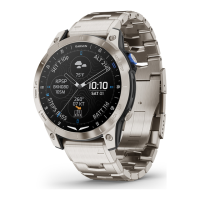
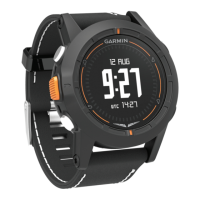
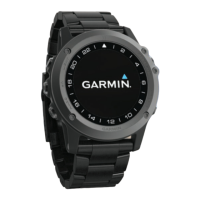


 To Next Page