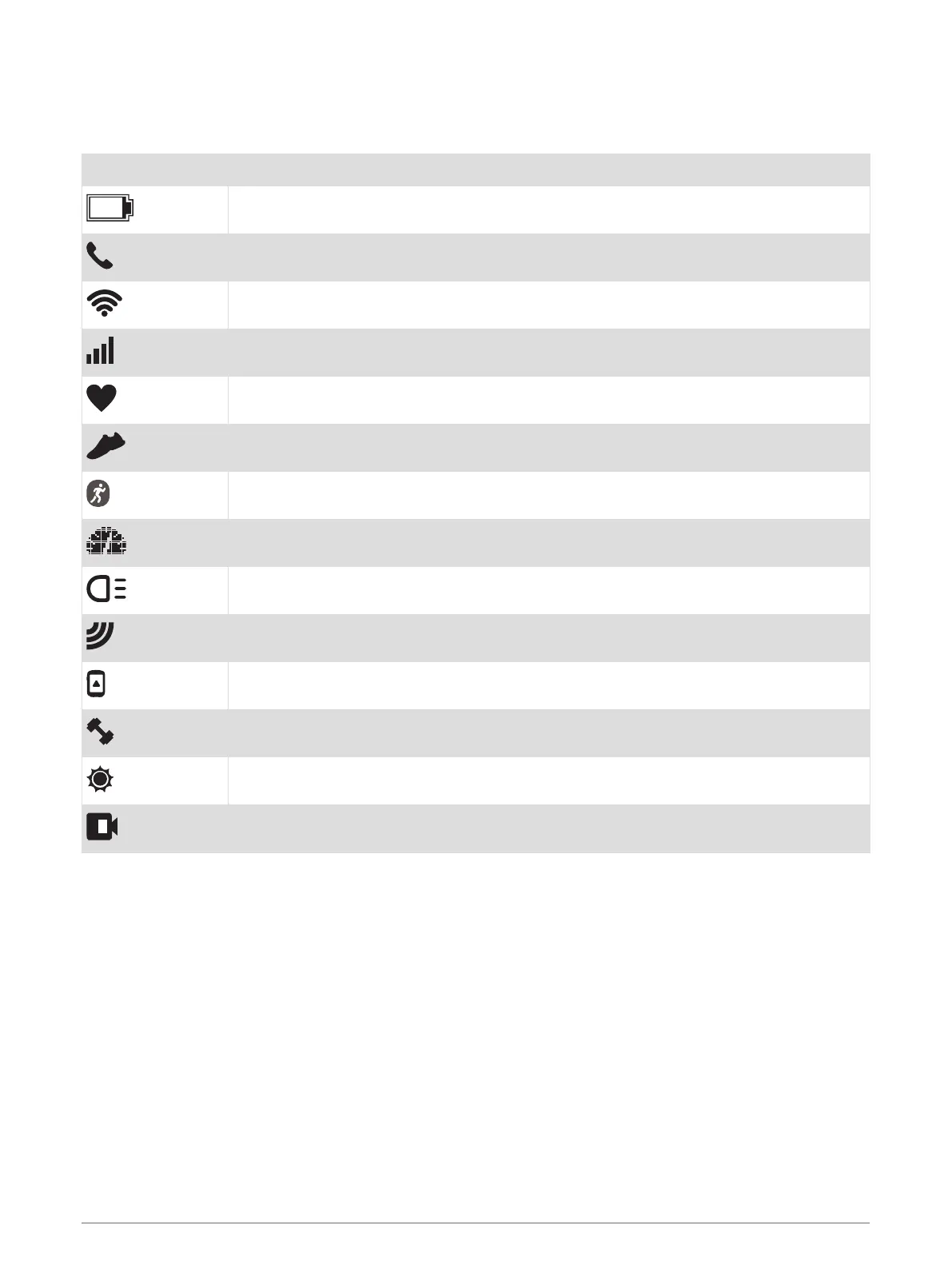
GPS Status and Status Icons
For outdoor activities, the status ring turns green when GPS is ready. A flashing icon means the device is
searching for a signal. A solid icon means the signal was found or the sensor is connected.
GPS GPS status
Battery status
Smartphone connection status
Wi‑Fi
®
technology status
LTE status
Heart rate status
Foot pod status
Running Dynamics Pod status
Speed and cadence sensor status
Bike lights status
Bike radar status
Extended display mode status
Power meter status
tempe
™
sensor status
VIRB
®
camera status
Setting Up Your Watch
To take full advantage of the Forerunner features, complete these tasks.
• Pair the Forerunner device with your smartphone using the Garmin Connect
™
app (Pairing Your Smartphone
with Your Device, page 52).
• Set up the LTE Subscription for your Forerunner device (LTE Connected Features, page 54).
• Set up safety features (Safety and Tracking Features, page 58).
• Set up music (Music, page 61).
• Set up Wi‑Fi networks (Connecting to a Wi‑Fi Network, page 57).
• Set up your Garmin Pay
™
wallet (Setting Up Your Garmin Pay Wallet, page 64).
2 Introduction















 To Next Page