Introduction
WARNING
See the Important Safety and Product Information guide in the product box for product warnings and other
important information.
Always consult your physician before you begin or modify any exercise program.
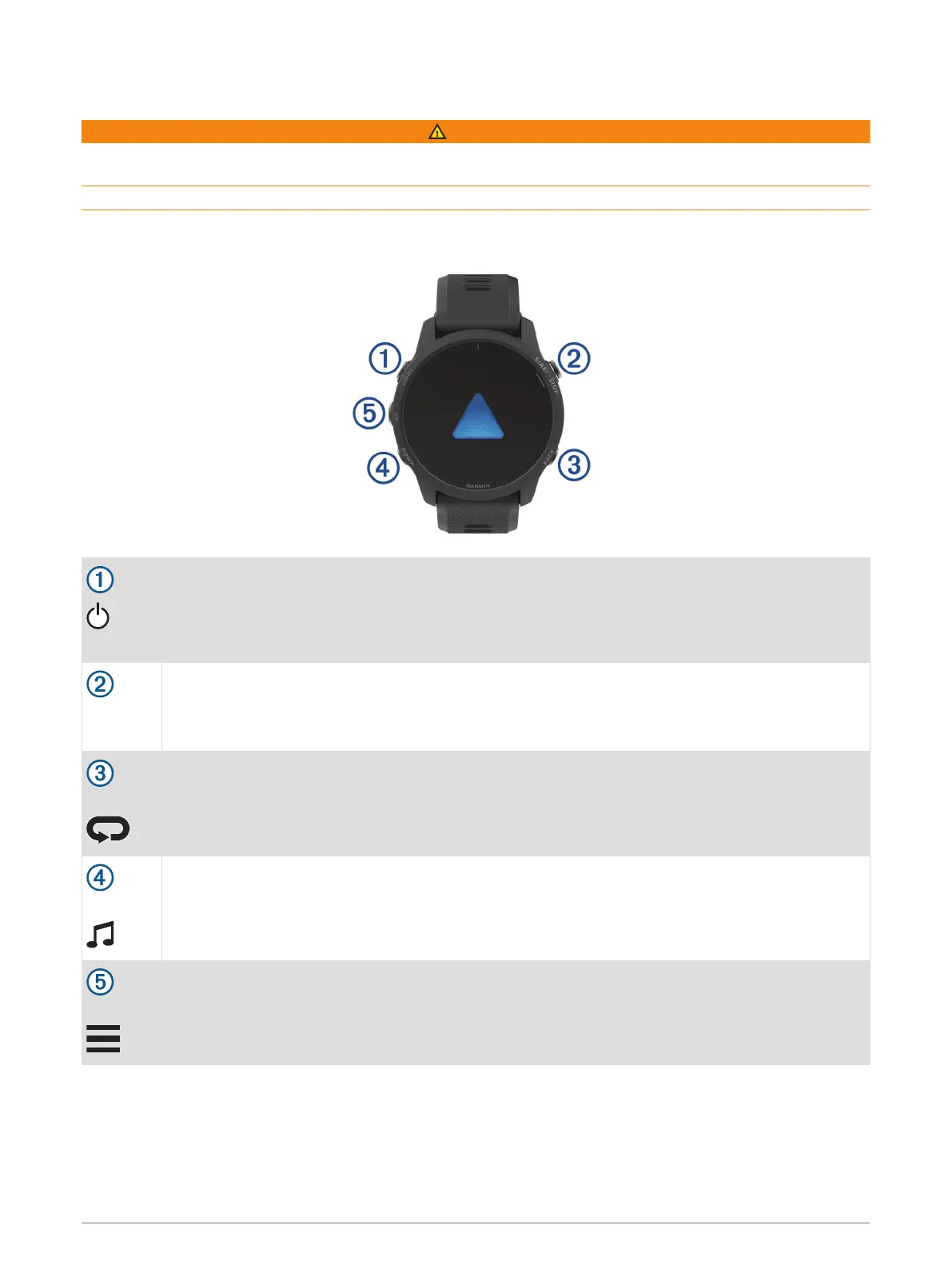
Device Overview
LIGHT
Select to turn the device on.
Select to turn the backlight on and off.
Hold to view the controls menu.
START
STOP
Select to start and stop the activity timer.
Select to choose an option or to acknowledge a message.
BACK
Select to return to the previous screen.
Select to record a lap, rest, or transition during an activity.
DOWN
Select to scroll through the widgets, data screens, options, and settings.
Hold to open the music controls (Music, page 61).
UP
Select to scroll through the widgets, data screens, options, and settings.
Hold to view the menu.
Hold to manually change sports during an activity.
Introduction 1















 To Next Page