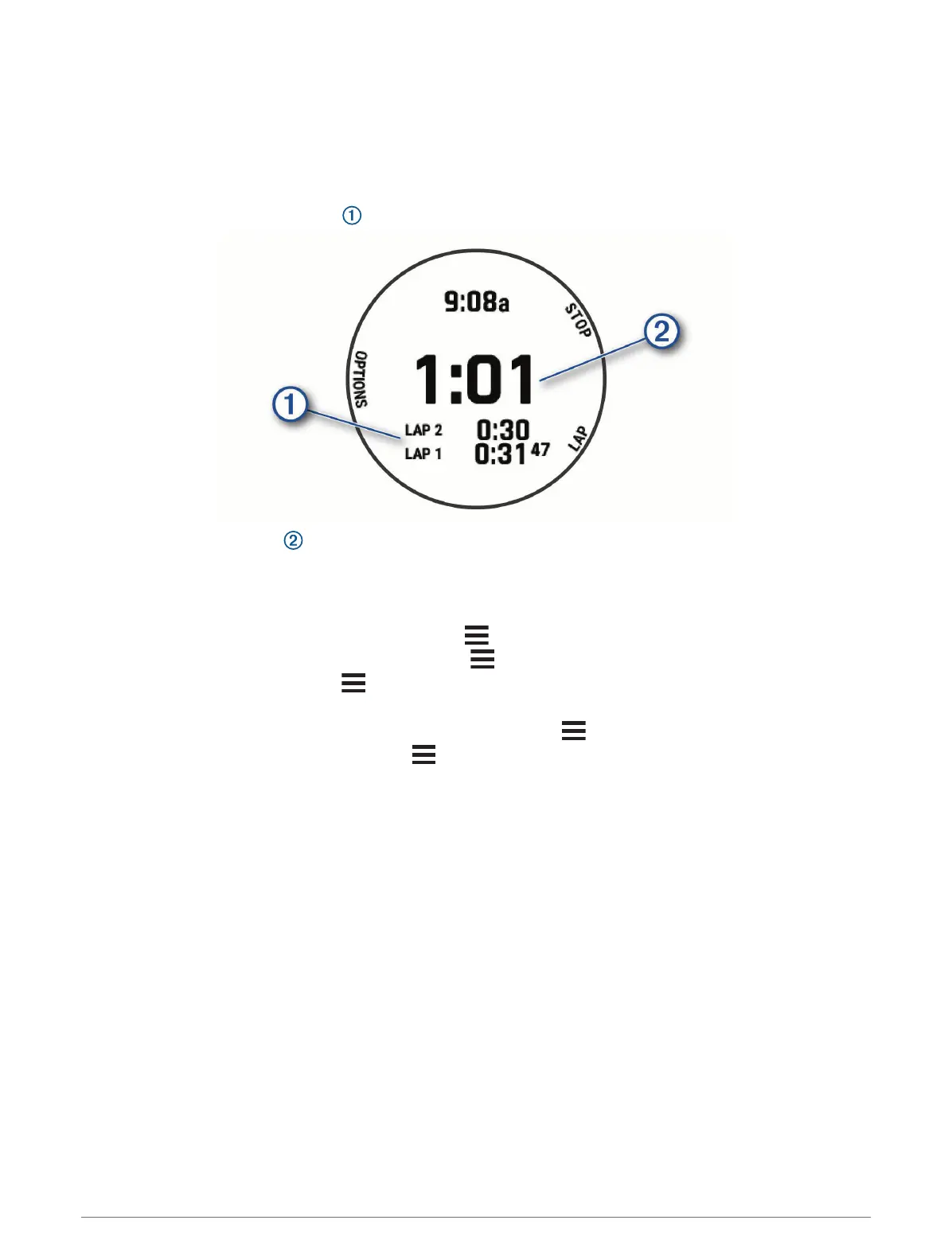
Using the Stopwatch
1 From any screen, hold LIGHT.
2 Select Stopwatch.
NOTE: You may need to add this item to the controls menu (Customizing the Controls Menu, page 41).
3 Press START to start the timer.
4 Press LAP to restart the lap timer .
The total stopwatch time continues running.
5 Press START to stop both timers.
6 Select an option:
• To reset both timers, press DOWN.
• To save the stopwatch time as an activity, press , and select Save Activity.
• To reset the timers and exit the stopwatch, press , and select Done.
• To review the lap timers, press , and select Review.
NOTE: The Review option appears only after you have completed multiple laps.
• To return to the watch face without resetting the timers, press , and select Go to Watchface.
• To enable or disable lap recording, press , and select Lap Key.
Starting the Countdown Timer
1 From any screen, hold LIGHT.
2 Select Timer.
NOTE: You may need to add this item to the controls menu (Customizing the Controls Menu, page 41).
3 Enter the time.
4 If necessary, select an option:
• Select Options > Save Timer to save the countdown timer.
• Select Options > Restart > On to automatically restart the timer after it expires.
• Select Options > Sound and Vibe, and select a type of notification.
5 Select START.
Clocks 95















 To Next Page