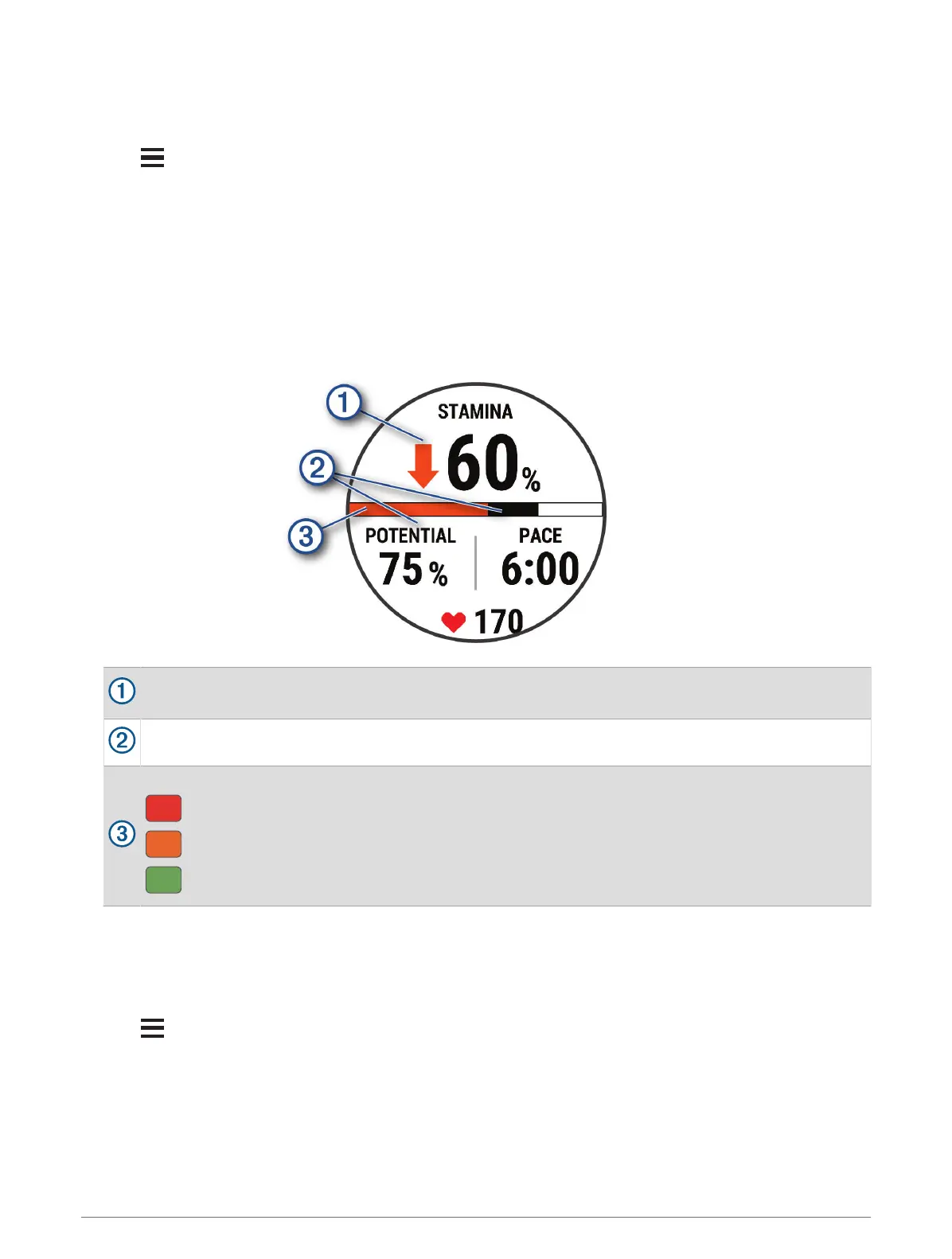
Viewing Your Real-Time Stamina
Your watch can provide real-time stamina estimates based on your heart rate data and VO2 max. estimate
(About VO2 Max. Estimates, page 26).
1 Hold .
2 Select Activities & Apps.
3 Select a run or bike activity.
4 Select the activity settings.
5 Select Data Screens > Add New > Stamina.
6 Press UP or DOWN to change the location of the data screen (optional).
7 Press START to edit the primary stamina data field (optional).
8 Start your activity (Starting an Activity, page 3).
9 Press UP or DOWN to scroll to the data screen.
Primary stamina data field. Shows your current stamina percentage, distance remaining, or time
remaining.
Potential stamina.
Current stamina.
Red: Stamina is depleting.
Orange: Stamina is steady.
Green: Stamina is recharging.
Syncing Activities and Performance Measurements
You can sync activities and performance measurements from other Garmin devices to your Forerunner watch
using your Garmin Connect account. This allows your watch to more accurately reflect your training status and
fitness. For example, you can record a ride with an Edge
®
device, and view your activity details and overall
training load on your Forerunner watch.
1 Hold .
2 Select System > Physio TrueUp.
When you sync your watch with your phone, recent activities and performance measurements from your other
Garmin devices appear on your Forerunner watch.
32 Appearance















 To Next Page