Marking and Starting Navigation to a Man Overboard Location
You can save a man overboard (MOB) location, and automatically start navigation back to it.
TIP: You can customize the hold function of the keys to access the MOB function (Customizing the Hot Keys,
page 107).
1 Press START.
2 Select an activity.
3 Hold .
4 Select Navigation > Last MOB.
Navigation information appears.
Navigating with Sight 'N Go
You can point the device at an object in the distance, such as a water tower, lock in the direction, and then
navigate to the object.
1 Press START.
2 Select an activity.
3 Hold .
4 Select Navigation > Sight 'N Go.
5 Point the top of the watch at an object, and press START.
Navigation information appears.
6 Press START to begin navigation.
Navigating to Your Starting Point During an Activity
You can navigate back to the starting point of your current activity in a straight line or along the path you
traveled. This feature is available only for activities that use GPS.
1 During an activity, press STOP.
2 Select Back to Start, and select an option:
• To navigate back to the starting point of your activity along the path you traveled, select TracBack.
• If you do not have a supported map or are using direct routing, select Route to navigate back to the
starting point of your activity in a straight line.
• If you are not using direct routing, select Route to navigate back to the starting point of your activity using
turn-by-turn directions.
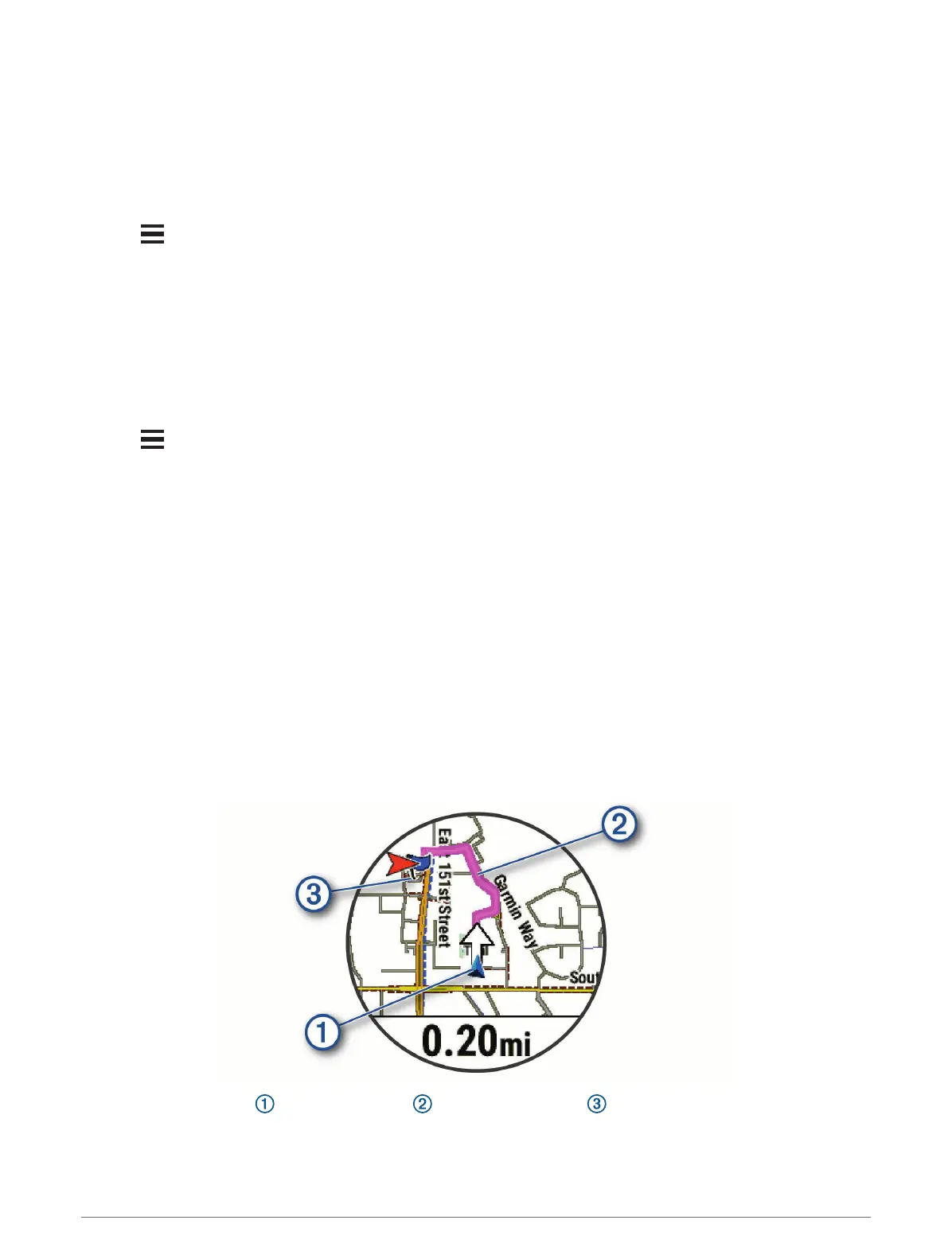
Your current location , the track to follow , and your destination appear on the map.
68 Navigation















 To Next Page