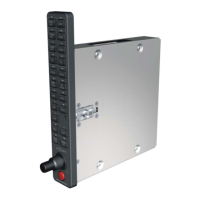
The Garmin GMA 345 3-COM Audio Panel is a sophisticated avionics device designed for aircraft, providing comprehensive audio selection, intercom, and communication functionalities. It integrates traditional audio selector functions with advanced features like a marker beacon receiver, a COM clearance recorder, a USB power jack, and Bluetooth® audio capabilities. The unit is designed to enhance communication clarity and pilot convenience in various flight scenarios.
Function Description:
The primary function of the GMA 345 3-COM is to manage and route audio for the pilot, copilot, and passengers. This includes:
- Microphone and Receiver Audio Selection: Allows independent selection of audio from COM1, COM2, or COM3 receivers. When a MIC key (COM1 MIC, COM2 MIC, or COM3 MIC) is pressed, it selects the corresponding transmitter and simultaneously enables the related COM receiver audio. Other COM receivers can be added by pressing their respective keys.
- Intercom System (ICS): A three-position intercom system provides communication between the pilot, copilot, and passengers. It offers Pilot and Crew audio isolation modes. In "Pilot Isolate Mode," the pilot is isolated from all other ICS positions, while the copilot and passengers can communicate among themselves. In "Crew Isolate Mode," the pilot and copilot share a common ICS channel, and passengers are on their own separate channel. When neither mode is active, the unit operates in "All ICS mode," allowing all occupants to communicate.
- Marker Beacon Receiver: Detects marker beacon signals within the aircraft's reception range. When a signal is detected, associated lamps illuminate, and a keyed-tone is heard if MKR audio is selected. The sensitivity threshold can be toggled between regular and high sensitivity by pressing and holding the MKR/MUTE key.
- COM Clearance Recorder and Player: A digital recorder capable of storing up to 60 seconds of selected COM radio signals in separate memory blocks. The latest recorded block can be played back by pressing the PLAY key, and previous blocks can be accessed by subsequent presses. Recording overwrites the oldest blocks once 60 seconds of recording time are reached.
- Auxiliary Inputs: Three AUX inputs are available for connecting additional avionics or audio devices, all of which can be heard simultaneously by pressing the AUX key.
- Entertainment Inputs: Provides four telephone/entertainment inputs, including Music 1, Music 2, Bluetooth Music, and a wired telephone connection. The ♫ SEL key cycles through music sources, and the TEL key enables Bluetooth telephone or wired telephone connections to the ICS.
- 3D Audio: Creates the illusion that multiple audio sources are coming from unique locations or seat positions by using different responses in each ear. This feature requires stereo intercom wiring and stereo headsets.
- Speaker Functionality: Allows all radio audio, as well as certain aural alerts and warnings (autopilot, traffic, altitude), to be heard over the cabin speaker. Speaker audio is muted when the PTT is pressed.
- Split-COM Mode: Enables simultaneous transmission by both the pilot and copilot over separate radios. The pilot uses the lower-numbered COM, and the copilot uses the higher-numbered COM.
- Split-PA Mode: Allows the pilot to continue using COM1 or COM2 for transmission while the copilot delivers Passenger Address (PA) announcements.
Important Technical Specifications:
- Bluetooth® Profiles: Supports A2DP for entertainment audio input, HFP for telephone connection (including HFP 1.6 "Wide Band Speech" for cameras), and AVCRP for media controls (Play/Pause, Skip Forward, Skip Previous).
- USB Power Jack: A dedicated USB Type A charge port supporting a maximum of 2.1 Amps charge current. It operates when the GMA is powered on and turns off if aircraft power falls below 11 volts or when the GMA is turned off.
- Power-Up Self-Test: The unit performs a self-test during power-up, illuminating all annunciator lights for approximately two seconds. Most settings are restored after the self-test.
- Ambient Light Sensor: Automatically adjusts annunciator brightness.
- Fail-Safe Operation: In case of GMA 345 3-COM failure or loss of power, a fail-safe circuit directly connects the pilot's headset and microphone to the COM1 transceiver. Speaker audio is not available in fail-safe mode.
Usage Features:
- Pushbutton Key Control: Audio selection is controlled by pushbutton keys, with a green annunciator illuminating when a key is selected.
- Volume Controls:
- Left Inner Knob: Powers off the unit and controls left seat crew member ICS volume.
- Left Outer Knob: Controls left seat crew member music volume.
- Right Inner Knob: Controls right seat crew member ICS volume.
- Right Outer Knob: Controls right seat crew member music volume.
- Passenger ICS and music volume are adjusted by the knobs associated with the copilot's side.
- Monitored COM Muting: Can be enabled/disabled by pressing and holding COM1, COM2, or COM3, muting receiving audio on the transmitting COM channel.
- Radio Mute Music: Pressing and holding NAV1 enables/disables muting of music channels (Music 1, Music 2, Bluetooth music) when radio audio (COM, NAV, or AUX) is active.
- ICS Mute Music: Pressing and holding AUX enables/disables muting of music audio when intercom audio is active.
- Passenger Muting: Pressing and holding NAV2 enables/disables passenger muting during COM audio reception.
- Passenger Address (PA) Mode: Initiated by pressing and holding the SPKR key for one second, allowing crew to make announcements over the speaker and passenger headsets.
- Bluetooth Pairing: Pressing and holding the TEL (PAIR) key for one second enters pairing mode, allowing new Bluetooth devices to connect. The unit remembers the last 10 paired devices.
- Bluetooth Media Controls: SPKR + NAV1 for Play/Pause, SPKR + NAV2 for previous track, SPKR + AUX for next track.
- Bluetooth Telephone Volume Controls: PILOT key to increase, CREW key to decrease.
- 3D Audio Activation: Pressing and holding the PILOT key toggles 3D audio processing on and off.
- Music Effects:
- Music Equalizer: ♫ SEL + PILOT keys to change settings (Disabled, Classical, Pop, Rock).
- Music Bass Boost: ♫ SEL + CREW keys to change settings (Disabled, Medium, High).
Maintenance Features:
- Troubleshooting: The pilot's guide includes detailed troubleshooting tables for 3D audio issues, covering common causes like mono headsets, incorrect headset switch settings, and aircraft wiring problems.
- Configuration: The unit can be configured in various ways during installation to suit aircraft type and pilot needs. A Garmin authorized service center can make changes to default configurations, such as COM muting behavior or pilot seat position for 3D audio.
- Bluetooth Disabling: For troubleshooting, Bluetooth can be temporarily disabled by pressing and holding the TEL (PAIR) key for five seconds. It re-enables automatically on power cycle.
- USB Jack Dust Cover: The USB power jack includes a dust cover with a clip feature for temporary storage on a USB cable, preventing loss.

 Need help?
 General

 To Next Page