190-01182-02 GTR 225/GNC 255 TSO Installation Manual
Rev. B Page 6-21
6.8.2 Loading Software to the GTR/GNC
To load software to the GTR/GNC, ensure that the unit is powered on in the configuration mode.
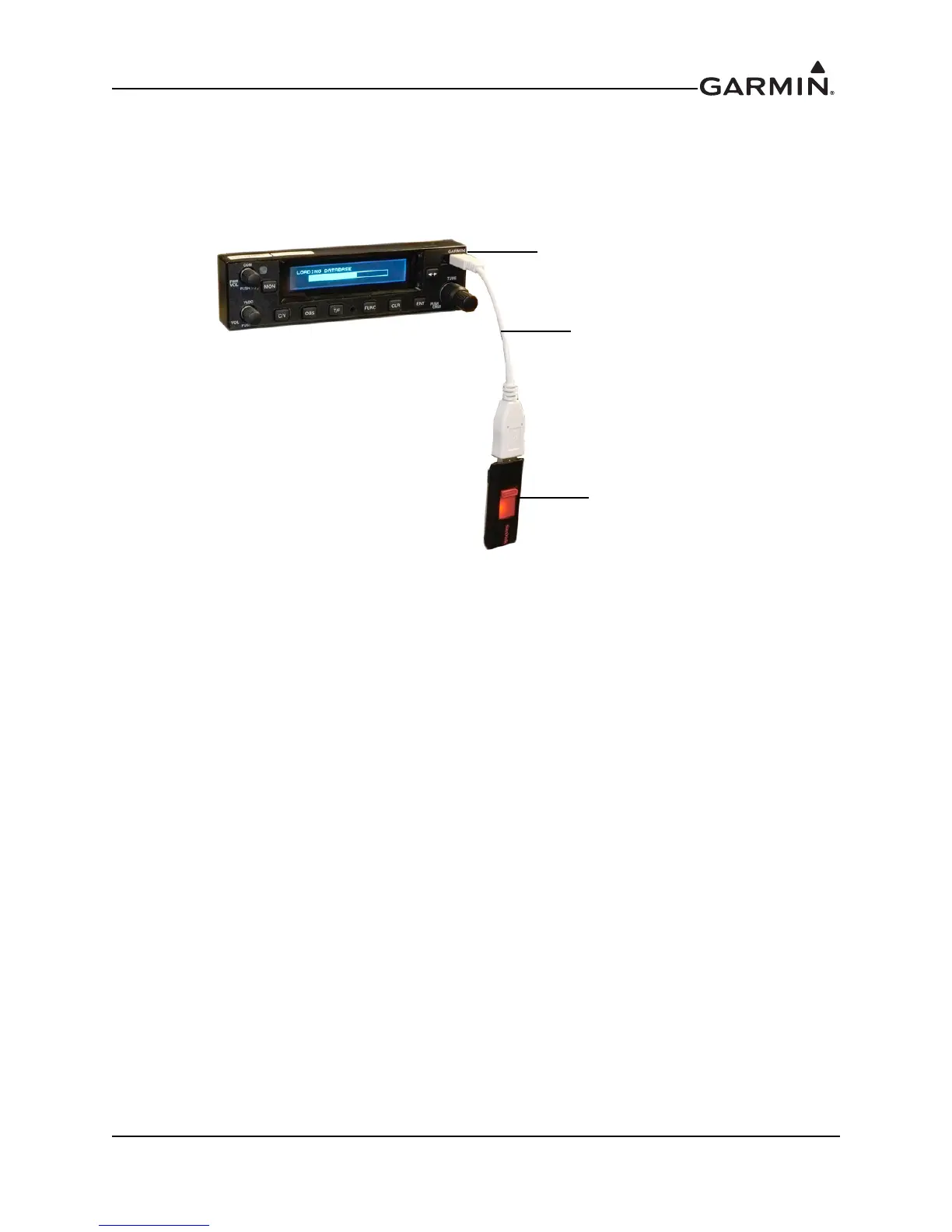
1. Connect the provided USB adapter to the USB slot on the GTR/GNC. Insert the software loaded
USB flash drive into the other end of the cable, as shown in Figure 6-26.
Figure 6-26. USB Update Progress
2. From the configuration mode home page, press ENT to access the SYS Configuration page. Turn
the small inner knob clockwise until the software update page is displayed. Press ENT to begin the
software update.
3. Verify that the available GTR/GNC software updates are being displayed.
4. Press the ENT key to begin the software update. When the updates are finished, the GTR/GNC
will display the updates.
5. Verify the software updates loaded successfully.
USB Port
USB Cable
USB Flash Drive


 To Next Page