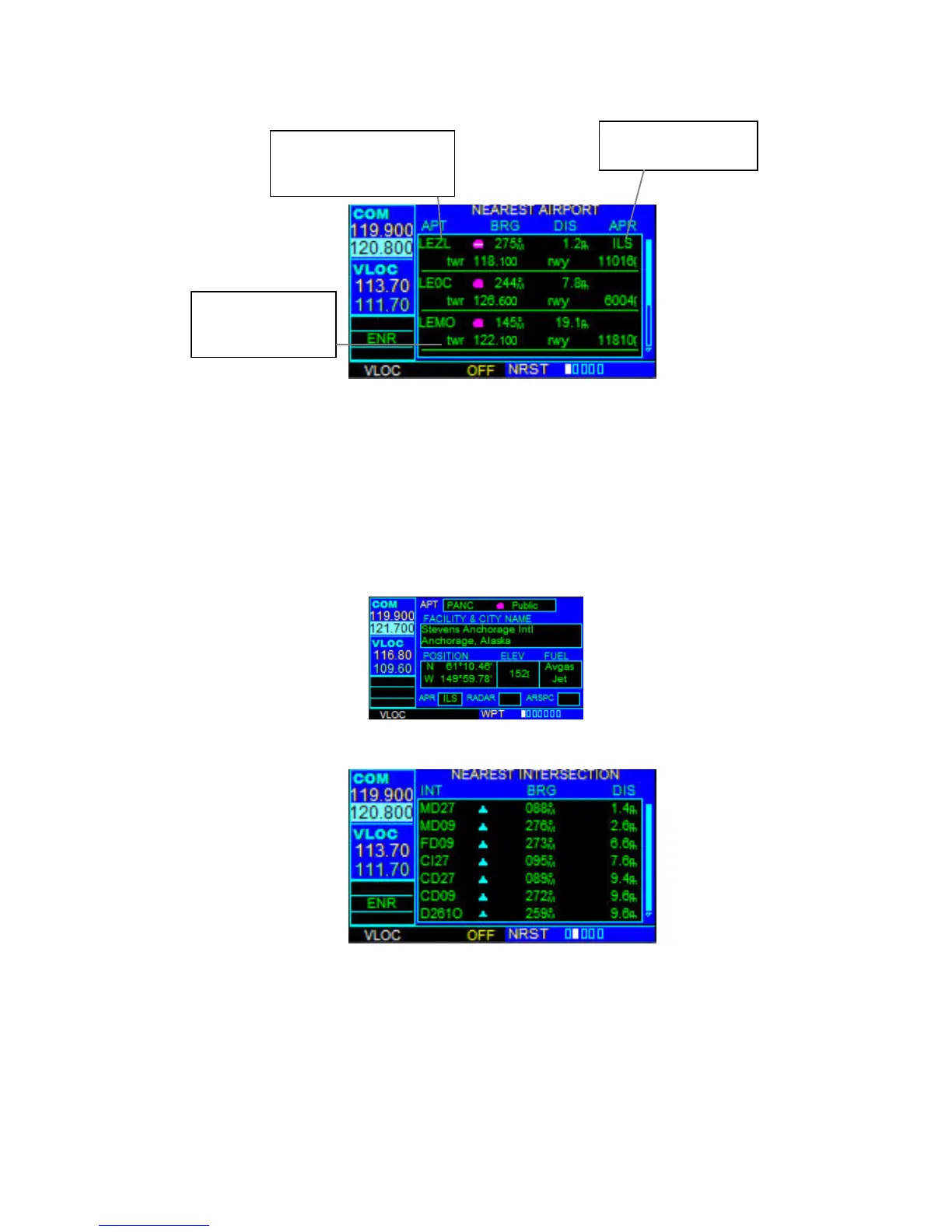
NEAREST AIRPORT PAGE
The Nearest Airport Page displays the identifier, symbol, bearing, and distance to the
nine nearest airports (within 200 nm of the present position). For each airport listed, the
Nearest Airport Page also indicates the best available approach, common traffic
advisory frequency (CTAF), and the length of the longest runway.
To view additional information for a nearby airport:
1. Select the Nearest Airport Page.
2. Press the small right knob to activate the cursor.
3. Turn the large right knob to scroll through the list, highlighting the identifier of
the desired airport.
4. Press the ENT Key to display the Airport Location Page for the selected airport.
NEAREST INTERSECTION PAGE
The Nearest Intersection Page displays the identifier, symbol, bearing, and distance to
the nine nearest intersections (within 200 nm of the present position). To view additional
information for a nearby intersection, start from the Nearest Intersection Page and
follow the preceding steps 2 through 4.
Tower or CTAF
Frequency and
Longest Runway
Airport Identifier
Symbol, Bearing To,
and Distance To
Best Available
Approach



 To Next Page