EasyManua.ls Logo

Garmin GNS 480 - User Manual

Garmin GNS 480
200 pages
Print Icon
To Next Page IconTo Next Page
Loading...
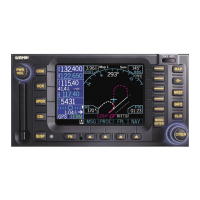
GNS 480 (CNX80)
Color GPS/NAV/COM
Installation Manual
November 2008
560-0982-01 Rev L

Table of Contents

Other manuals for Garmin GNS 480

Questions and Answers

  • J
    Jennifer PrestonSep 9, 2025
    Why do GPS signal levels drop when avionics are turned on in my Garmin GNS 480?
    • J
      Jennifer VanceSep 9, 2025
      If the GPS signal levels drop when you turn on your avionics, it might be due to noise interference from other avionics. To resolve this, turn off all avionics and then turn them on one at a time to find the source of the interference. Additionally, try routing the GPS cable and positioning the GPS antenna away from potential sources of interference.
  • K
    Kevin YorkAug 25, 2025
    How to fix very low GPS signal levels on my Garmin GNS 480 GPS?
    • T
      Timothy Marshall IIIAug 25, 2025
      If your Garmin GPS signal levels are very low, check the GPS antenna installation, connections, and cable routing. Ensure the GPS antenna is mounted on top of the aircraft and free from obstructions like hangars, buildings, or trees. Also, move the GPS antenna away from the COM antenna, add a 1575.42 MHz notch filter in the COM coax, fix or replace the COM, or disconnect the ELT antenna coax to check for possible re-radiation.
  • R
    Rebecca SmithAug 25, 2025
    How to troubleshoot a Garmin GPS GNS 480 that does not power on?
    • A
      audreyolsenAug 26, 2025
      If your Garmin GPS GNS 480 does not power on, ensure that power is connected to the main 37-pin connector at P1-1 and 16, and ground to P1-2 and 20. Check the circuit, breakers, and main avionics switch.
  • J
    Jerry KimSep 23, 2025
    Why is tuning data not updating DME on my Garmin GNS 480?
    • K
      Kenneth MorrisSep 23, 2025
      If the tuning data is not updating the DME, verify the DME Select is pulled low and check the wiring.
  • A
    Angela Jones MDSep 9, 2025
    Why is message audio or tone not heard on my Garmin GPS GNS 480?
    • H
      Heather JordanSep 10, 2025
      If you can't hear the message audio or tone on your Garmin GPS GNS 480, first increase the AMA volume level, which can be found under the AUDIO menu in the COM function. If that doesn't work, turn the message tone ON via the system configuration page. Also, verify that the inhibit input (P5-77) is not grounded using Ground Maintenance Mode.
  • D
    Douglas MarshallSep 14, 2025
    What to do if Garmin GPS GNS 480 is not receiving heading from compass system (synchro heading input used)?
    • A
      Allison RothSep 14, 2025
      If your Garmin GPS GNS 480 is not receiving heading from the compass system (synchro heading input used), check that the heading valid input (P5-57) is greater than 9 VDC. The state of this input can be checked in Ground Maintenance Mode. Also, check that 26VAC, 400Hz reference is supplied to P5-20,39. Finally, check the wiring.
  • M
    Matthew SkinnerSep 3, 2025
    What to do if unable to control NAV using VOR bezel key on Garmin GNS 480?
    • M
      mbarnesSep 4, 2025
      If you're unable to control NAV using the VOR bezel key, make sure power is connected to the nav 37-pin connector P7-1 and ground to P7-2.
  • H
    Haley JosephSep 4, 2025
    How to fix Garmin GNS 480 not receiving baro-correction setting from altimeter?
    • G
      gdanielSep 4, 2025
      If the GNS 480 is not receiving baro-correction setting from the altimeter, check baro pot configuration in Ground Maintenance Mode. Calibrate baro pot. Ensure GNS 480 is the only device connected to the altimeter baro pot.
  • B
    beckbrandonSep 23, 2025
    How to fix OBS Resolver that won’t calibrate on my Garmin GNS 480?
    • A
      Arthur WalkerSep 23, 2025
      Check the resolver specifications and wiring.
  • J
    John GuerraAug 29, 2025
    Why Garmin GNS 480 is not receiving heading from compass system (synchro heading input used)?
    • Z
      zlunaAug 29, 2025
      If the GNS 480 is not receiving heading from the compass system (synchro heading input used), check that the heading valid input (P5-57) is > 9 VDC. The state of this input can be checked in Ground Maintenance Mode. Also, check that 26VAC, 400Hz reference is supplied to P5-20,39. Check wiring.

Summary

General Information

About This Manual

Explains manual organization, scope, and purpose for installers.

Equipment Description and Features

Details GNS 480 features, system interfaces, and overall functionality.

Specifications

Provides detailed electrical, physical, environmental, and performance specifications.

Regulatory Compliance

Lists TSO, ETSO, JTSO authorizations, FCC grant, and STC authorization.

Database, Unpacking, and Package Contents

Covers database updates, unpacking, and lists all items included in the GNS 480 package.

Optional Accessories and Reference Material

Lists optional accessories and related documentation for GNS 480 installation.

License Requirements and Definitions

Specifies license requirements and provides definitions & acronyms.

INSTALLATION

Pre-Installation Information, Overview, and Materials

Guidelines for installation practices, overview, materials, and special tools.

Installation Considerations and Mounting

Discusses mounting, wiring, system configuration, environmental factors, and unit mounting.

Electrical Connections and Functional Descriptions

Explains connectors, interfaces, and functional descriptions of GNS 480 systems.

Antenna Installation and Connections

Provides guidance for installing COM, GPS, and NAV antennas.

Weight, Balance, and Electrical Load Analysis

Covers weight/balance computation and electrical load analysis requirements.

POST INSTALLATION CONFIGURATION & CHECKOUT PROCEDURES

Mounting, Wiring Check, and Setup Configuration

Verifies mounting/wiring and guides GNS 480 setup and configuration.

Operational and Functional Tests

Details checkout utilities: Test, Input Monitor, Ground, and Flight Checks.

Database Check, Replacement, and AFMS Update

Ensures database currency, card replacement, and AFMS update.

TROUBLESHOOTING

Troubleshooting Procedure and Factory Assistance

Provides a guide for diagnosing problems and contacting Garmin for support.

LIMITATIONS

Operation and TSO-C146 a Limitations

Describes operational limitations, recommendations for IFR use, and system safety.

Installation Responsibilities and Requirements

Covers general installation responsibilities, antenna, equipment interfacing, and licenses.

PERIODIC MAINTENANCE

Calibration, VOR Checks, and Cleaning

No calibration needed; mandates periodic VOR accuracy checks and provides cleaning instructions.

Battery Replacement and Display Backlight

Provides guidance on battery replacement and display backlight maintenance.

APPENDIX A - CERTIFICATION DATA

Environmental Qualification and STC Data

Lists environmental test categories and refers to STC authorization data.

APPENDIX B - SERIAL INTERFACE SPECIFICATIONS

Serial Input and Output Specifications

Details RS-232 serial input and output specifications, including MapCom.

APPENDIX C - EQUIPMENT COMPATIBILITY

Compatible Altitude Sources and Computers

Lists compatible altitude sources and Fuel/Air Data Computers.

Compatible Heading Sources, Altimeters, and Autopilots

Lists compatible heading sources, altimeters, and autopilots.

Compatible Displays and Systems

Lists compatible Electronic HSIs, Traffic Systems, CO Detectors, and Displays.

APPENDIX D - INTERCONNECT DIAGRAMS

Main Power and Antenna Interconnect Diagram

Diagram showing power and antenna connections for GNS 480.

Course Deviation Indicator Interconnect Diagrams

Diagrams illustrating connections to main and auxiliary CDIs.

Baro;Synchro Heading;RMI and RS-232 Diagrams

Diagrams for baro, synchro heading, RMI, and RS-232 interface connections.

Audio Panel and DME Tuning Diagrams

Diagrams for GNS 480 to audio panel and DME tuning connections.

Autopilot Interconnect Diagrams

Diagrams for connecting GNS 480 to S-TEC, Century, and Bendix/King autopilots.

Full Stack and NAV Display Interconnect Diagrams

Diagrams for single/dual GNS 480 stacks and NAV displays.

APPENDIX E - ACCEPTABLE AIRCRAFT BY EVALUATION

APPENDIX F - OPTIONAL ACCESSORIES NOT SUPPLIED

CDI;HSI Source Selection Annunciators

Lists suitable CDI/HSI source selection annunciators and vendor contact info.

APPENDIX G - A-33 ANTENNA REMOVAL AND REPLACEMENT CONSIDERATIONS

Garmin GNS 480 Specifications

General IconGeneral
Display TypeLCD
InterfaceRS-232
GPS Receiver12-channel
Database StorageJeppesen database
Navigation CapabilitiesIFR/VFR, enroute, terminal, approach
Approach TypesILS, VOR, LOC, GPS, WAAS
CompatibilityCompatible with most EFIS and autopilot systems
Operating Temperature-20°C to +55°C

Related product manuals