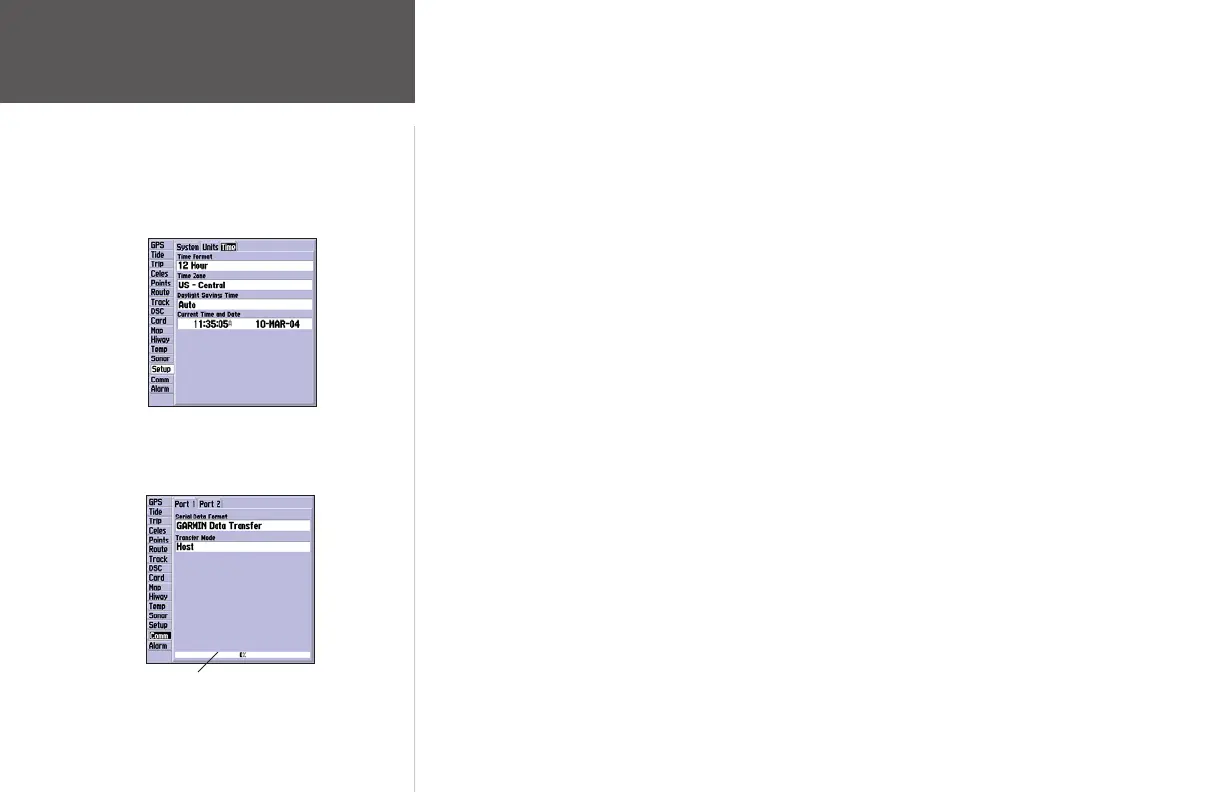
Time Submenu Tab— displays the current time and date, allows you to adjust the 12 or 24-hour
time format, enter a time zone, and adjust for daylight savings to show correct local time.
The following options are available:
• Time Format – 12 hour, 24-hour (military) or UTC time (also called Greenwich Time).
• Time Zone – choose your time zone to show correct local time or choose ‘Other’ and enter a
UTC Offset. The UTC offset is how many hours you are ahead or behind the time line. See the
table on page 80 for time offsets.
• Daylight Savings – choose from ‘Auto’, ‘On’, or ‘Off’ to adjust for daylight savings.
Comm (Communications) Tab— lets you control the input/output format used when connecting
your GPSMAP 172/172C to external NMEA devices, a DGPS beacon receiver, a personal computer,
another Garmin GPSMAP 172/172C, etc. If a DGPS receiver is used, WAAS capability is automatically
turned to ‘Off’. The unit supports two input/output ports. See page 92 for more information on wiring
and NMEA information. Individual Port settings are:
Port 1:
• Garmin Data Transfer – the proprietary format used to upload/download MapSource data,
exchange waypoint, route, track, almanac, and proximity data with a PC or another Garmin
GPSMAP 172/172C. When you select ‘Garmin Data Transfer’, there are 11 Transfer Modes
to choose from: Host, Request Almanac, Request Proximity, Request Routes, Request Tracks,
Request Waypoints, Send Almanac, Send Proximity, Send Routes, Send Tracks and Send
Waypoints.
• NMEA In/NMEA Out – supports the input/output of standard NMEA 0183 data, DSC, and
sonar NMEA input support for the DPT, MTW and VHW sentences.
Main Menu: Time/
Comm Tab
Main Menu—Time Tab
Main Menu—
Comm Tab
Data Transfer Progress
72
Reference













 To Next Page