72
Reference
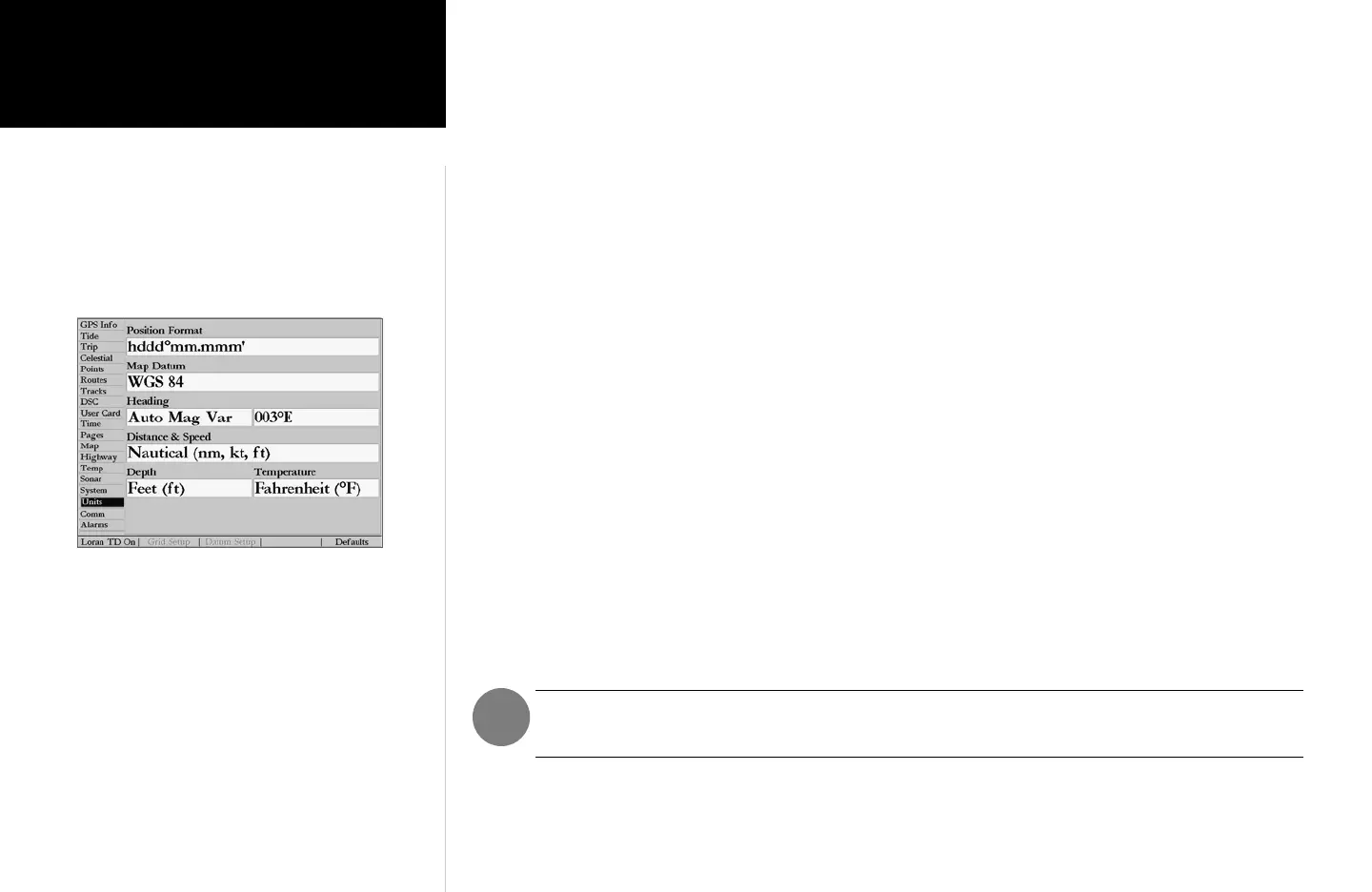
Units Tab— defines Position Format, Map Datum, Heading, Distance, Speed, Altitude, Depth, and
Temperature.
The following settings are available:
• Position Format— is used to change the coordinate system in which a given position reading is dis-
played. You should only change the position format if you are using a map or chart that specifies a
different position format or wish to use a format you are familiar with. The default format is latitude
and longitude in degrees, minutes, and thousandths of a minute (hddd°mm.mmm’). The following
additional formats are available:
• hddd.ddddd°— latitude/longitude in decimal degrees only
• hddd°mm’ss.s”— latitude/longitude in degrees, minutes, seconds
• UTM/UPS— Universal Transverse Mercator / Universal Polar Stereographic grids
• British Grid • Dutch Grid • Finnish KKJ27 • German Grid • India Zones
• Irish Grid • Loran TD • Maidenhead • MGRS • New Zealand
• Qatar Grid • RT90 • Swedish Grid • Swiss Grid • Taiwan Grid
• User Grid • W Malayan RSO
For additional information on Loran TD setup, see pages 74-75.
• Map Datum— allows you to manually select the datum reference used to determine a given posi-
tion. The default setting is ‘WGS 84’. The unit automatically chooses the best datum depending
upon your chosen position format. Datums are used to describe geographic positions for surveying,
mapping, and navigation and are not actual maps built in the unit. Although over 100 datums are
available (as listed on pages 81-82), you should only change the datum if you are using a map or
chart that specifies a different datum.
WARNING: Selecting the wrong map datum can result in substantial position errors. When
in doubt, use the default WGS 84 datum for best overall performance.
• Heading— lets you select the reference used in calculating heading information. You can select
from ‘Auto Mag Var’, ‘True’, ‘Grid’, and ‘User Mag Var’. ‘Auto Mag Var’ provides magnetic north
heading references that are automatically determined from your current position. ‘True’ provides
Units Tab
Main Menu: Units Tab













 To Next Page