25
GPSmap 60
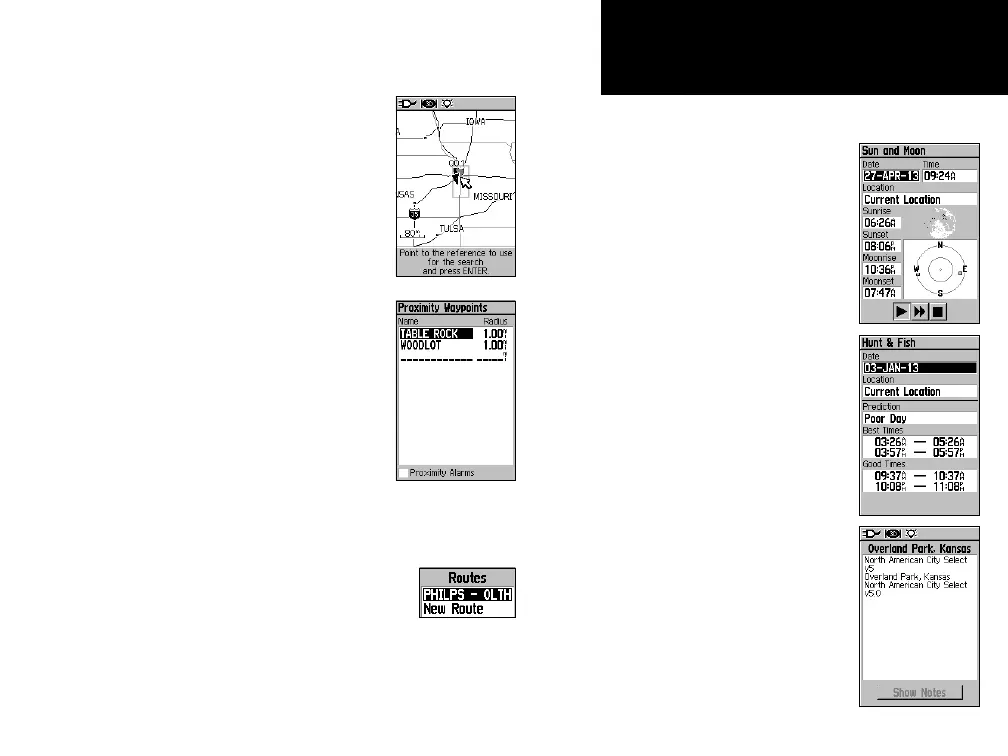
• Change Reference - Point to a new location on
the map Page using the
Panning Arrow and press ENTER.
• Set Proximity - Program an alarm to
sound when you are within a speci-
fied radius of an item defined by the
Information Page.
(Refer to the Section on Proximity
Waypoints on page 56 for detailed
information.).
• Add To Route - Include this item on a
New Route or add it to an existing route.
(See “Using Routes” page on 39 for
details.)
•
View Sun and Moon -
View the Sun and Moon tables
for this item location.
(Refer to page 60 for detailed
information about the Sun and
Moon Tables.)
•
View Hunt and Fish -
View the Hunt and Fish tables
for this item location.
(Refer to page 61 for detailed
information about the Hunt and
Fish Tables.)
• Map Information -
Displays information about
the map that the item
originated from.
(Refer to page 75 of the Appen-
dicies for information about down-
loading detailed maps.)
GPS Navigation
Using Find















 To Next Page