42
GPSmap 60
GPS Navigation
Using Routes
Route Leg Transition
Options
Saved Routes
Options
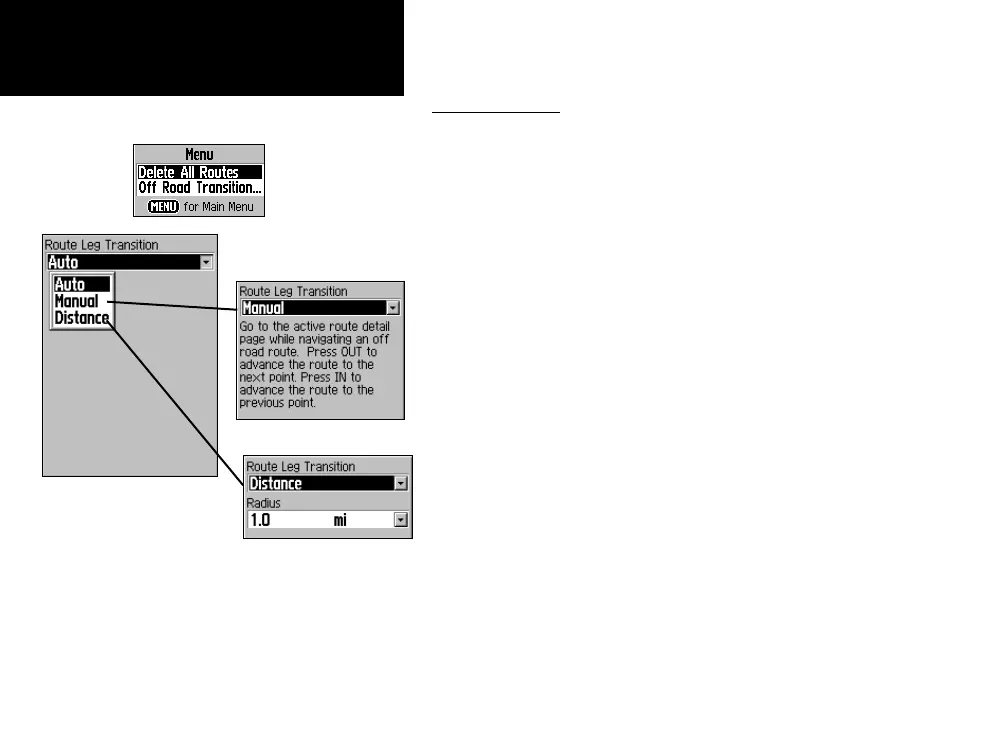
Route on the map will
transition to the next
leg point when you are
within a 1 mile radius of
that point.
Route Options
To delete the route:
1. Access the Saved Routes Page from the Main Menu and press
the MENU key to display the Options Menu.
2. To clear the saved routes list, select “Delete All Routes” and
press ENTER. A prompt will display, asking “Do you really want
to delete all routes?” Select “Yes” and press
ENTER.
To change the off-road transition for a route:
1. Access the Saved Routes Page from the Main Menu and press
the MENU key to display the Options Menu.
2. To select a method for advancing the route to the next point
on the route, select “Off Road Transition” and press
ENTER to
display the Off Route Transition Page.
3. Highlight the Route Leg Transition field and press
ENTER to
display the list of options. Select ”Auto,” “Manual” or “Dis
-
tance.”















 To Next Page