59
GPSmap 60
GPS Features
Stopwatch
Stopwatch
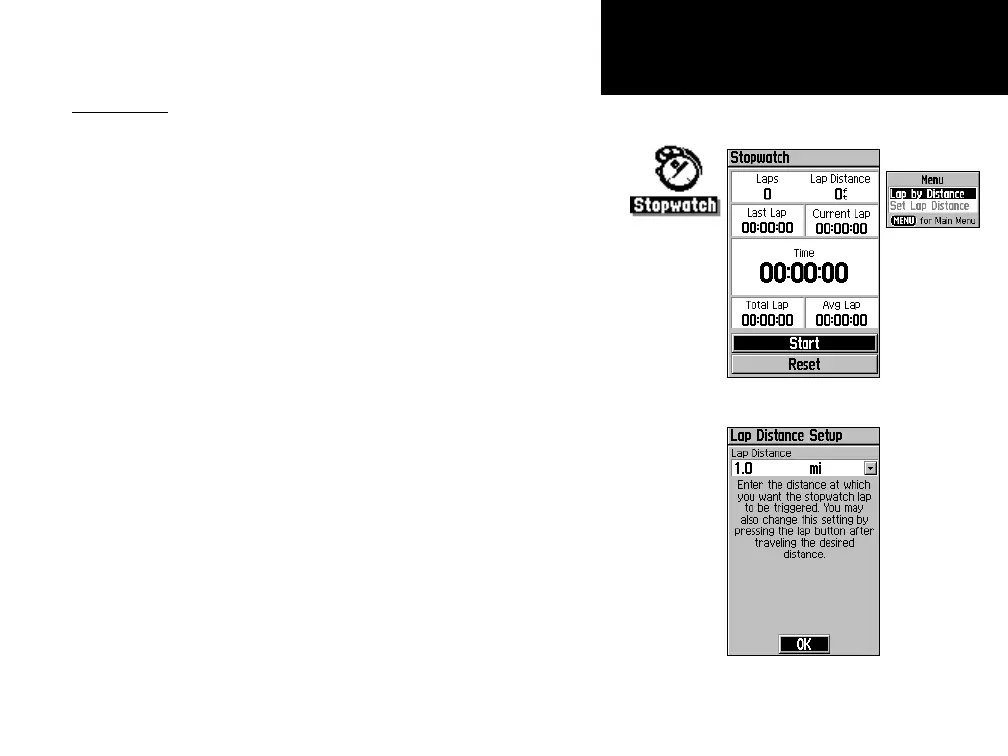
This feature allows you to use the GPSmap 60 as a stopwatch, which
includes a lap timer. You can choose to have the unit record the lap time
based on distance.
To start the stopwatch:
Use the ROCKER key to highlight the “Start” field and then
press ENTER.
To stop the stopwatch:
Use the ROCKER key to highlight the “Stop” field and press ENTER.
To use the lap feature:
With the stopwatch running, use the ROCKER key to highlight
the “Lap” field and then press
ENTER.
To reset the stopwatch:
With the stopwatch stopped, use the ROCKER key to highlight
the “Reset” field and then press
ENTER.
To time lap by distance:
Use the ROCKER key to highlight the Options Menu and then
press ENTER. Choose “Lap by Distance” and press ENTER. To
return to “Lap by Button Press,” repeat these same steps.
To set a lap distance value:
1. Use the ROCKER key to highlight the Options Menu and then
press ENTER. Choose “Set Lap Distance” and press ENTER.
2. Use the
ROCKER key to highlight the field you wish to change
and then press ENTER. Enter the new value and press ENTER.
Lap Options
Menu
Stopwatch Page
Setting Lap By Distance


 To Next Page
 Loading...












