51
GPSmap 60
Map Setup
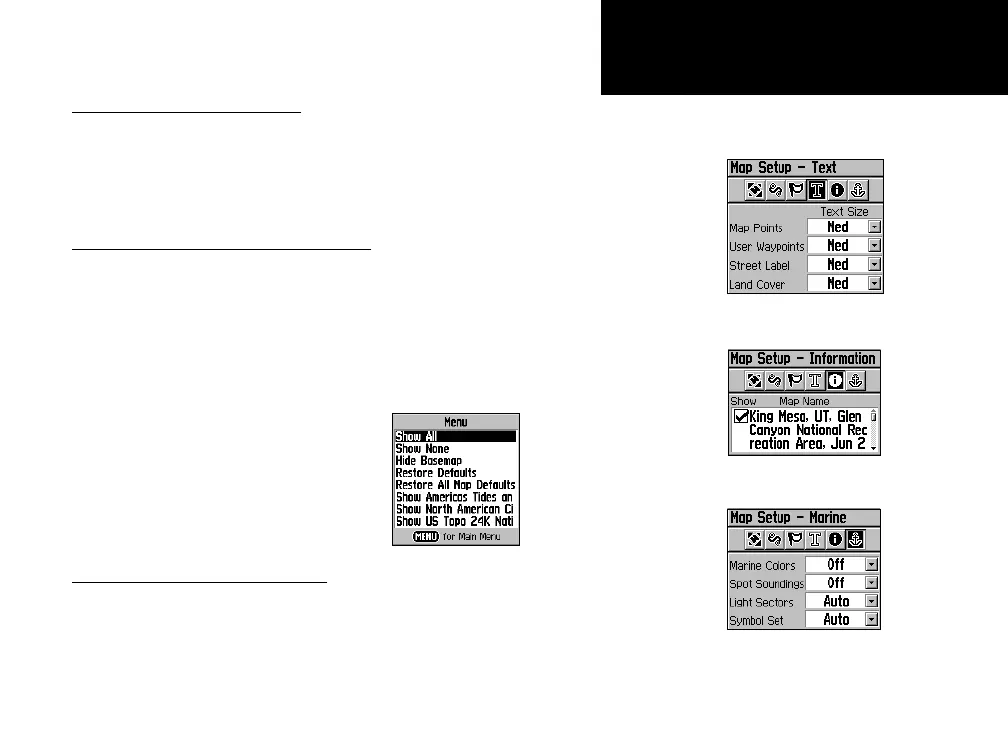
The “Text Settings” Map Setup Page
The “Map Information” Map Setup Page
The “Marine Settings” Map Setup Page
Map Setup - Text Settings
The fourth page of the Map Setup feature is the Text Settings Page.
Use this page to select the text size for descriptions of items on the Map
Page. You can select from Small, Medium, or Large.
Map Setup - Information Settings
This page of the Map Setup feature displays a list of MapSource
maps you have downloaded such as topographic, marine charts, and
MapSource maps with auto-routing capability. Use the ROCKER key
to highlight the desired map then press
ENTER to show it on the map
display or turn it off.
Pressing the MENU key displays a list of options for managing these
maps.
Map Setup - Marine Settings
The last page of the Map Setup is the Marine Settings Page. Use this
page to control the display of marine chart items when using downloaded
marine charts (i.e. MapSource BlueChart
®
marine mapping data).
Map Information Options Menu
GPS Navigation















 To Next Page