XM WX Satellite Weather
®
and XM
®
Satellite Radio Supplement 11
XM WX Satellite Weather and XM Satellite Radio
Viewing XM WX Satellite Weather Subscription Information
You can view information about the weather services you have subscribed to and how many minutes
have passed since the data for each service was updated.
From the Home screen, select Weather > Weather Subscription.
XM Satellite Radio
When a Garmin XM audio receiver and antenna is connected to the Garmin Marine Network and to
the audio input of your boat, you can listen to XM Radio channels.
NOTE: To use XM Satellite Radio features, you must have a subscription to XM Satellite Radio,
and you must have a Garmin XM Satellite Radio receiver connected to a chartplotter.
XM Radio Use
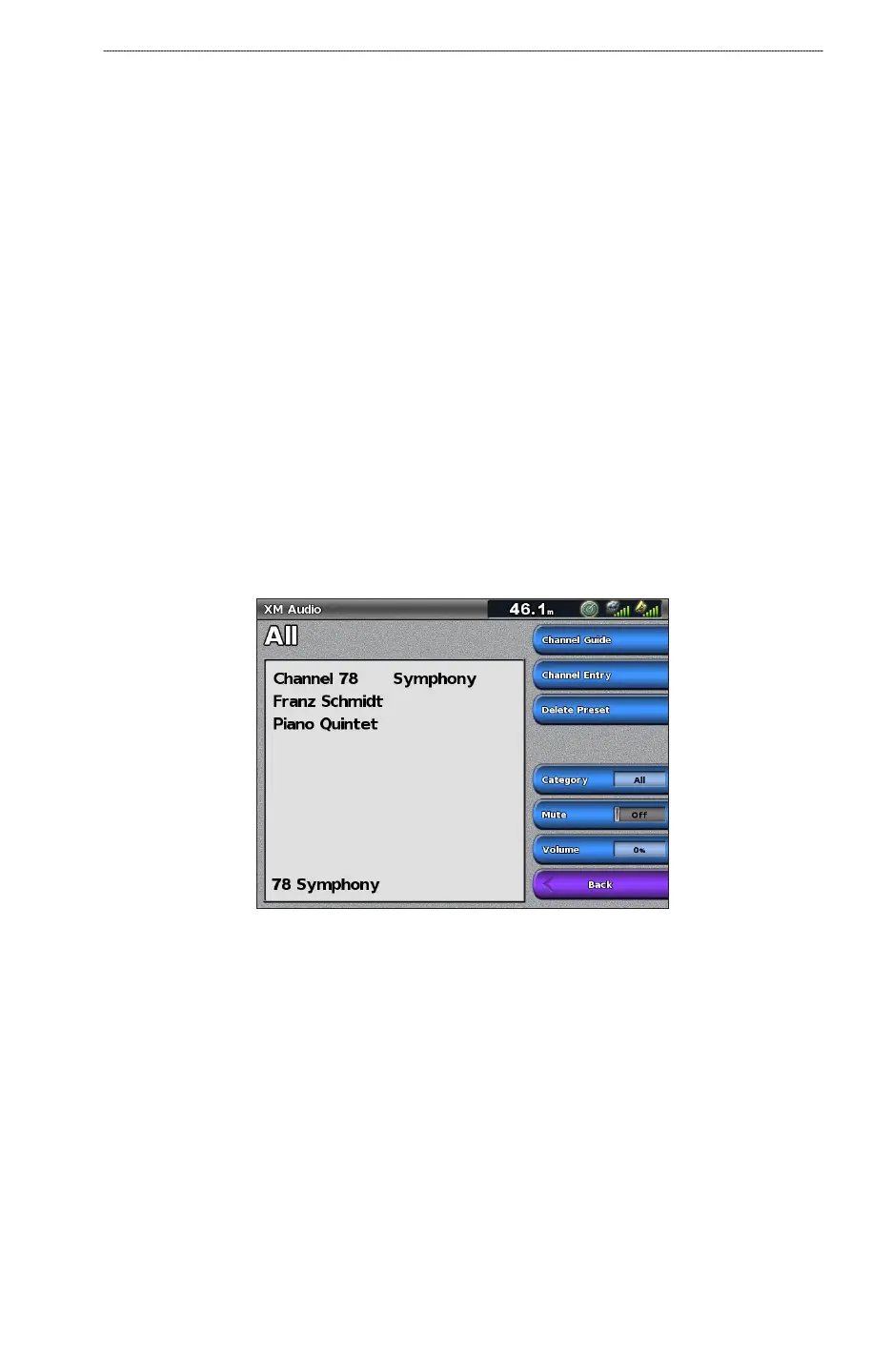
Selecting an XM Radio Channel
1. From the Home screen, select Congure > XM Audio.
2. Complete an action:
Select Channel Guide to select a specic XM channel within the selected category. Select a
channel. Select Back.
Select Channel Entry to enter an XM channel number manually. Enter a channel number.
Select Done.
Customizing the Channel Guide
XM Radio channels are grouped in categories. You can select the category of channels that appear in
the channel guide.
1. From the Home screen, select
Congure > XM Audio > Category.
2. Select a category.
•
•



 To Next Page