XM WX Satellite Weather
®
and XM
®
Satellite Radio Supplement 13
XM WX Satellite Weather and XM Satellite Radio
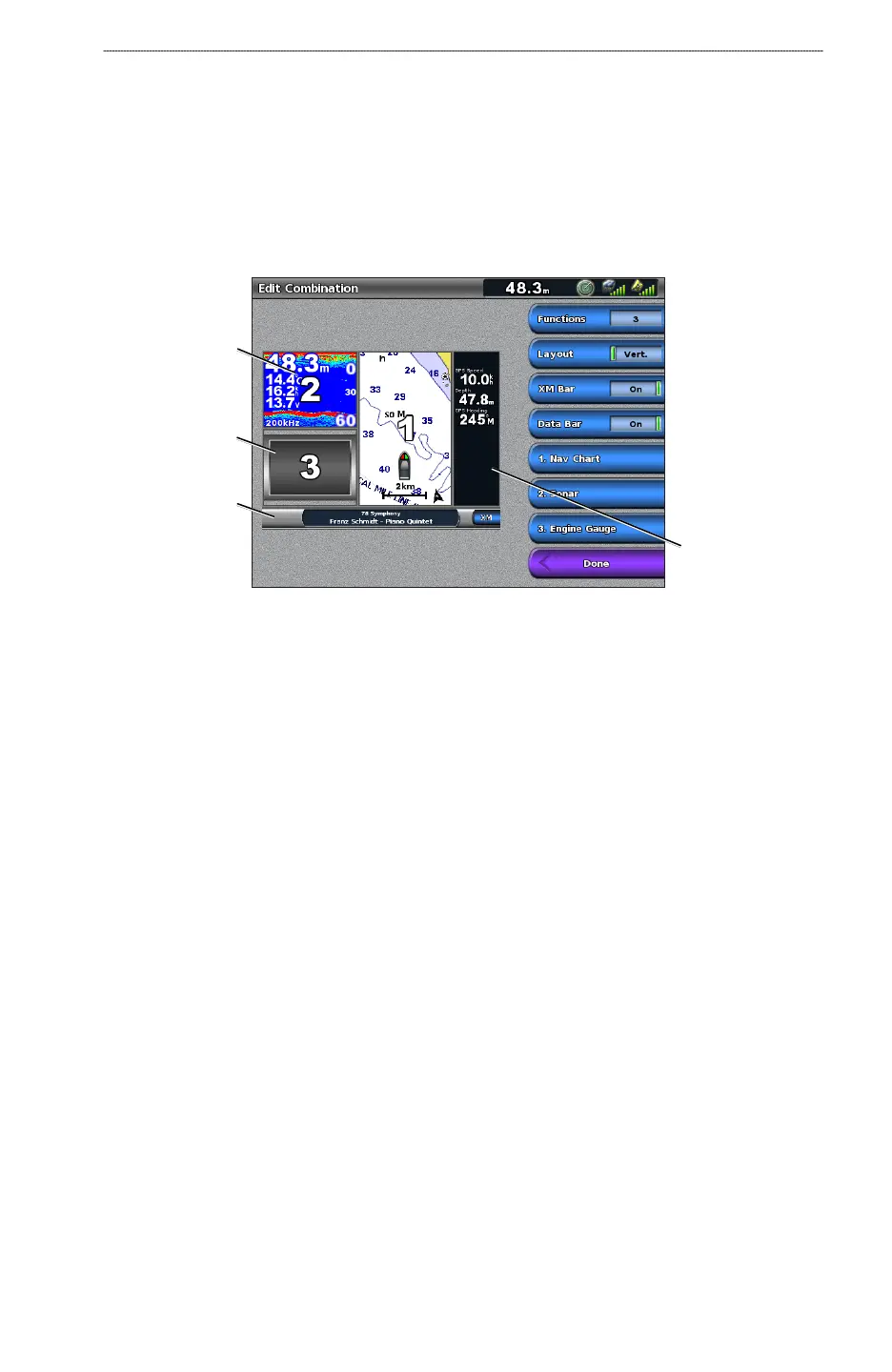
Displaying the XM Radio Data Bar on the Combination Screen
You can display the XM Radio data bar along the bottom of the Combinations screen on a
chartplotter. For more information, see the “Combinations” chapter of the GPSMAP 6000/7000
Series Owner’s Manual.
1. From the Home screen, select
Combinations.
2. Select a combination.
3. Select
Menu > Change Combination > XM Bar > On > Done.
XM Radio
data bar
Combination
screen 2
Combination
screen 3
Combinations
data bar



 To Next Page