Peking to Paris 2013 - Garmin 78s GPS Setup & Use Guide
Garmin 78s P2P2013 - Setup & Use V2.doc Page 5 of 15
Main Menu >> Setup >> Map >> Advanced Map Setup
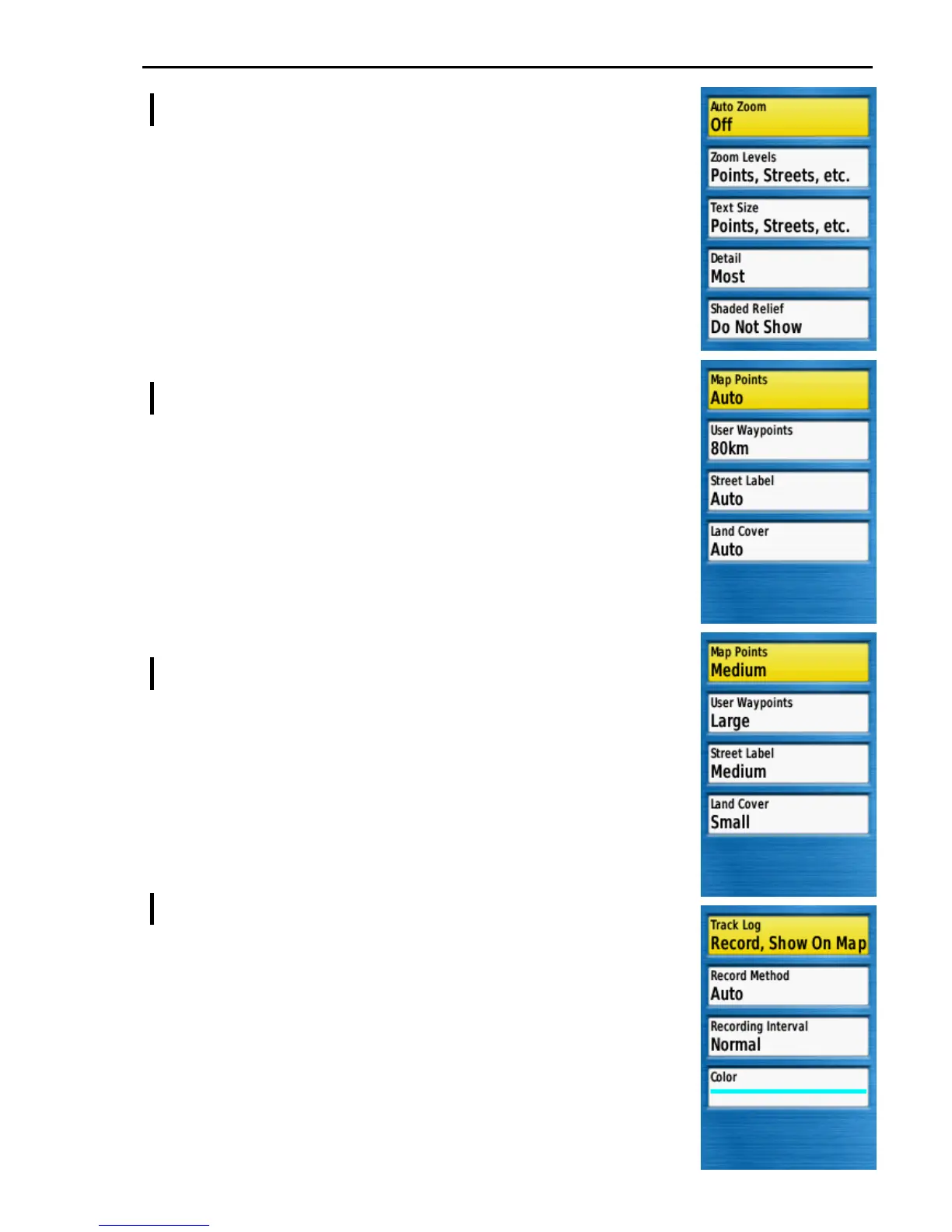
Auto Zoom ...................... Off
Zoom Levels .................. [ See below ]
Text Size .......................... [ See below ]
Detail ............................... Most
When set to Most the map will show all available data which
will be the best choice in Mongolia. Reduce this setting if
screen clutter becomes too dense in more highly populated
regions.
Shaded Relief .................. Do Not Show
Advanced Map Setup >> Zoom Levels
Map Points ...................... Auto
User Waypoints .............. 80km
This is the map zoom level at which waypoints become
visible. Setting it to 80km means that the event waypoints
will almost always be shown on screen but may results in
screen clutter. Try a lower value or Auto if screen clutter
causes confusion.
Street Label ..................... Auto
Land Cover ...................... Auto
Advanced Map Setup >> Text Size
Map Points ...................... Medium
User Waypoints .............. Large
Set this Large to make the event waypoints text labels more
prominent on the map screen. Reduce the value if the text
is too obtrusive for you.
Street Label ..................... Medium
Land Cover ...................... Small
Main Menu >> Setup >> Tracks
Track Log ........................ Record, Show On Map
To show an on screen trace of your progress.
Record Method ............... Auto
Recording Interval .......... Normal
Color ................................ [ Your choice ]
The author thinks the bright blue works well.











 To Next Page