Peking to Paris 2013 - Garmin 78s GPS Setup & Use Guide
Garmin 78s P2P2013 - Setup & Use V2.doc Page 6 of 15
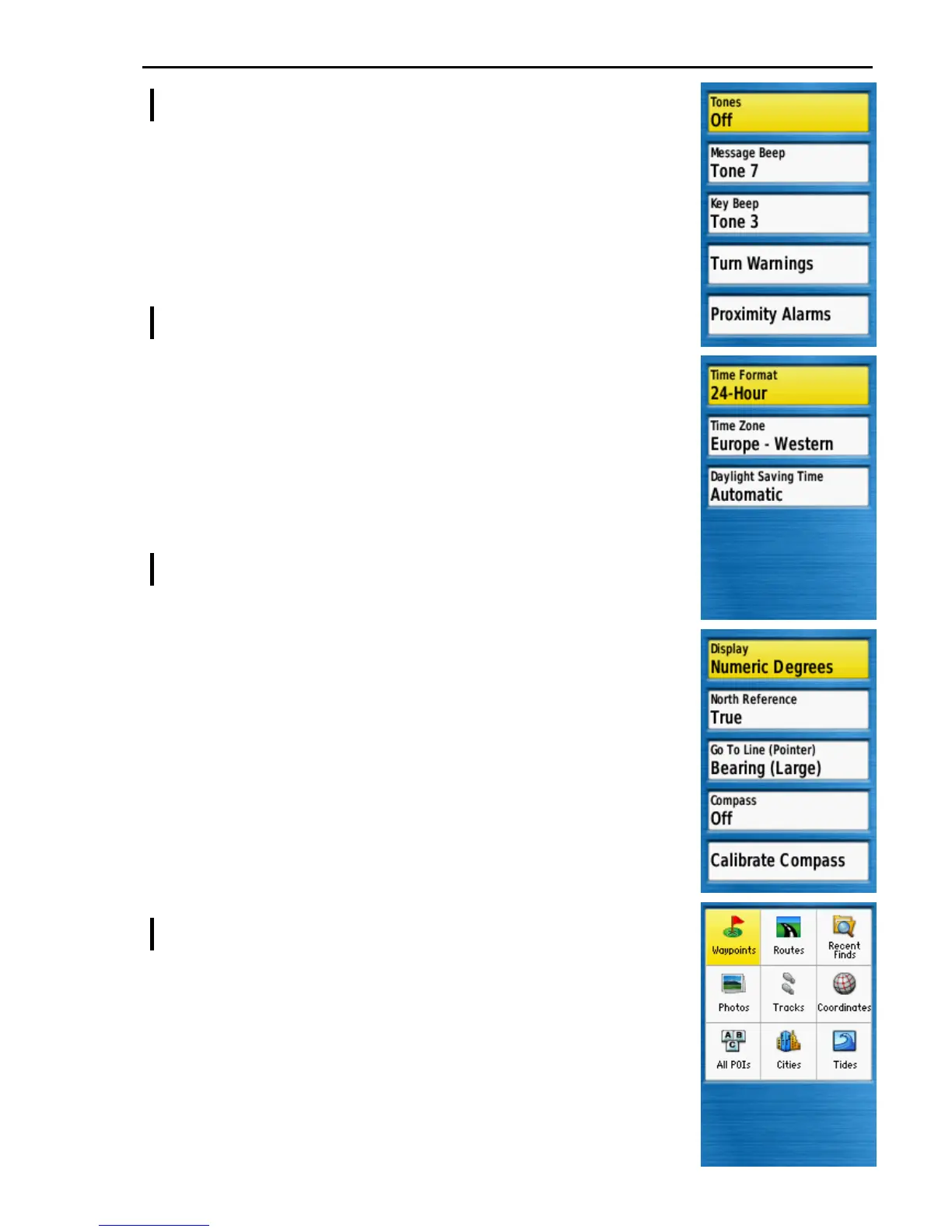
Main Menu >> Setup >> Tones
Tones ............................... Off
The GPS can emit tones dependant on particular message or
operation. Tones annoy the author but you are welcome to
experiment with these settings.
Other options .................. [ignore]
If tones are Off the other options will be ignored.
Experiment if you want.
Main Menu >> Setup >> Time
Time Format .................... 24-Hour
Time Zone ....................... [ As appropriate ]
Time zone can be set to Automatic but may require
changing to a specific time zone if the displayed time does
not match the local time.
Daylight Saving Time ..... Automatic
This option does not show if Time Zone is set to Automatic.
Main Menu >> Setup >> Heading
Display ............................ Numeric Degrees
North Reference ............. True
GoTo Line (Pointer) ........ Bearing (Large)
The author believes Bearing (Large) displays the clearest
compass pointer to indicate your course to the next waypoint
but you may wish to experiment with the other options.
Compass ......................... Off
The 78s has a built in magnetic compass. When moving, the
direction of travel is calculated from the position coordinates
making the magnetic compass redundant (and vehicle
electrics can make it unreliable). You may wish to experiment
with the built in compass and compass calibration.
Calibrate Compass ......... [ ignore ]
Find ( >> Menu >> Change Item Order )
When the FIND button is pressed Waypoints should be in the
default option position with Routes next to it as shown on the right.
NOTE: If no Waypoints or Routes are in your GPS these options
will not show but they will show on the Change Item Order list.
If necessary press MENU and select Change Item Order to re-
order the items so that Waypoints and Routes are at the top of the
list.











 To Next Page