Charging the Battery
CAUTION
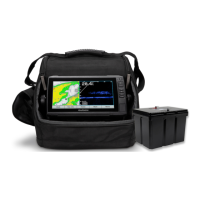
Ensure that you connect the correct spade connector to the correct battery terminal. Damage to the battery or
device, or bodily harm may occur if the device is improperly connected to the battery.
You should always use the all-in-one cable to charge the battery.
1 Remove the battery terminal covers.
2 Connect the red and black spade connectors from the all-in-one cable onto the corresponding battery
terminals.
3 Connect the all-in-one cable to the wall charger.
4 Connect the wall charger to the wall outlet.
The light on the wall charger is solid orange when the battery is charging. It takes about 10 to 12 hours in
a room-temperature environment to fully charge a fully discharged battery. When the light is solid green, the
battery is fully charged.
Battery Tips
• The length of time a fully charged battery will last before fully discharging varies based on many factors, such
as device backlight brightness, the temperature, and the age of the battery.
• You can lower the backlight brightness level to help extend the battery life.
• The life expectancy of a sealed, lead-acid battery can be extended by frequently recharging and not
completely discharging the battery.
• Sealed, lead-acid batteries slowly lose their charge while in storage. For best results, charge the battery prior
to use.
• When used in cold temperatures, sealed, lead-acid batteries do not hold the charge as long as in warmer
temperatures.
• Sealed, lead-acid batteries are recyclable.
2








 To Next Page