8 Garmin Mobile
™
PC Quick Start Manual
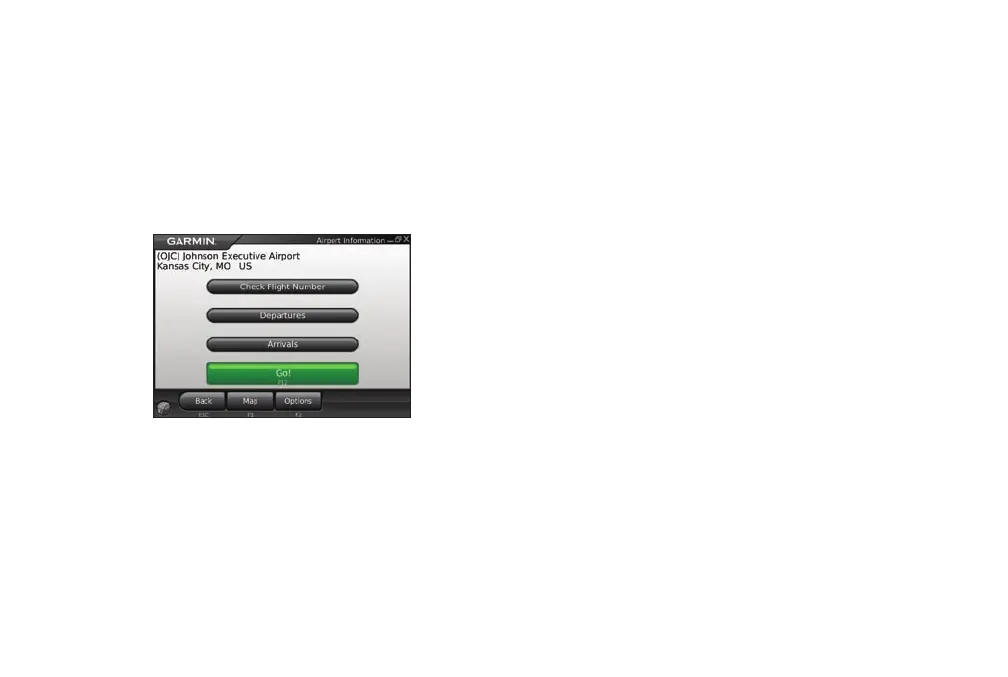
Flight Status
The ight status feature displays airports in ascending
order with the nearest major airport to your location
listed rst. Click an airport to check the status of a
ight, and to get departure and arrival information.
Click Map to see an airport location on the map.
Safety Cameras
Safety camera information is a paid service available in
some regions in Europe. Check http://my.garmin
.com for availability. You can update safety camera
information by clicking Garmin Online > Safety
Cameras. Click a region, and click Download.
To purchase a new region or extend an existing
subscription, visit http://my.garmin.com.
More Information/Contact Garmin
For information refer to the built-in Help system by
clicking Help.
To e-mail Garmin Product Support, go to
www.garmin.com/support.
In the USA, contact Garmin Product Support by phone
at 913/397.8200 or 800/800.1020.











 To Next Page