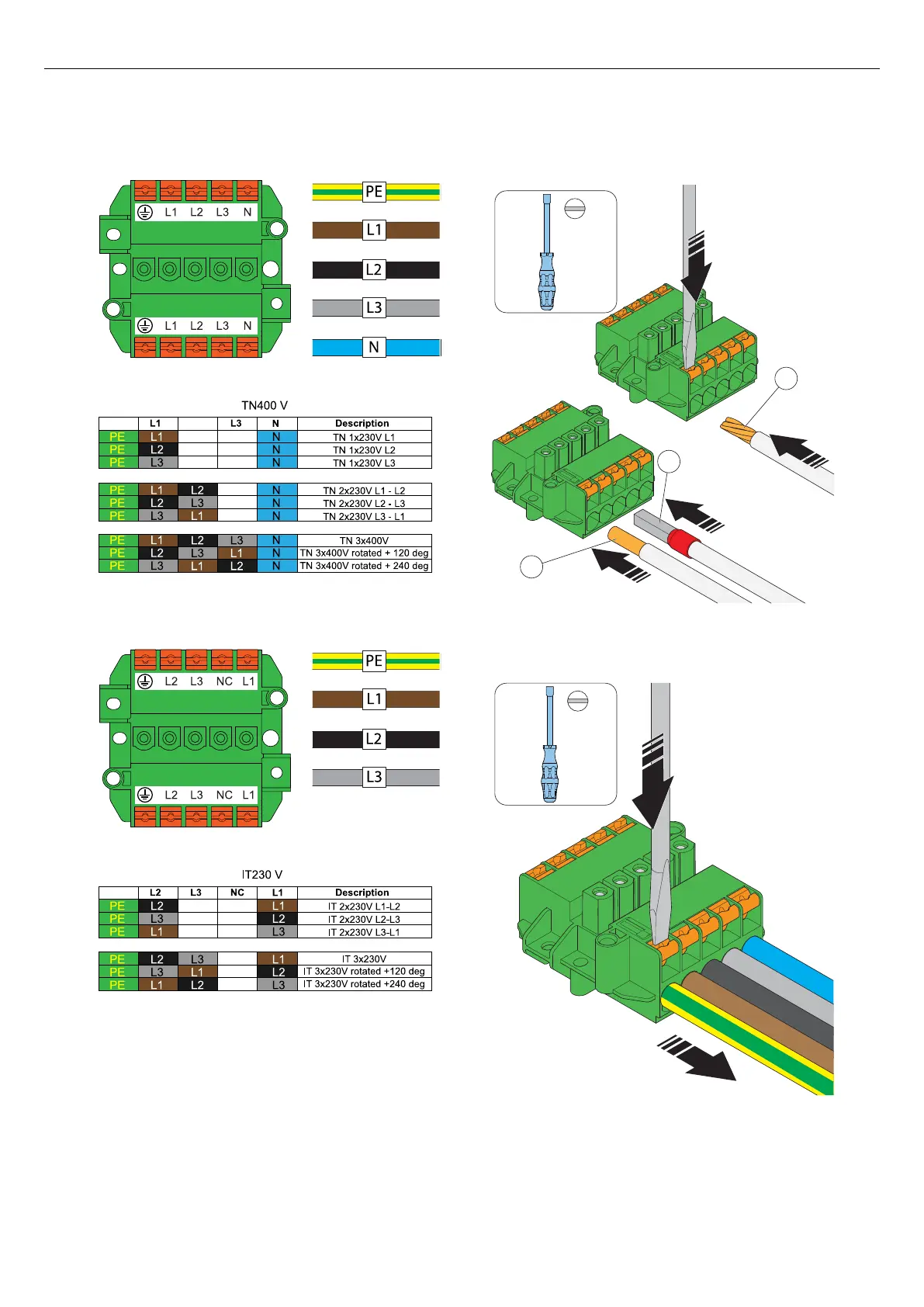
a. TN system.
b. IT system.
2. Install the wires to the terminal block.
a. If the wires have strained conductors (A), use a
flat screwdriver and push the orange button to
open the terminal.
b. If the wires have cable ferrules (B) or solid
conductors (C), push the wires into the terminal.
3. To remove any wire, push a flat screwdriver on the
terminal and pull the wire out.
PE L2
PE
18 mm
18 mm
A
B
C
18 mm
29
Installation



 To Next Page