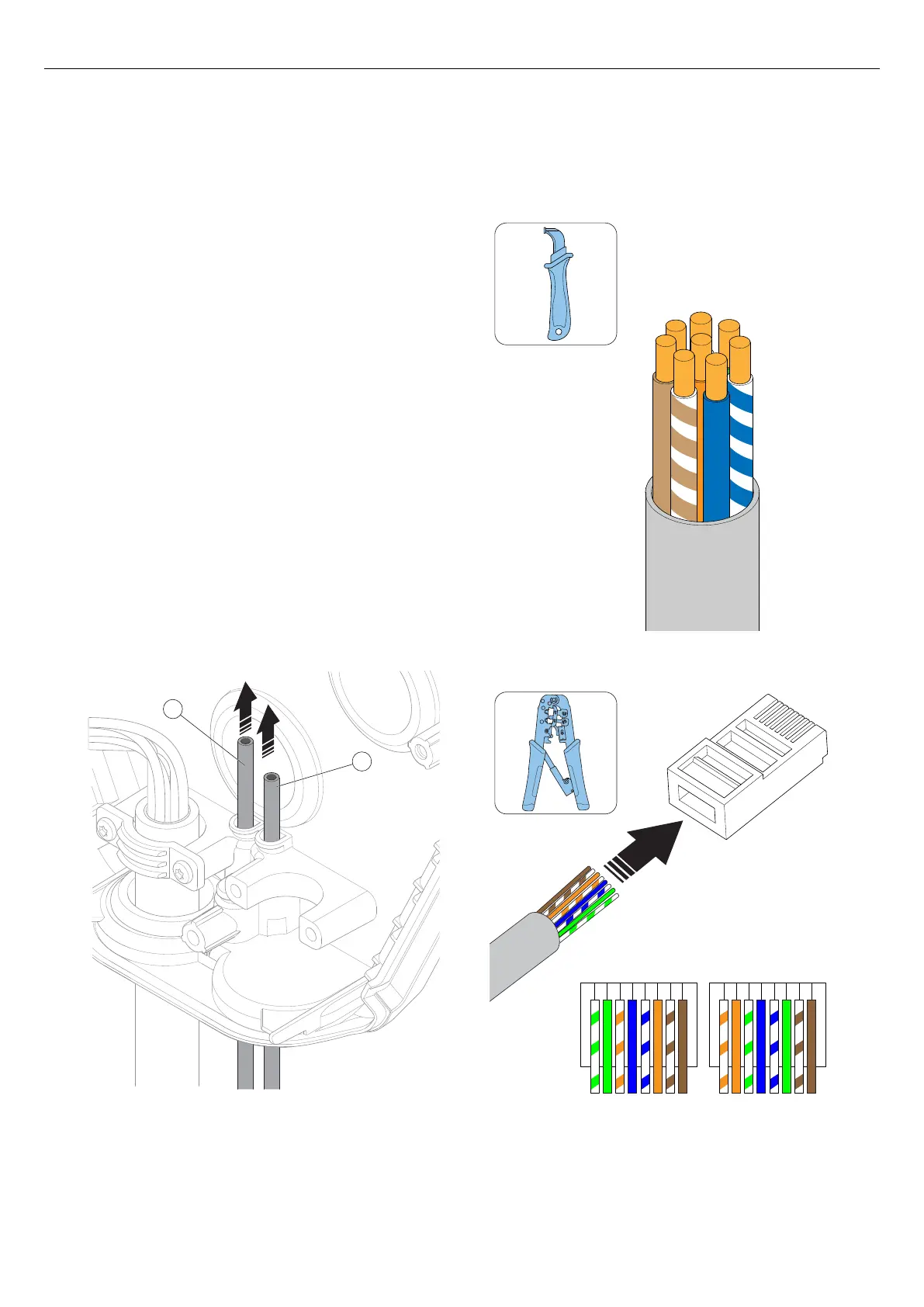
4.12.6 TO INSTALL A SECOND POWER CABLE
(DAISY-CHAINING METHOD)
If several charging stations are fed by the same power
cable in a daisy chain, a second power cable can also
be connected to the terminal.
1. Dismantle the second power cable for installation.
Refer to 4.12.4 To prepare the power cable for
installation, page 26.
2. Install the wires of the second power cable to the
terminal. For more information about installation
types, refer to 4.12.5 To connect the power cable
to the terminal, page 28.
4.12.7 TO PREPARE THE INSTALLATION BRACKET
WITH ETHERNET CABLE(S)
If ethernet should be used, the installation bracket must
be prepared with the ethernet cable(s).
1. Thread the ethernet cable (A), and (B) if applicable,
through the installation bracket.
NOTE
The recommended length for the ethernet cable inside
the installation bracket is 500 mm.
2. Secure the ethernet cable(s) from pull-out forces, for
example with a cable strap.
3. Dismantle the ethernet cable(s).
4. Install the ethernet cable to a RJ45 plug.
NOTE
Both shielded or unshielded ethernet cables are possible
to use, depending on installation conditions.
B
A
1 2 3 4 5 6 7 8 1 2 3 4 5 6 7 8
T568A T568B
30
Installation



 To Next Page