Ace 150 • Ace 250
11
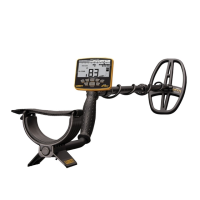
1. Mode—Indicates which of the three detection
modes is selected by highlighting the corresponding
word on the LCD screen.
2. Target ID Legend—A printed Target ID
Legend is located directly above the LCD screen
and indicates commonly found targets and metals.
When a target is detected, the Target ID cursor will
appear below the word that most likely indicates
the type of target found, based on its conductivity.
3. Upper Scale—The Upper Scale, where the
Target ID cursor is illuminated when a target is
detected, consists of five (5) graphical segments.
4. Target ID Cursor—The Target ID cursor is
illuminated in the Upper Scale and indicates the
probable identity of a detected target.
5. Lower Scale—The lower horizontal scale,
or Notch Discrimination Scale, indicates the
discrimination pattern where the ACE will or












 To Next Page