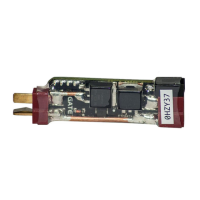
Why Gate WARFET LED indicator glows red after trigger action?
K
Kayla WhiteAug 14, 2025
If the LED indicator glows red after a trigger action and the AEG doesn't fire, even though the motor is connected, this could be due to several reasons:
* The battery may be discharged.
* The BATTERY PROTECTION function might be incorrectly programmed.
* There may be poor contact with the battery.
* A short-circuit could exist between the signal wires and the motor wires (in Hardwired Installation only) or within the motor wires themselves, or even a short-circuit of the motor.
To resolve this:
* Charge the battery.
* Correctly program the BATTERY PROTECTION function.
* Ensure good contact by cleaning the battery and WARFET connectors.
* Inspect and repair the insulation of the signal and motor wires. If necessary, connect another motor.
J
John PattonAug 17, 2025
What to do if Gate WARFET doesn't react to trigger action?
E
Eileen MoonAug 17, 2025
If the Controller doesn't react to any trigger action and the AEG doesn't fire, consider the following potential causes:
* The battery may be discharged.
* There might be a lack of contact in the switch assembly or with the motor connectors.
* The motor wires or windings could be broken.
To address this:
* Ensure the battery is charged.
* Clean the switch assembly and the motor connector in the Controller.
* Inspect the motor connectors and repair any broken wires. If necessary, repair or replace the motor.
J
Jamie GrahamAug 21, 2025
How to fix Gate WARFET LED blinking green but AEG not firing?
R
Rachel BlairAug 21, 2025
If the LED indicator blinks green shortly after a trigger action, but the AEG does not fire, despite the motor being connected, it could be due to:
* A weak contact with the contact cube or the motor connectors.
* Damaged motor wires or windings.
To resolve this, you can:
* Clean the contact cube or replace it.
* Clean the motor connector in the Controller.
* Check and repair the motor wires and connectors.
* Repair or replace the motor if needed.
L
Loretta CurtisAug 25, 2025
How to troubleshoot Gate Controller not lighting up after battery connection?
A
Andrea GreenAug 25, 2025
If the LED indicator does not light up after connecting the battery to the Controller, and the Controller does not react, it could be due to:
* A discharged battery.
* Lack of contact with the battery.
To solve this:
* Charge the battery.
* Clean the battery connector and the Controller connector to ensure good contact.
S
Susan MckeeAug 27, 2025
What to do if Gate Control Systems WARFET does not react to trigger?
R
raymonddiazAug 27, 2025
If your Gate Control Systems WARFET doesn't react when you pull the trigger and the AEG doesn't fire, here are a few things to check:
* First, ensure that the battery isn't discharged; if it is, charge it.
* Next, verify there's good contact in the switch assembly by cleaning it.
* Also, check the motor connectors in the Power Module and clean them if necessary.
* Inspect the motor wires for any breaks and repair them if needed.
* Finally, the motor windings might be broken, requiring repair or replacement of the motor.
M
Madison Schultz MDAug 31, 2025
Why is the LED indicator glowing red after trigger action on Gate Control Systems?
A
Ashley AdamsAug 31, 2025
If the LED indicator on your Gate Control Systems glows red after a trigger action but the AEG doesn't fire, the issue could stem from several causes:
* A discharged battery: Charge the battery.
* Incorrectly programmed BATTERY PROTECTION function: Program the BATTERY PROTECTION function correctly.
* Poor battery contact: Clean the battery connector.
* A short-circuit between signal and motor wires (in Hardwired Installation): Check and repair the insulation.
* A short-circuit in the motor wires: Try connecting another motor.
* A short-circuit of the motor: Try connecting another motor.
A
April PetersonSep 3, 2025
How to fix Gate Control Systems WARFET if LED doesn't light up?
J
Joanna AguilarSep 3, 2025
If the LED indicator on your Gate Control Systems WARFET doesn't light up after connecting the battery to the Power Module and the WARFET doesn't react, consider the following:
* The battery might be discharged, so charge it.
* There might be no contact with the battery. Clean both the battery connector and the Power Module connector.
C
Carolyn SanchezSep 6, 2025
What to do if Gate Control Systems LED blinks green but AEG doesn't fire?
B
Bianca WadeSep 7, 2025
If, after a trigger action, the LED indicator blinks green briefly but the AEG doesn't fire, it could be due to:
* A weak contact with the contact cube. Try cleaning it or replacing it.
* A weak contact with the motor connectors. Try cleaning the motor connector in the Power Module.
* Damaged motor wires. Check and repair the motor wires.
* Damaged motor windings. Repair the motor or replace it with a new one.
T
Thomas ZhangSep 9, 2025
Why does Gate Control Systems LED blink red and AEG doesn't fire?
K
Karen WilliamsSep 10, 2025
If the LED indicator blinks red after a trigger action, and the AEG does not fire, there may be permanent damage to the Power Module. Contact GATE Technical Support: support@gatee.eu.



 To Next Page
 General