USER GUIDE – MC3001
3.4. – ADJUSTMENT / CALIBRATION
Before delivery each machine is calibrated and should be ready for use upon receipt.
However, machine calibration should be checked on a monthly basis and when gauge
settings consistently produce diameters outside the crimp diameter tolerance.
Calibration procedure is as follows:
To calibrate using calibration shell 7482-19860:
- Place die set D33 in the machine.
- Set the gauge setting mechanism to 200.
- Crimp the calibration shell 7482-19860.
- Measure the crimped diameter of the calibration shell – it should read 26.0 +/-
0.1mm
- If the crimp diameter is outside the stated dimensions, it is necessary to
recalibrate the machine as follows:
1. Isolate the machine from power supply.
2. Note by how much the measured crimp diameter differs from the required
26.0mm calibration diameter.
3. Unscrew the two socket head screws that hold the gauge setting mechanism
in place with a 3mm Allen key and remove the unit.
4. Calibration adjustment is now via the 6mm screw and locknut. One full turn of
the screw clockwise (when viewed from the screw end) will reduce the crimp
diameter by 0.4mm. Turning the screw anti-clockwise increases the crimp
diameter 0.4mm.
5. Unlock the locknut and turn the screw the required amount according to the
difference between the achieved and the required crimp diameter.
6. Lock the locknut and replace the gauge setting mechanism, tightening the two
socket head screws.
7. Crimp a new calibration shell and check that the correct crimp diameter has
now been achieved.
8. If the required crimp diameter is not achieved, repeat the recalibration
process.
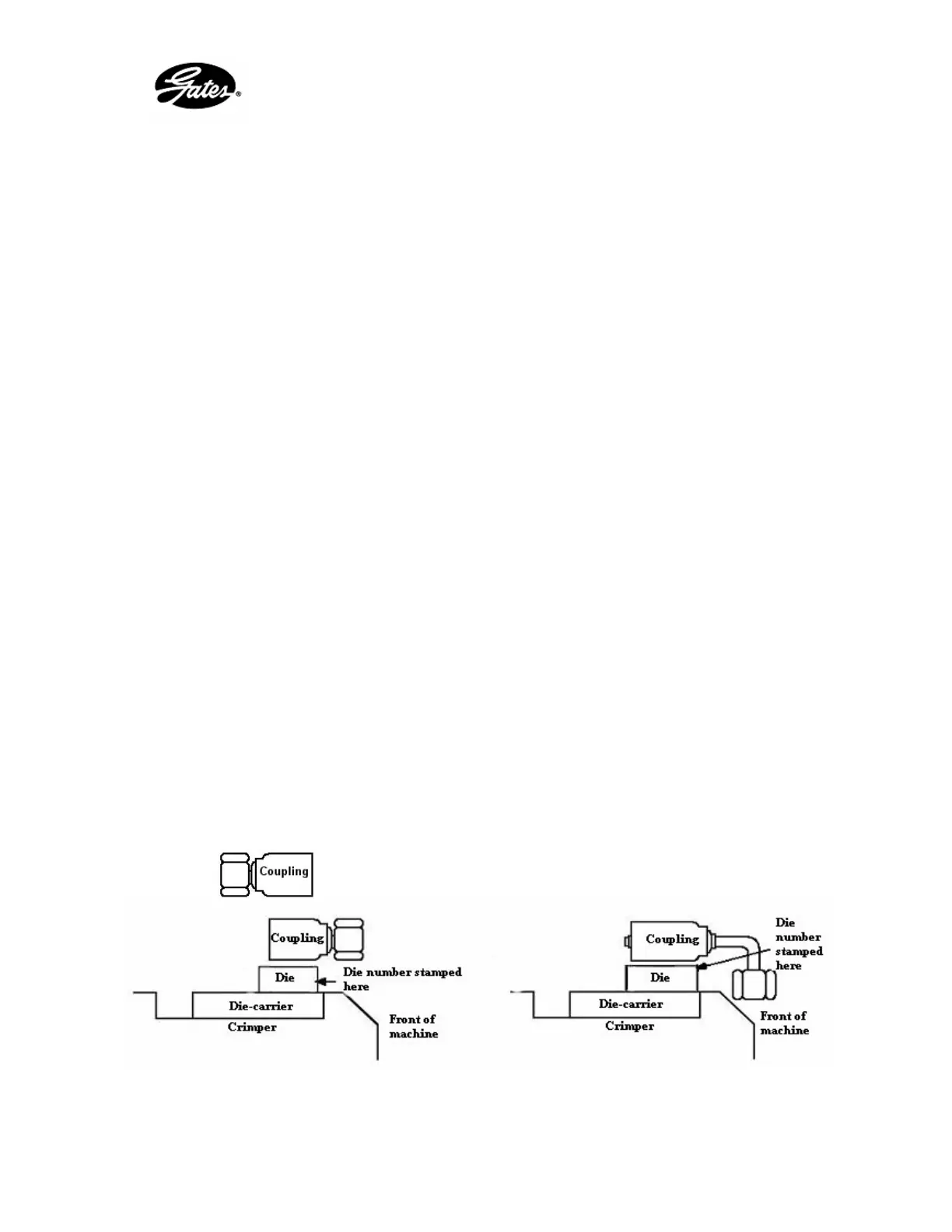
3.5. – DIE POSITIONING AND INSTALLATION
Figure 5 : location 1 Figure 6 : location 2
For straight couplings For angled couplings
or
13


 To Next Page