CHAPTER 4: Playing and Creating Media Files
40
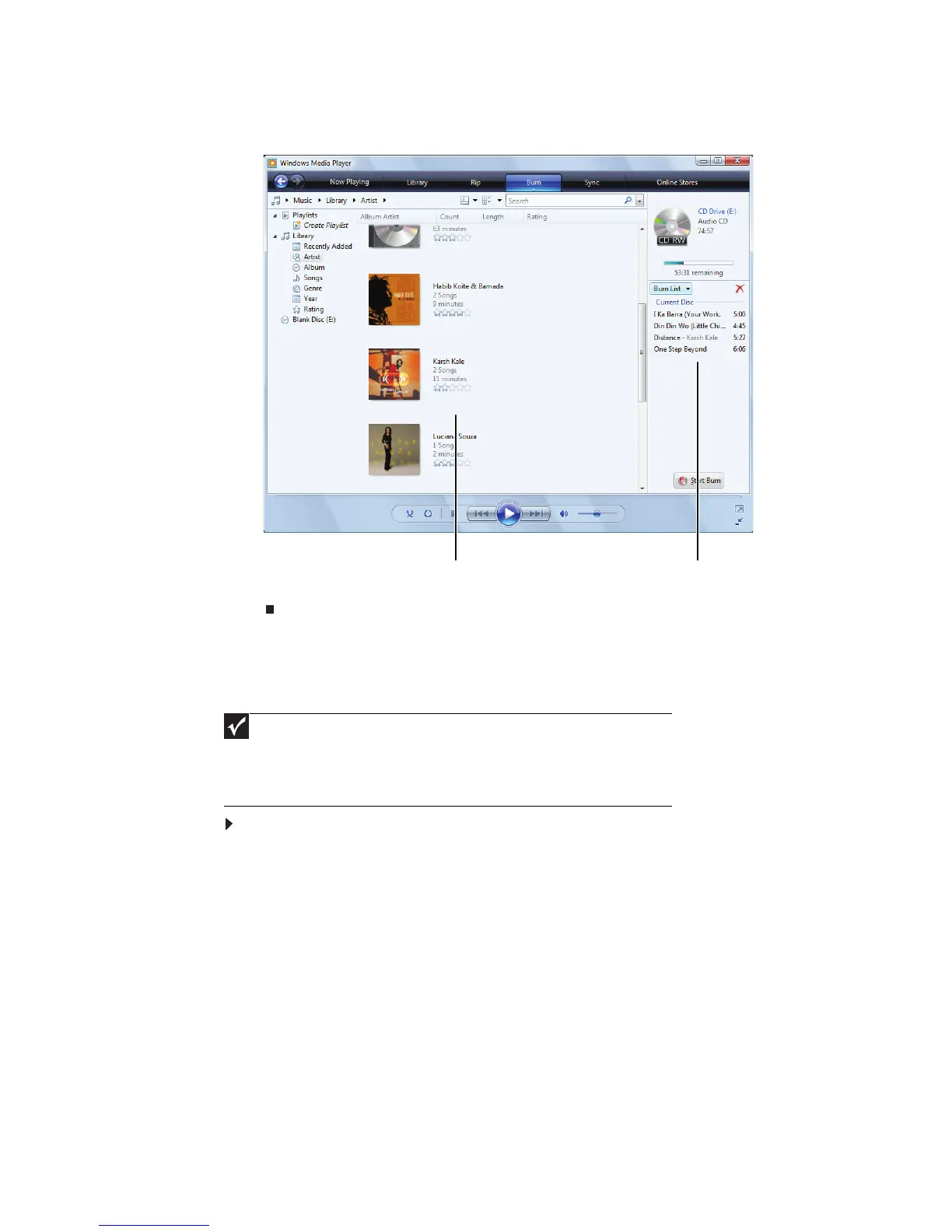
5 Click the Burn tab, then click and drag songs that you want to burn to CD from
the Library to the Burn List.
6 Click Start Burn. The music is recorded onto the blank CD.
Creating a video DVD
If your notebook has Windows Vista Home Premium or Windows Vista Ultimate
Edition, you can create video DVDs using Windows DVD Maker.
To create a video DVD using Windows DVD Maker:
1 Insert a blank, writeable DVD into your recordable optical disc drive.
2 If a dialog box opens and asks you what you want your notebook to do with
the disc, click × to close the box.
Important
We recommend that you do not use your notebook for other tasks while
creating CDs or DVDs.
If you record copyrighted material on a CD or DVD, you need permission
from the copyright owner. Otherwise, you may be violating copyright law and
be subject to payment of damages and other remedies. If you are uncertain
about your rights, contact your legal advisor.
Library Burn List



 To Next Page