www.gateway.com
65
Security updates
To keep your notebook secure, you need to keep Windows and your notebook’s
system software up to date.
Windows Update
If a hacker finds a way to bypass the security features built into Windows, Microsoft
creates a high-priority Windows update to fix the problem. You should update
Windows regularly to keep your notebook secure.
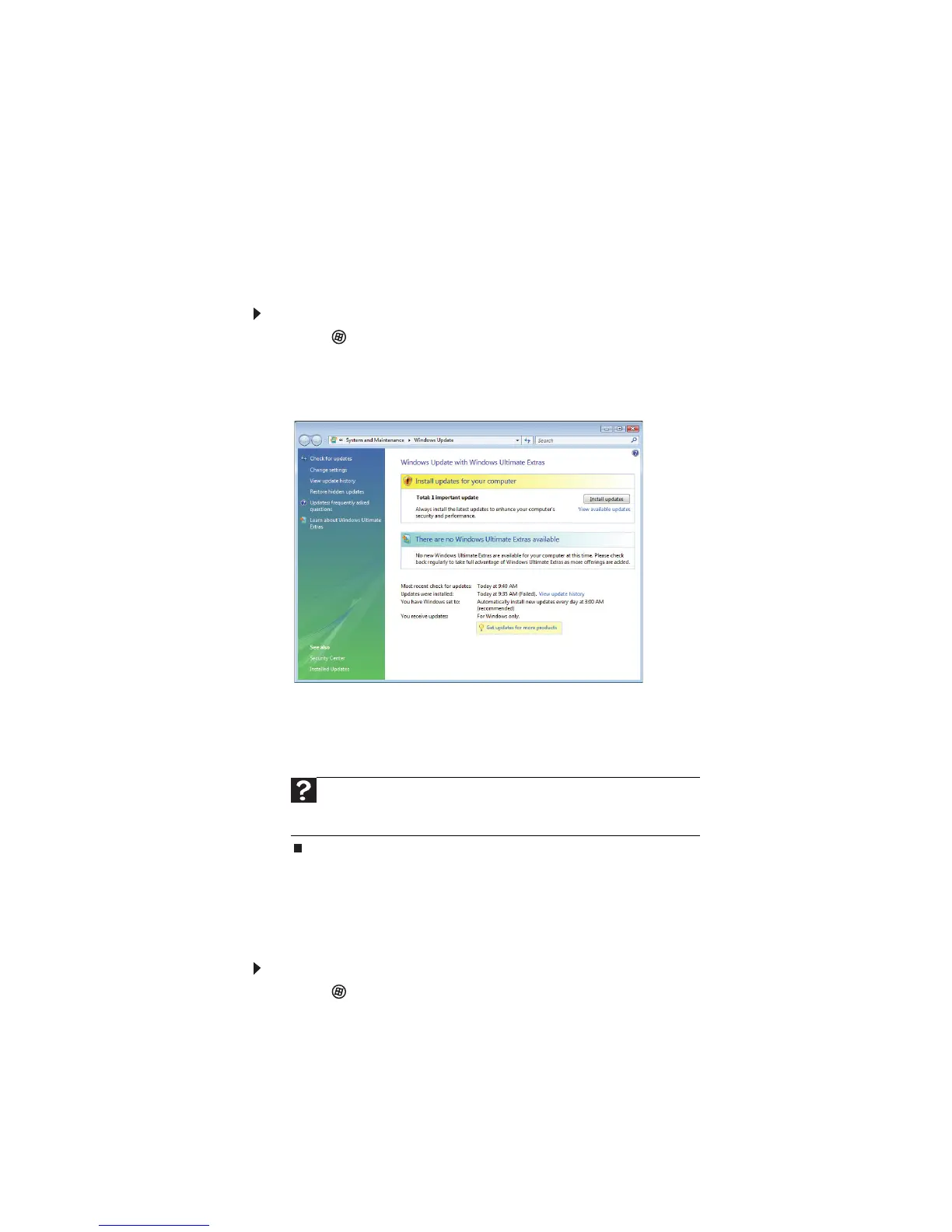
To update Windows:
1 Click (Start), Control Panel, then click Security.
2 Click Security Center. The
Windows Security Center
dialog box opens.
3 Click Windows Update. Windows checks the Microsoft web site to see if any
updates are available.
4 Click:
• Install Updates to download and install updates on your notebook. These
updates include security updates.
• Install Extras to download additional Windows software for your notebook.
Scheduling automatic updates
Use the Windows Security Center to schedule automatic updates. Windows can
routinely check for the latest updates for your notebook and install them
automatically.
To schedule automatic updates:
1 Click (Start), Control Panel, then click Security.
2 Click Security Center. The
Windows Security Center
dialog box opens.
3 Click Windows Update.
Help
For more information about Windows Update
,
click Start, then
click Help and Support. Type Windows update in the Search box, then
press E
NTER.



 To Next Page