Creating and copying data CDs and DVDs
www.gateway.com
83
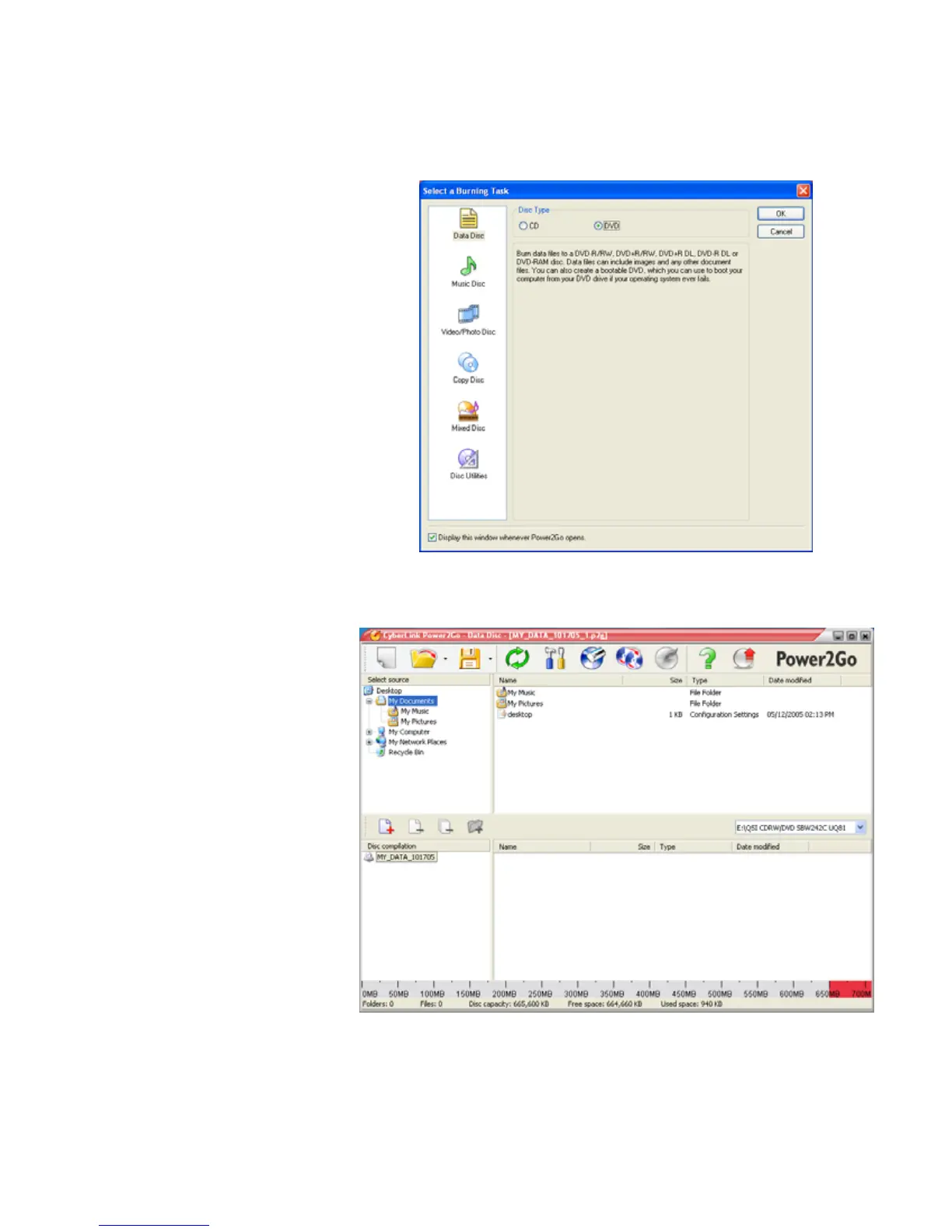
3 Click Start, All Programs, CyberLink DVD Solution, Power2Go, then
click Power2Go. Power2Go opens along with the Select a Burning Task
dialog box.
4 Click Data Disc in the left column, select your disc type in the right column,
then click OK. The Select a Burning Task dialog box closes.
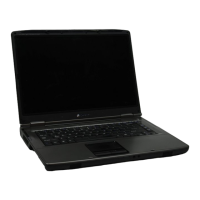
5 In the top pane, browse to the folder that contains the files or folders you
want to burn to the CD or DVD, then click to select the file or folder. Press
and hold the C
TRL key to select multiple files.
6 Drag the files or folders into the bottom pane.



 To Next Page