21
SETTING YOUR LOCAL AREA
CODE
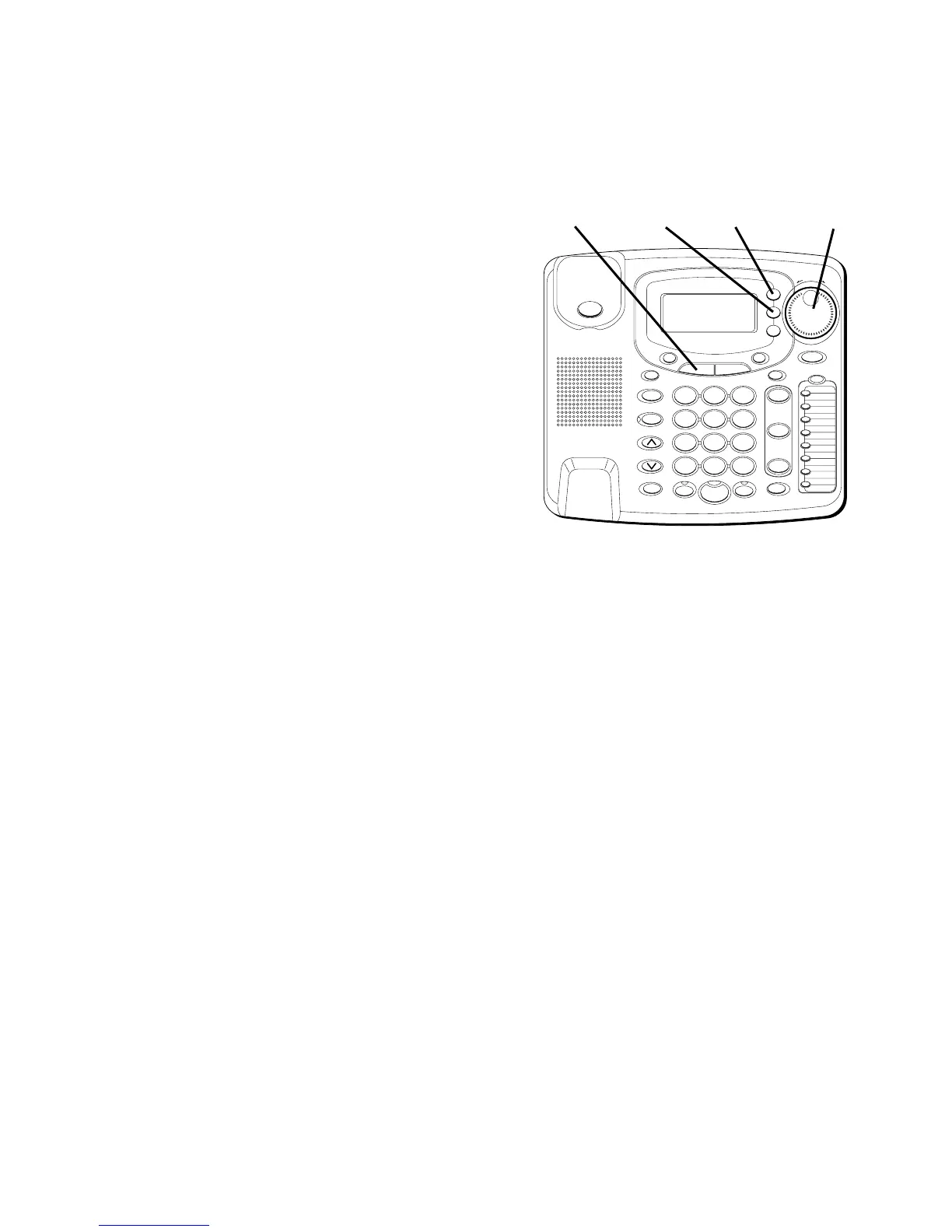
1. Press the MENU button.
2. Use the SHUTTLE knob to scroll to
Local Area Code
.
3. Press SELECT.
Enter AREA CODE
is
displayed.
4. Enter your area code using the
keypad.
5. When finished, press SELECT to
confirm. If you want to start over,
press EXIT to return to the main
menu.
#
OPER
0
TONE
WXYZ
9
TUV
8
PQRS
7
MNO
6
JKL
5
GHI
4
DEF
3
ABC
21
STORE
LOWER
DIAL
CALLER ID
CLEAR
EXIT
SELECT
VOICE MAIL
CONFER
LINE
2
LINE
1
HOLD
MUTEHEADSETFLASH
VOLUME
BUSY REDIAL
REDIAL
PAUSE
MENU DIRECTORY
8
7
6
5
4
3
2
1
S
H
U
T
T
L
E
SPEAKER
*
MENU
button
SELECT
button
EXIT
button
SHUTTLE
knob



 To Next Page