25
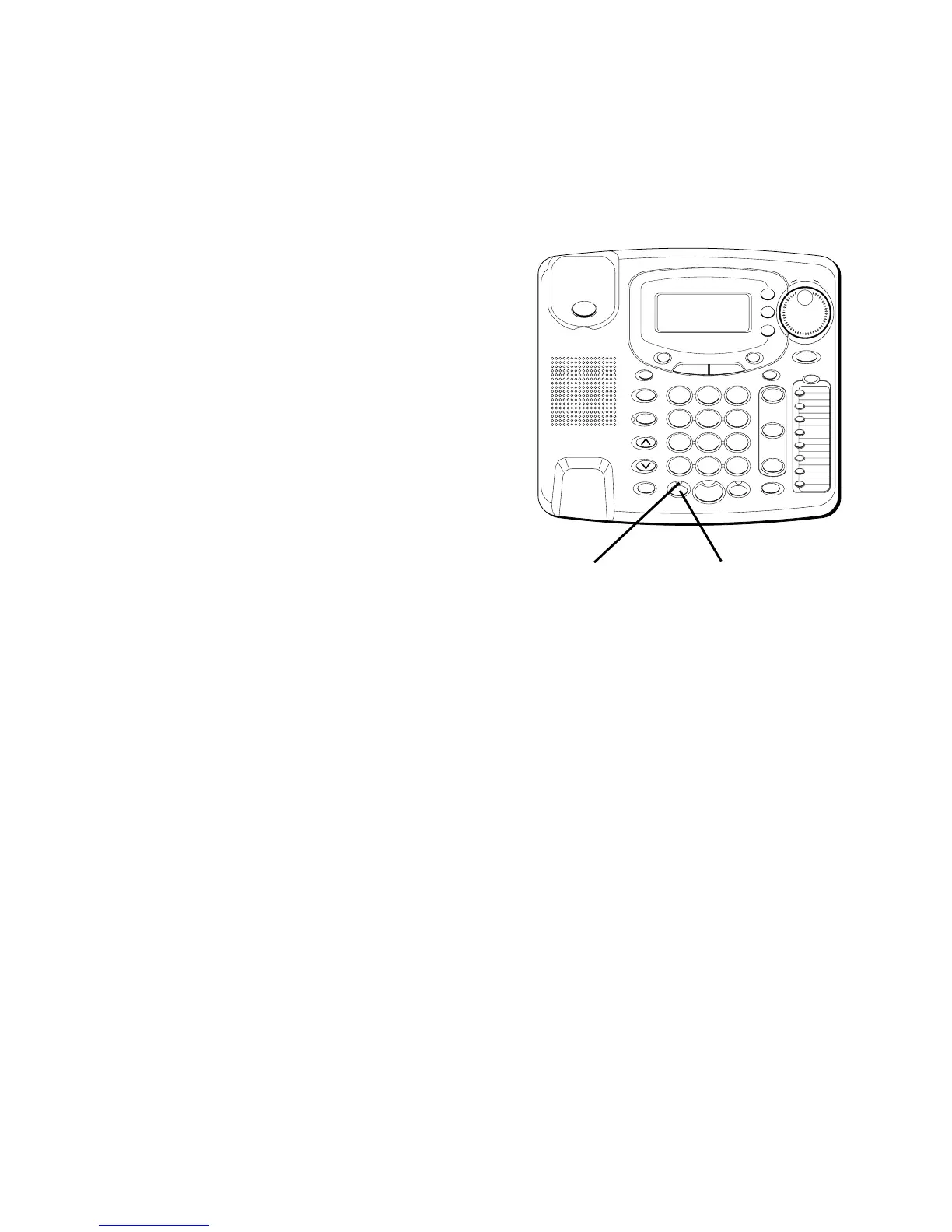
USING THE HEADSET
1. Press the HEADSET button. The
HEADSET indicator blinks.
2. Press the line you want.
3. Wait for a dial tone.
4. Dial a phone number.
5. Press HEADSET to turn it off.
NOTE: To converse using the headset,
the handset must be placed in the cradle.
RECEIVING CALLS
USING THE HANDSET
When the phone rings, the
corresponding line’s indicator flashes
rapidly.
1. Pick up the handset. The line is
automatically selected.
2. When you are finished, hang up the
handset.
#
OPER
0
TONE
WXYZ
9
TUV
8
PQRS
7
MNO
6
JKL
5
GHI
4
DEF
3
ABC
21
STORE
LOWER
DIAL
CALLER ID
CLEAR
EXIT
SELECT
VOICE MAIL
CONFER
LINE
2
LINE
1
HOLD
MUTEHEADSETFLASH
VOLUME
BUSY REDIAL
REDIAL
PAUSE
MENU DIRECTORY
8
7
6
5
4
3
2
1
S
H
U
T
T
L
E
SPEAKER
*
HEADSET button
HEADSET indicator



 To Next Page