42
DIALING BACK
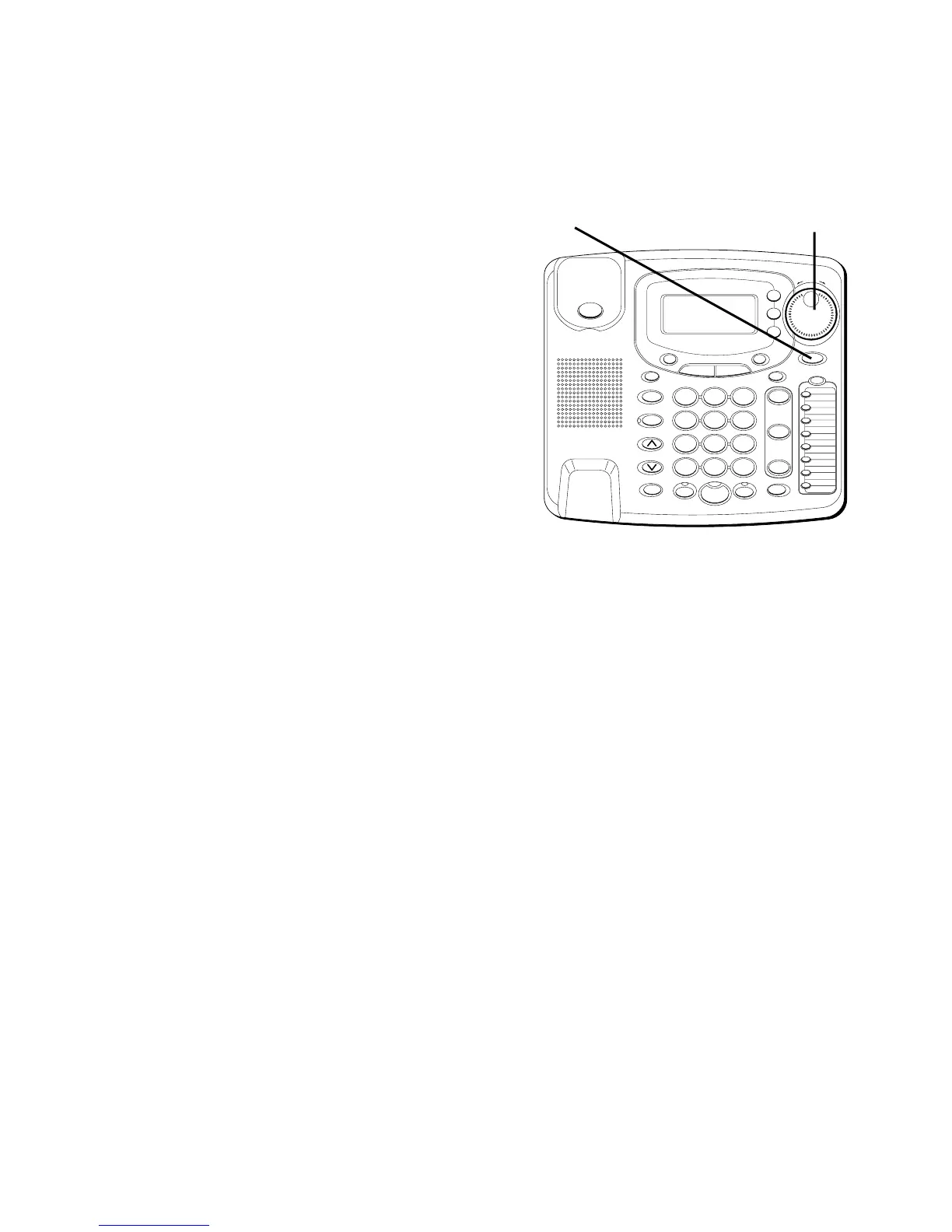
When reviewing Caller ID records, you
can dial back the numbers shown on the
display by pressing the DIAL button.
IF YOU PROGRAMMED YOUR LOCAL
AREA
CODE IN THE SETUP MENU
1. Use the SHUTTLE knob to display the
number you want to dial.
2. Press the DIAL button. If you see a
number with 7 digits (i.e. 555-1234),
then the call was received from within
your area code. However, this does
not guarantee the call is a local call. If
you see a number with 11 digits (i.e.
1-234-555-1234), then the call received
was not from your area code. If the
viewing number is not a Direct Dial
Number provided by the phone
company, the unit will display
TURN
TO SELECT
.
#
OPER
0
TONE
WXYZ
9
TUV
8
PQRS
7
MNO
6
JKL
5
GHI
4
DEF
3
ABC
21
STORE
LOWER
DIAL
CALLER ID
CLEAR
EXIT
SELECT
VOICE MAIL
CONFER
LINE
2
LINE
1
HOLD
MUTEHEADSETFLASH
VOLUME
BUSY REDIAL
REDIAL
PAUSE
MENU DIRECTORY
8
7
6
5
4
3
2
1
S
H
U
T
T
L
E
SPEAKER
*
DIAL
button
SHUTTLE
knob



 To Next Page