54
CHANGING A STORED NAME OR
NUMBER
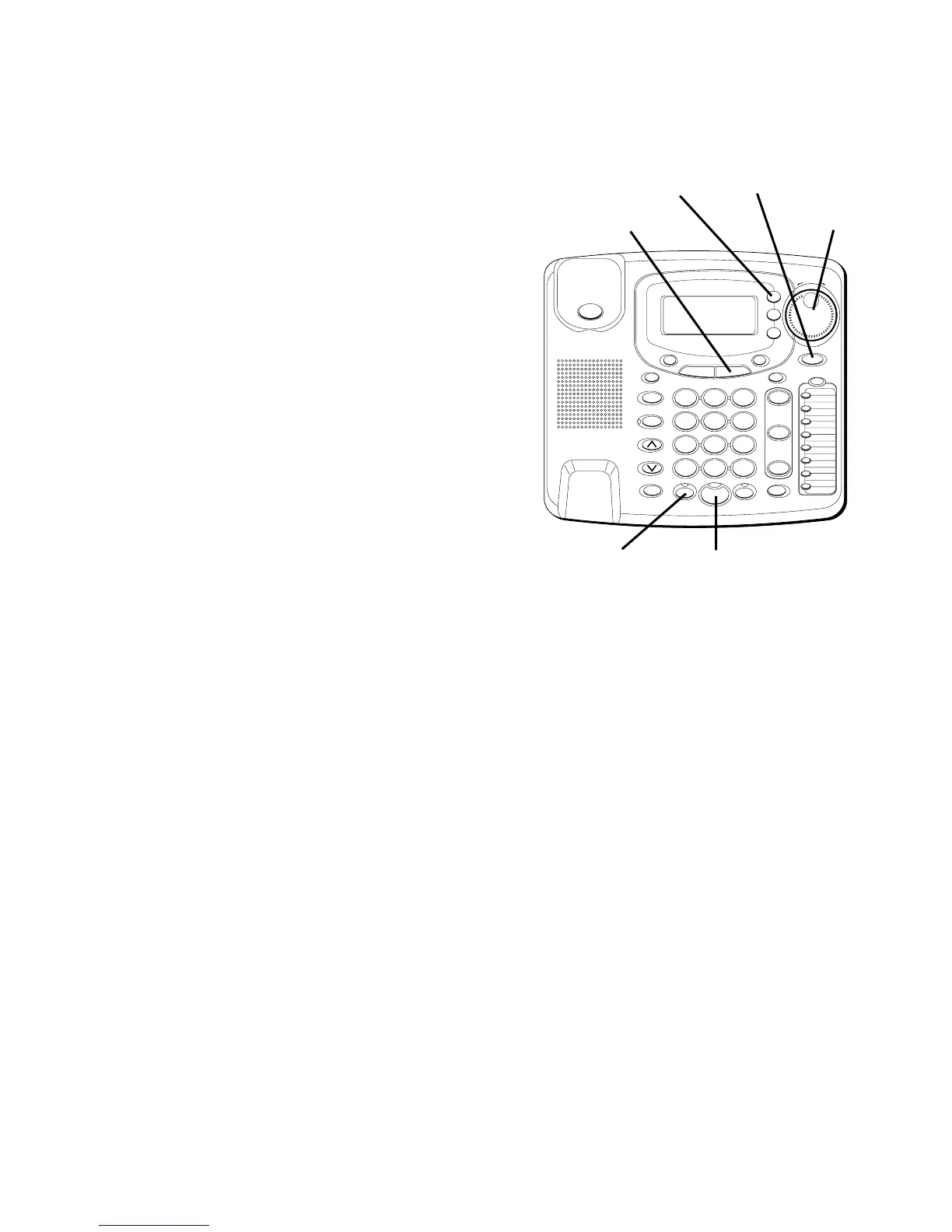
1. Press the DIRECTORY button.
2. Use the SHUTTLE knob to scroll to the
location where the information is
stored.
3. Press SELECT.
4. Follow the instructions in “Storing a
Name and Number” to change the
information.
DIALING A STORED NUMBER
1. Pick up the handset, or press
SPEAKER or HEADSET.
2. Press the line you want.
3. Wait for a dial tone.
4. Press DIRECTORY.
5. Use the jog dial to scroll to the
number you want to call.
6. Press DIAL. The number dials
automatically.
#
OPER
0
TONE
WXYZ
9
TUV
8
PQRS
7
MNO
6
JKL
5
GHI
4
DEF
3
ABC
21
STORE
LOWER
DIAL
CALLER ID
CLEAR
EXIT
SELECT
VOICE MAIL
CONFER
LINE
2
LINE
1
HOLD
MUTEHEADSETFLASH
VOLUME
BUSY REDIAL
REDIAL
PAUSE
MENU DIRECTORY
8
7
6
5
4
3
2
1
S
H
U
T
T
L
E
SPEAKER
*
SHUTTLE
knob
SELECT
button
DIRECTORY
button
DIAL
button
HEADSET
button
SPEAKER
button



 To Next Page