41
DELETING ALL DIRECTORY
MEMORY
This feature allows you to clear all
memory saved in the directory at once.
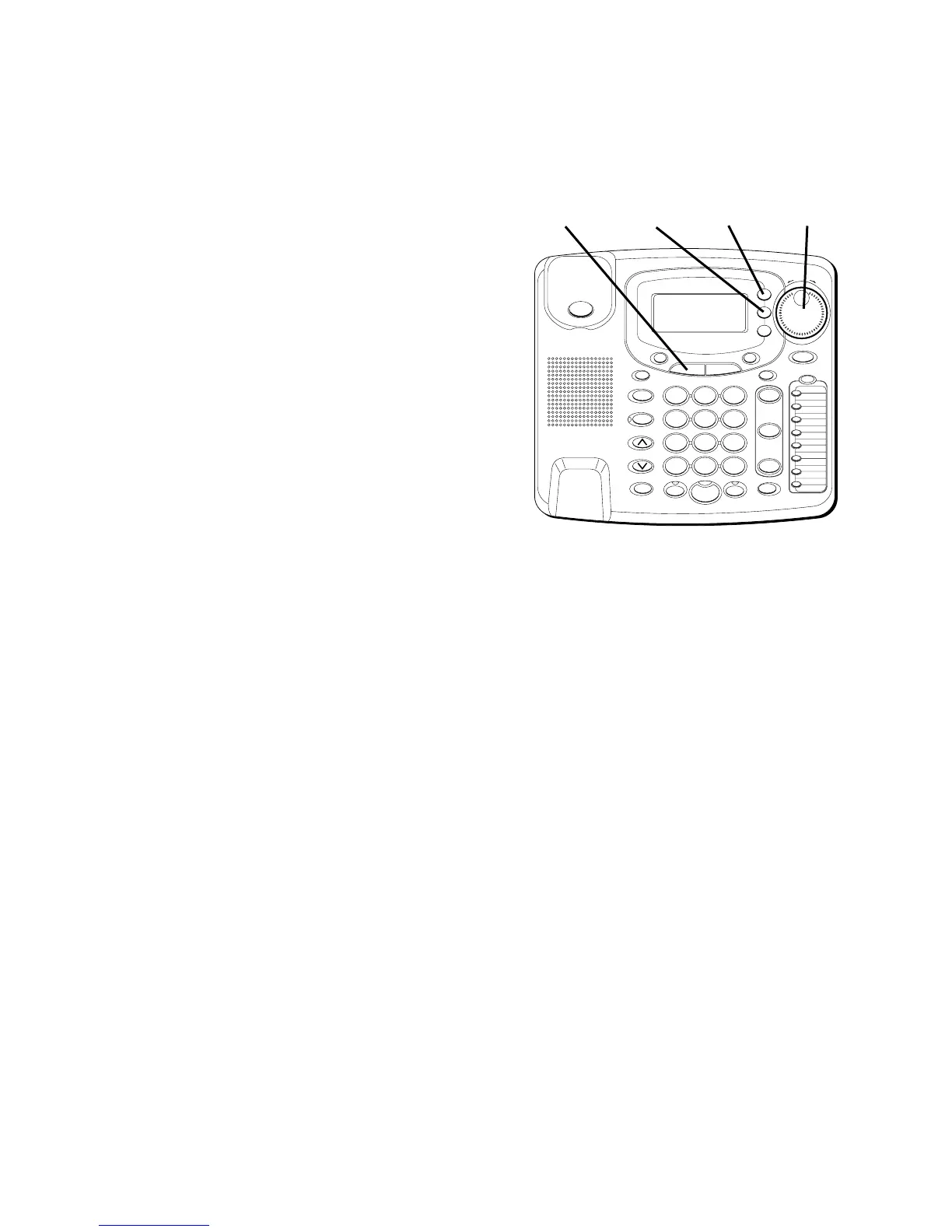
1. Press the MENU button.
2. Use the SHUTTLE knob to scroll to
SETTINGS
.
3. Press SELECT.
4. Use the SHUTTLE knob to scroll to
DELETE ALL PB
.
5. Press SELECT.
6. Use the SHUTTLE knob to scroll to
YES
.
7. Press SELECT.
“OK”
is displayed to
confirm all directory memory has
been deleted. If you want to start over,
press EXIT once to return to one
menu level up.
#
OPER
0
TONE
WXYZ
9
TUV
8
PQRS
7
MNO
6
JKL
5
GHI
4
DEF
3
ABC
21
STORE
LOWER
DIAL
CALLER ID
CLEAR
EXIT
SELECT
VOICE MAIL
CONFER
LINE
2
LINE
1
HOLD
MUTEHEADSETFLASH
VOLUME
BUSY REDIAL
REDIAL
PAUSE
MENU DIRECTORY
8
7
6
5
4
3
2
1
S
H
U
T
T
L
E
SPEAKER
*
MENU
button
SELECT
button
EXIT
button
SHUTTLE
knob



 To Next Page