40
DELETING ALL CALL
RECORDS
This feature allows you to clear all
CALLER ID records at once.
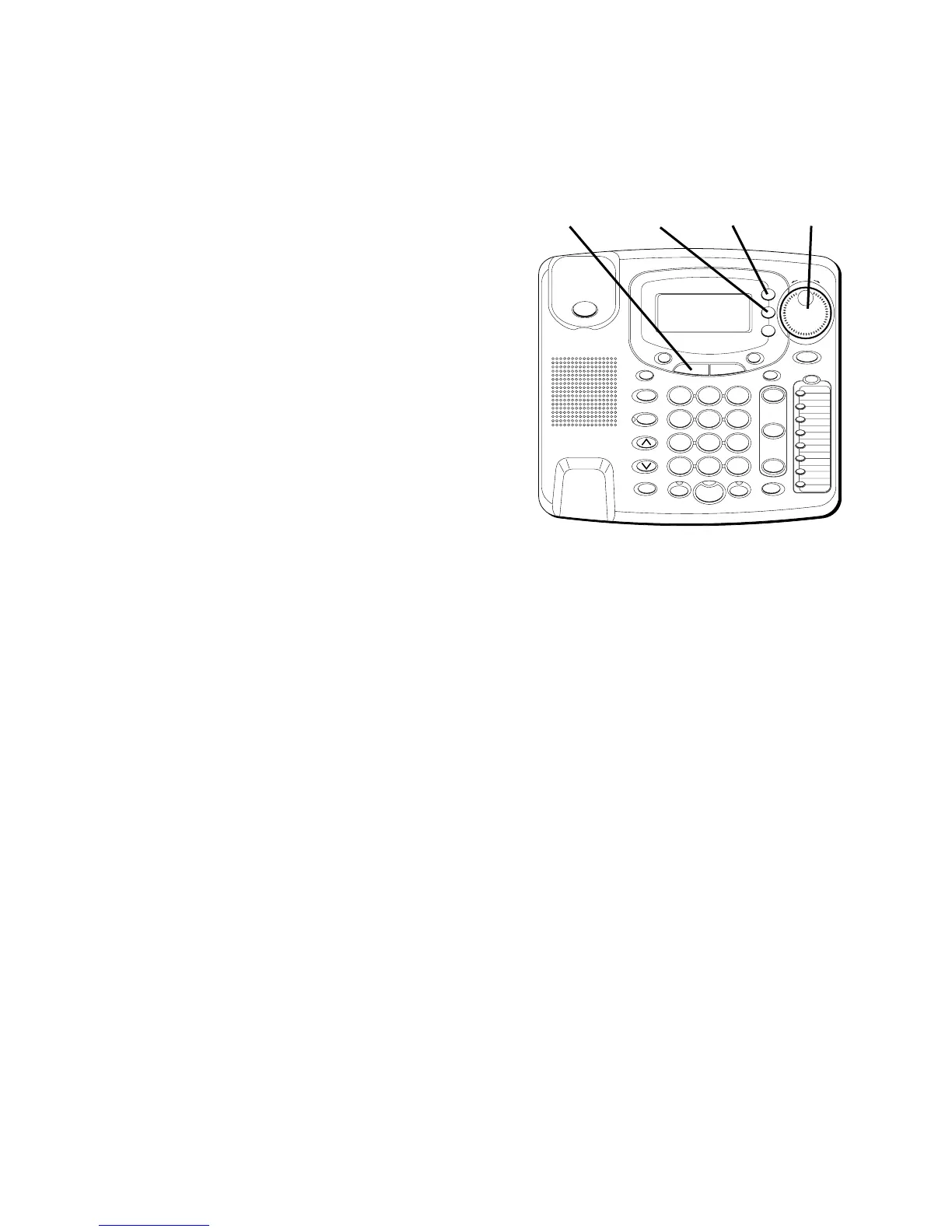
1. Press the MENU button.
2. Use the SHUTTLE knob to scroll to
SETTINGS
.
3. Press SELECT.
4. Use the SHUTTLE knob to scroll to
DELETE ALL CID Records
.
5. Press SELECT.
6. Use the SHUTTLE knob to scroll to
YES
.
7. Press SELECT.
“OK”
is displayed to
confirm all Caller ID records have
been deleted. If you want to start over,
press EXIT once to return to one
menu level up.
#
OPER
0
TONE
WXYZ
9
TUV
8
PQRS
7
MNO
6
JKL
5
GHI
4
DEF
3
ABC
21
STORE
LOWER
DIAL
CALLER ID
CLEAR
EXIT
SELECT
VOICE MAIL
CONFER
LINE
2
LINE
1
HOLD
MUTEHEADSETFLASH
VOLUME
BUSY REDIAL
REDIAL
PAUSE
MENU DIRECTORY
8
7
6
5
4
3
2
1
S
H
U
T
T
L
E
SPEAKER
*
MENU
button
SELECT
button
EXIT
button
SHUTTLE
knob



 To Next Page