47
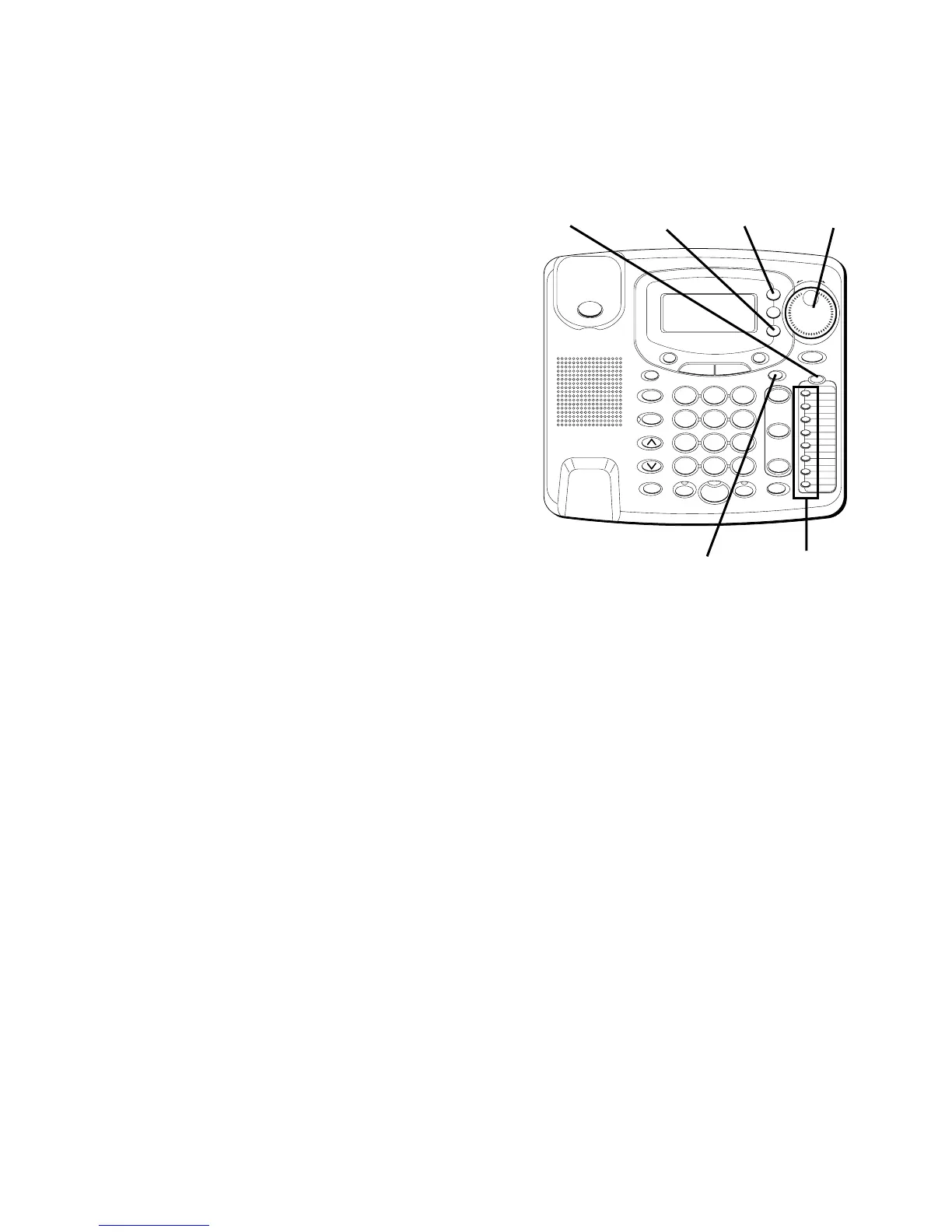
5. Once the desired letter is selected,
use the SHUTTLE knob to move to the
next one or skip a space.
6. When finished, press STORE.
LOCATION?
shows in the display.
7. Press the memory location button
(1-8) where you want to store the
number. If you want to store it in
upper memory, press the memory
location button. If you want to store it
in lower memory, press the LOWER
button. Then press the memory
location where you want to store the
number.
8. For future reference, you may want to
write the name or number of the
party you have stored in this location
in the corresponding space on the
memory index card.
NOTE: When pulse mode is used,
pressing the TONE * key before
programming will store all digits in tone.
#
OPER
0
TONE
WXYZ
9
TUV
8
PQRS
7
MNO
6
JKL
5
GHI
4
DEF
3
ABC
21
STORE
LOWER
DIAL
CALLER ID
CLEAR
EXIT
SELECT
VOICE MAIL
CONFER
LINE
2
LINE
1
HOLD
MUTEHEADSETFLASH
VOLUME
BUSY REDIAL
REDIAL
PAUSE
MENU DIRECTORY
8
7
6
5
4
3
2
1
S
H
U
T
T
L
E
SPEAKER
*
SELECT
button
STORE
button
CLEAR
button
Memory
buttons
LOWER
button
SHUTTLE
knob



 To Next Page