EasyManua.ls Logo

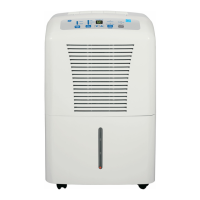
GE ADEL50 - User Manual

GE ADEL50
24 pages
Print Icon
To Next Page IconTo Next Page
Loading...
Write the model and serial
numbers here:
Model # _________________
Serial # _________________
You can find them on a label on
the back of the dehumidifier.
GE is a trademark of the General Electric Company. Manufactured under trademark license.
OWNER’S MANUAL
DEHUMIDIFIER
49-5000428 Rev. 0 09-19 GEA
ADEL35
ADEW35
ADEL50
SAFETY INFORMATION .........3
OPERATING INSTRUCTIONS
Controls ..............................4
How the Dehumidifier Operates .........5
Automatic Defrost .....................5
Choosing a Location ...................5
Removing Collected Water .............6
Water Level ...........................6
Bucket Operation ......................6
CARE AND CLEANING
Grille and Case ........................7
Water Bucket .........................7
Air Filter ..............................7
TROUBLESHOOTING TIPS .......8
ELECTRIC SCHEMATIC
DIAGRAM .........................10
CONSUMER SUPPORT
Limited Warranty ..................... 11
Consumer Support ....................12
ENGLISH/ESPAÑOL


Questions and Answers

  • E
    Evelyn SmithSep 6, 2025
    Why is the Bucket Full LED light flashing and alarm sounds while drain hose is connected to my GE ADEL50?
    • A
      Amanda MillerSep 6, 2025
      If the Bucket Full LED is flashing and the alarm is sounding on your GE Dehumidifier while the drain hose is connected, it may be because the drain hose is not tight on the fitting (check the connection) or the drain hose is kinked (ensure it's pointed straight down and not kinked).
  • E
    Erin ChavezAug 22, 2025
    Why GE ADEL50 Dehumidifier does not start?
    • K
      khawkinsAug 22, 2025
      Several factors can prevent your GE dehumidifier from starting. First, ensure the dehumidifier's plug is completely pushed into the outlet. Check your house's fuse or circuit breaker box, replacing the fuse or resetting the breaker if necessary. If the dehumidifier has reached its preset level, change to a lower setting, or if the bucket is full, empty it and replace it properly. Also, the bucket must be correctly placed and securely seated for the dehumidifier to operate. Finally, after a power failure, there is a protective time delay of up to 3 minutes to prevent tripping the compressor overload; the unit may not start normal dehumidification during this time.
  • B
    Bonnie ChambersSep 4, 2025
    What to do if my GE ADEL50 runs too much?
    • C
      Cheryl CastroSep 4, 2025
      If your GE Dehumidifier is running excessively, it might be due to the area being too large for the unit's capacity, or because doors and windows are open. Try closing all doors and windows to the outside to see if that resolves the issue. If not, your dehumidifier may not be adequate for the area.
  • P
    perezandreaSep 2, 2025
    What to do if there is water on the floor near my GE ADEL50 Dehumidifier?
    • K
      Kimberly FreemanSep 2, 2025
      If you find water on the floor near your GE dehumidifier, first, check the hose connection to ensure it is secure. If you're using a bucket to collect water, disconnect the hose.
  • B
    Brooke GilesAug 31, 2025
    Why does frost appear on the coils of my GE ADEL50 Dehumidifier?
    • A
      Andrea CannonSep 1, 2025
      If you notice frost on the coils of your GE dehumidifier, especially after turning it on recently or if the room temperature is below 41°F (5°C), don't worry! This is normal, and the frost should disappear within 25 minutes.
  • B
    branchedwardAug 30, 2025
    Why control cannot be set on GE ADEL50 Dehumidifier?
    • D
      davidriosAug 30, 2025
      If the control on your GE Dehumidifier cannot be set, it may be because the compressor turns off, but the fan continues to run automatically for about 3 minutes. Wait approximately 3 minutes, and then set the fan as desired.
  • T
    thomasashleyAug 29, 2025
    Why is my GE Dehumidifier not drying the air properly?
    • N
      ndavisAug 29, 2025
      If your GE Dehumidifier isn't drying the air as expected, consider these possibilities: not enough time has passed (allow at least 24 hours after installation), airflow is restricted (ensure no obstructions like curtains or furniture), the filter is dirty, the humidity control isn't set low enough (lower the percent value or set to 16 for maximum dehumidification), doors and windows aren't closed tightly, a clothes dryer is blowing moisture into the room (relocate the dehumidifier and vent the dryer outside), or the room temperature is too low (moisture removal is best at higher temperatures).
  • L
    laurabarnesAug 27, 2025
    Why is my GE Dehumidifier fan so noisy?
    • L
      Lauren PriceAug 27, 2025
      If you're noticing fan noise from your GE dehumidifier, it's likely due to air moving through the unit, which is normal.
  • T
    Terry MichaelAug 27, 2025
    What to do if the bucket full LED light is flashing and alarm sounds while drain hose is connected to my GE Dehumidifier?
    • A
      alexander06Aug 27, 2025
      If the 'Bucket Full' LED is flashing and the alarm sounds on your GE dehumidifier while the drain hose is connected, check the drain hose connection to ensure it is tight on the fitting. Also, make sure the drain hose is pointed straight down to the floor and is not kinked.
  • B
    Bryan SmithAug 25, 2025
    What to do if GE Dehumidifier does not dry the air as it should?
    • M
      mclaughlinvickiAug 25, 2025
      If your GE dehumidifier isn't drying the air sufficiently, several factors could be at play. When first installed, allow at least 24 hours to achieve the desired dryness. Ensure that curtains, blinds, or furniture aren't blocking the front or back of the unit. For drier air, lower the humidity control setting. Check that all doors, windows, and other openings are securely closed. Position the dehumidifier away from the clothes dryer, and ensure the dryer is vented outside. Note that lower room temperatures reduce the moisture removal rate; these models are designed to operate above 65°F.

Summary

Safety Information

Use of Extension Cords

Warns against using extension cords with the dehumidifier to prevent fire hazards.

How to Connect Electricity

Instructions on proper grounding and electrical outlet connection for safe operation.

Operating Instructions

Controls Overview

Explains the function of each control button and indicator light on the dehumidifier panel.

Removing Collected Water

Details methods for emptying the water bucket or using a continuous drain hose.

Care and Cleaning

Troubleshooting Tips

Common Problems and Solutions

A guide to identify and resolve common dehumidifier issues before calling for service.

GE ADEL50 Specifications

General IconGeneral
TypeDehumidifier
Capacity50 pints per day
Energy Star RatedYes
Filter TypeWashable
ENERGY STAR CertifiedYes
Auto RestartYes
Auto DefrostYes
Continuous DrainageYes
Voltage115V
Noise Level51 dBA
Operating Temperature41°F to 90°F

Related product manuals